GETTING STARTED
Carefully remove the unit and all the accessories from the packaging. Please verify
that you have all the following accessories before recycling the gift box.
Quick Start Guide
Micro USB charging cable
3.5mm AUX-in cable
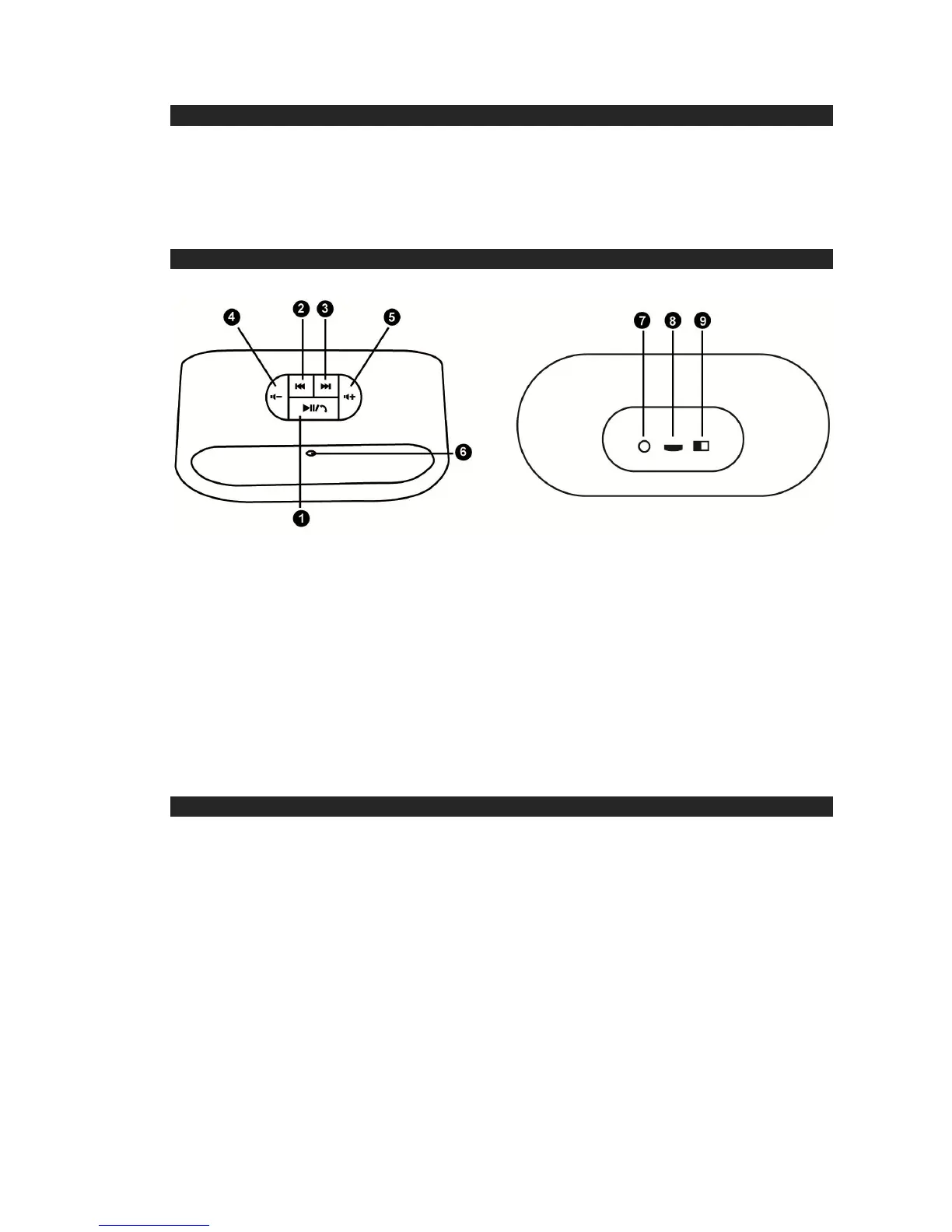
LOCATION OF CONTROLS
FRONT BACK
1. PLAY/ STOP OR PICK UP/ HANG UP
2. PREVIOUS SONG
3. NEXT SONG
4. VOLUME DOWN
5. VOLUME UP
6. LED – POWER / CHARGING / BLUETOOTH STATUS INDICATOR (RED /
BLUE)
7. 3.5MM AUX IN JACK
8. CHARGING JACK(MICRO USB)
9. ON/OFF BUTTON
CHARGING INSTRUCTIONS
This unit operates on a built-in Lithium battery that can be recharged either using the
USB port on your computer or from a USB power adaptor (not included) with a rated
output of DC 5V, 500mA and up.
Note: The micro USB CHARGING JACK located on this unit is only designed for
charging the built- in Lithium battery.
CHARGING THE BATTERY FOR FIRST TIME
1.) Charge the built-in Lithium battery a minimum of 3.5 hours prior to first use.
Plug the unit into the USB port on your computer or into a USB power adaptor
(not included) using the included USB cable.
2.) The LED indicator will turn red while charging and turn-off automatically when the
unit is fully charged. Unplug the USB cable from the power source once the
battery is fully charged.
RECHARGING THE INTERNAL BATTERY
After prolonged use, the internal battery will become weak and the operation may


 To Next Page