17
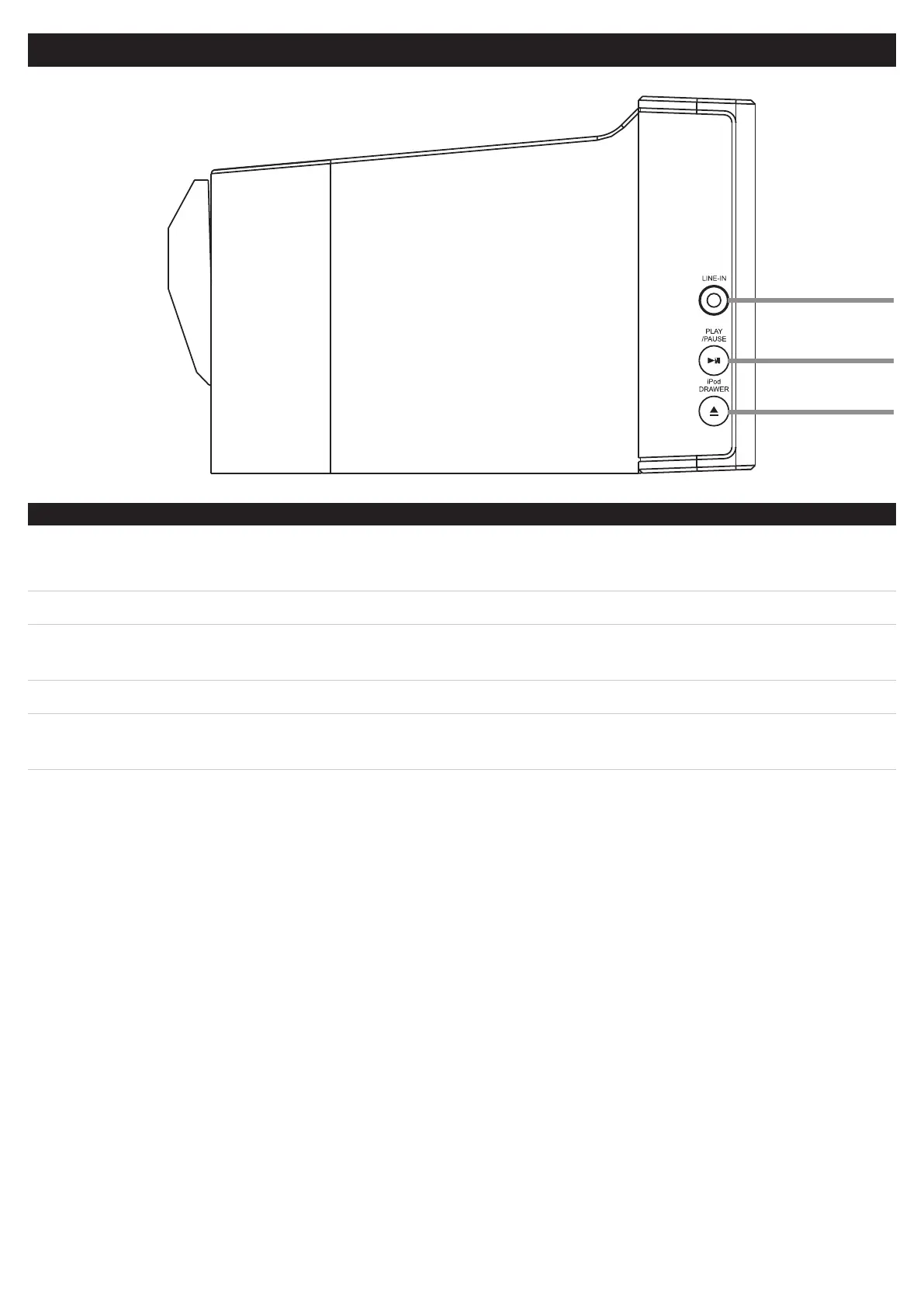
CONTROLS-SIDESOFTHEBARSPEAKER
CONTROLGLOSSARY
6
7
8
06.LineInput
UsetheLineInputtoconnectanMP3Player,suchasaniPodShufe,oranotherAudioSource.
Any device with a headphone jack, line output, or auxiliary output can be connected to the Line Input.
07.Play/PauseButton
Press the Play Button to play a docked iPod.
Press the Pause Button to pause a docked iPod while playing.
08.iPodDrawerButton
PresstheiPodDrawerButtontoopenorclosethemotorizeddockforiPod.


 To Next Page