18
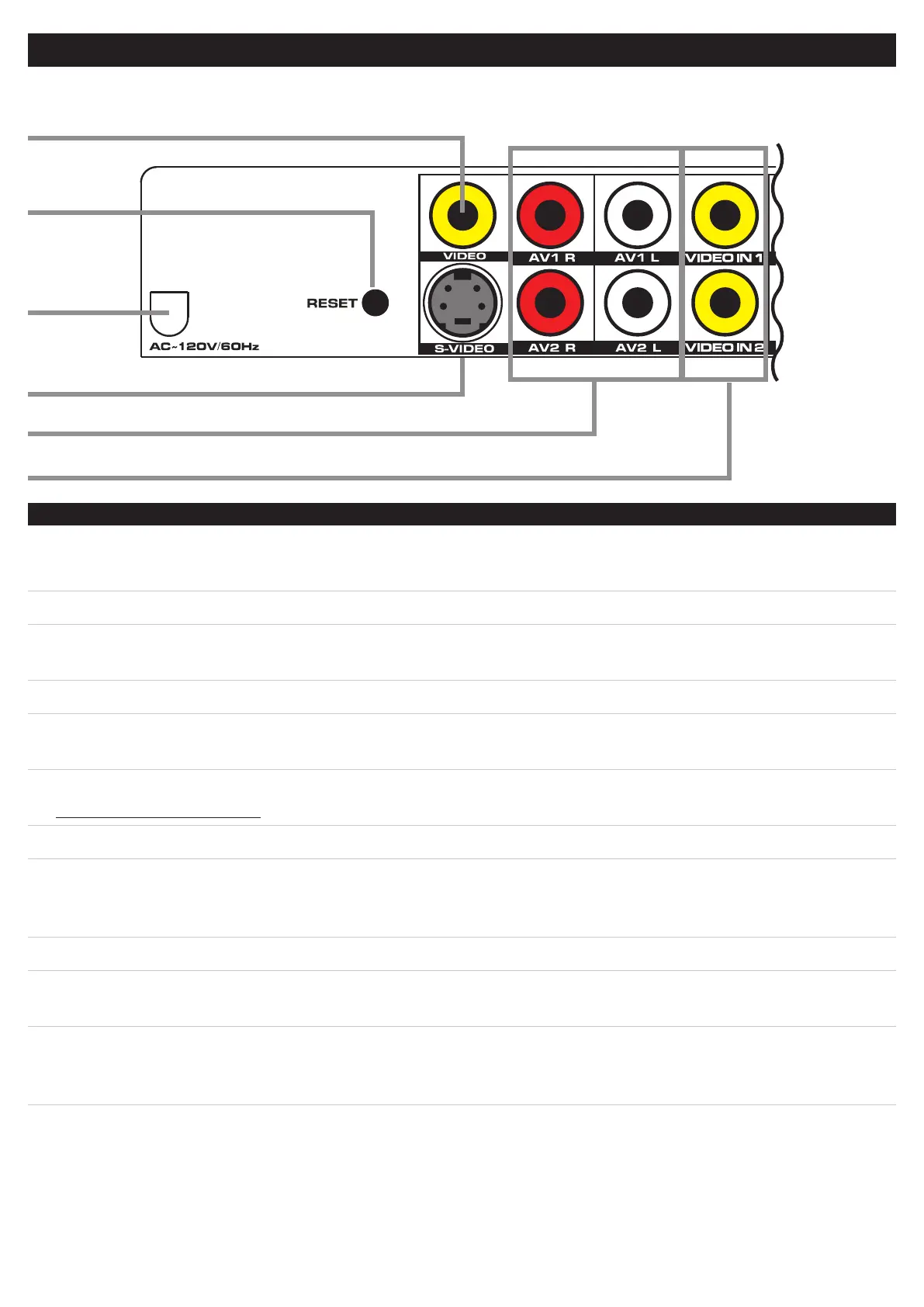
CONTROLS-BACKOFTHEBARSPEAKER
CONTROLGLOSSARY
11
13
12
14
9
10
09.VideoOutput(iPodandDVDPlayer)
Requires a Composite RCA Video Cable.
Use the Video Output to output video from a docked iPod or connected DVD Player to a Television.
10.ResetButton
Use a paperclip or like object to press the Reset Button.
Pressing the Reset Button will restore the bar speaker to it’s default settings.
11.ACPowerCord(120V/60Hz)
Use the AC Power Cord to connect the bar speaker to standard AC outlet.
12.S-VideoOutput(iPodOnly)
Requires an S-Video Cable.
Use the S-Video Output to output video from a docked iPod to a Television.
13.AV1StereoAudioInputs
AV2StereoAudioInputs
Requires a Stereo RCA Audio Cable.
Use the Stereo Audio Inputs to connect an audio source to the bar speaker, such as a Television, or DVD Player.
14.Video1andVideo2Inputs
Requires a Composite RCA Video Cable.
Use the Video Inputs to connect a video source to the bar speaker, such as a DVD Player, Digital Cable or
Satellite Tuner, Set-Top Box, Gaming Console, or VCR. That video source can then be sent out through the
Video Output or S-Video Output to a Television.


 To Next Page