MENU
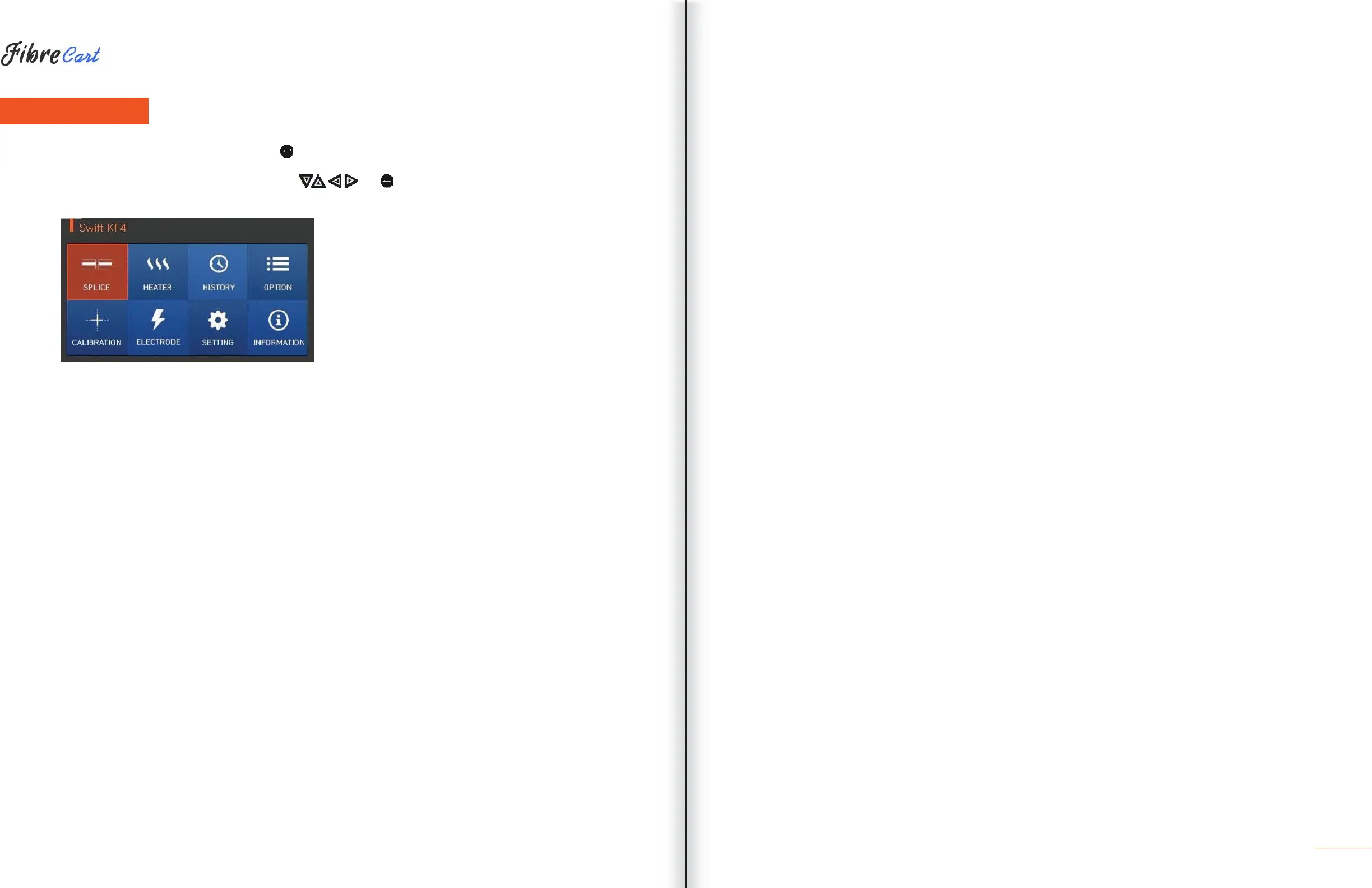
The main menu has eight submenus. Press to load the main menu.
The eight submenus can be selected by using , or by pressing the screen. The main menu
screen displays as follows.
SPLICING
•
Replace: Selects and replaces a certain splice mode within the database
•
Add: Selects and adds a certain splice mode within the database
•
Select: Selects a splice mode to run
•
Edit: Edits set values of splice mode
•
Cancel: Closes the menu window
•
Delete: Deletes splice mode
HEATER
•
Replace: Selects and replaces a certain heater mode within the database
•
Add: Selects and adds a certain heater mode within the database
•
Select: Selects a heater mode to run
•
Edit: Edits set values of heater mode
•
Cancel: Closes the menu window
•
Delete: Deletes heater mode
HISTORY (SPLICE RESULTS)
•
DISPLAY HISTORY: Displays splice result and image
•
CLEAR HISTORY: Deletes all data
OPTION
•
DEFAULT: Auto, pause, auto heater
•
MENU LOCK: Menu lock setting
•
PASSWORD: Password sets upon locking
CALIBRATION
•
ARC CALIBRATION: Adjusts arc calibration intensity
•
ARC TEST: Check arc quantity through arc test
•
DIAGNOSTIC TEST: Diagnoses equipment state
•
MOTOR DRIVE: Operates motor manually
•
MOTOR CALIBRATION: Initializes motor speed and location
ELECTRODE
•
ELECTRODE STABILIZE: Conducts stabilization of electrodes
•
ELECTRODES CAUTION: Sets the number of uses to inform about electrode replacement
•
ELECTRODES REPLACE: Explains how to replace the electrodes
•
ELECTRODE USED: Displays the electrode-use count
SETTING
•
LANGUAGE: Selects a language
•
DATE: Sets the present time
•
POWER SAVE: Sets sleep mode
•
VOLUME: Adjusts the intensity of the buzzer sound
•
LCD BRIGHTNESS: Adjusts screen brightness
INFORMATION
•
MAINTENANCE INFO: Displays maintenance schedule
•
SENSOR VALUE: Indicates temperature and pressure
•
VERSION: Shows the current version of the product
•
HELP: Consists of:
—
NAME OF PARTS
—
CLEAN AND INSPECT
— WARNINGS
—
A/S CONTACT LIST



 To Next Page