6.2
| HEATER
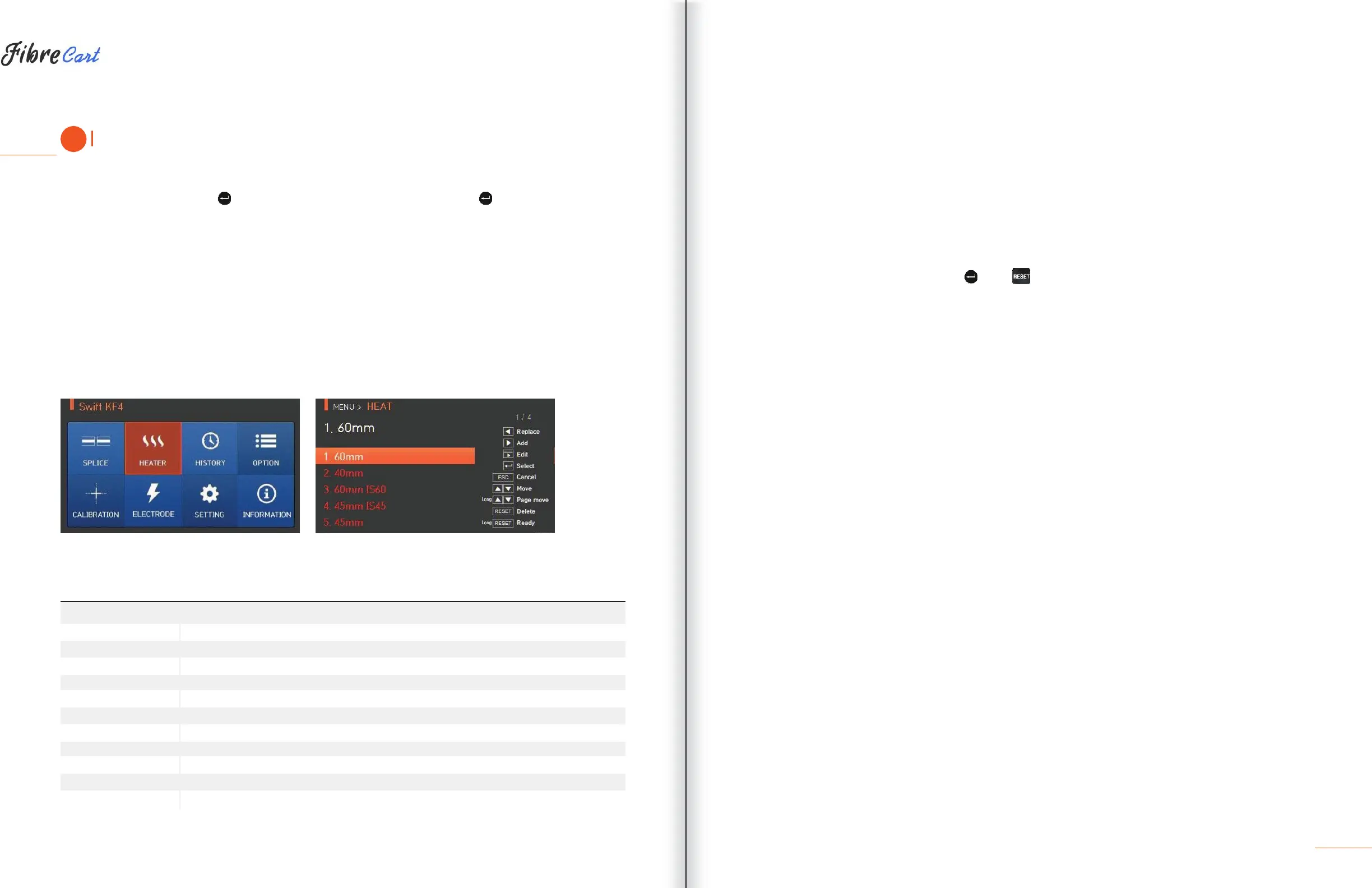
To display heater mode, press and then select “HEATER” from the menu using . The selecting screen is
equipped with various heater modes to facilitate easy selection. Heater mode can be expanded and saved for
up to 100 modes. Heater mode Nos. 1—16 cannot be deleted or replaced.
[Outline of heater mode]
SET VALUE
DESCRIPTION
Standard 60mm micro sleeve
Standard 40mm micro sleeve
45mm sleeve for 0.9mm cable
22mm sleeve for SOC (SC-0.9mm)
45mm sleeve for 2.0mm cable
45mm sleeve for 3.0mm cable
32mm sleeve for SOC (SC-3.0mm)
25mm sleeve for SOC (LC-0.9, 2.0mm)
28mm sleeve for SOC(ST-0.9mm)
36mm sleeve for SOC (ST-3.0mm)
Choose the right mode for each sleeve tube type and SOC. Otherwise sleeve tubes do NOT shrink
properly.
CAUTIONS
For the SOC, operators must use UCLSWIFT standard products. For other sleeves, see manufacturer
specifications and adjust manually.
Heater modes specify temperature, time and heating location on the heater plate.
6.2.1
DELETION
First, select a heater mode by pressing
. Press
to delete. Mode Nos. 1—16 cannot be deleted.
27



 To Next Page