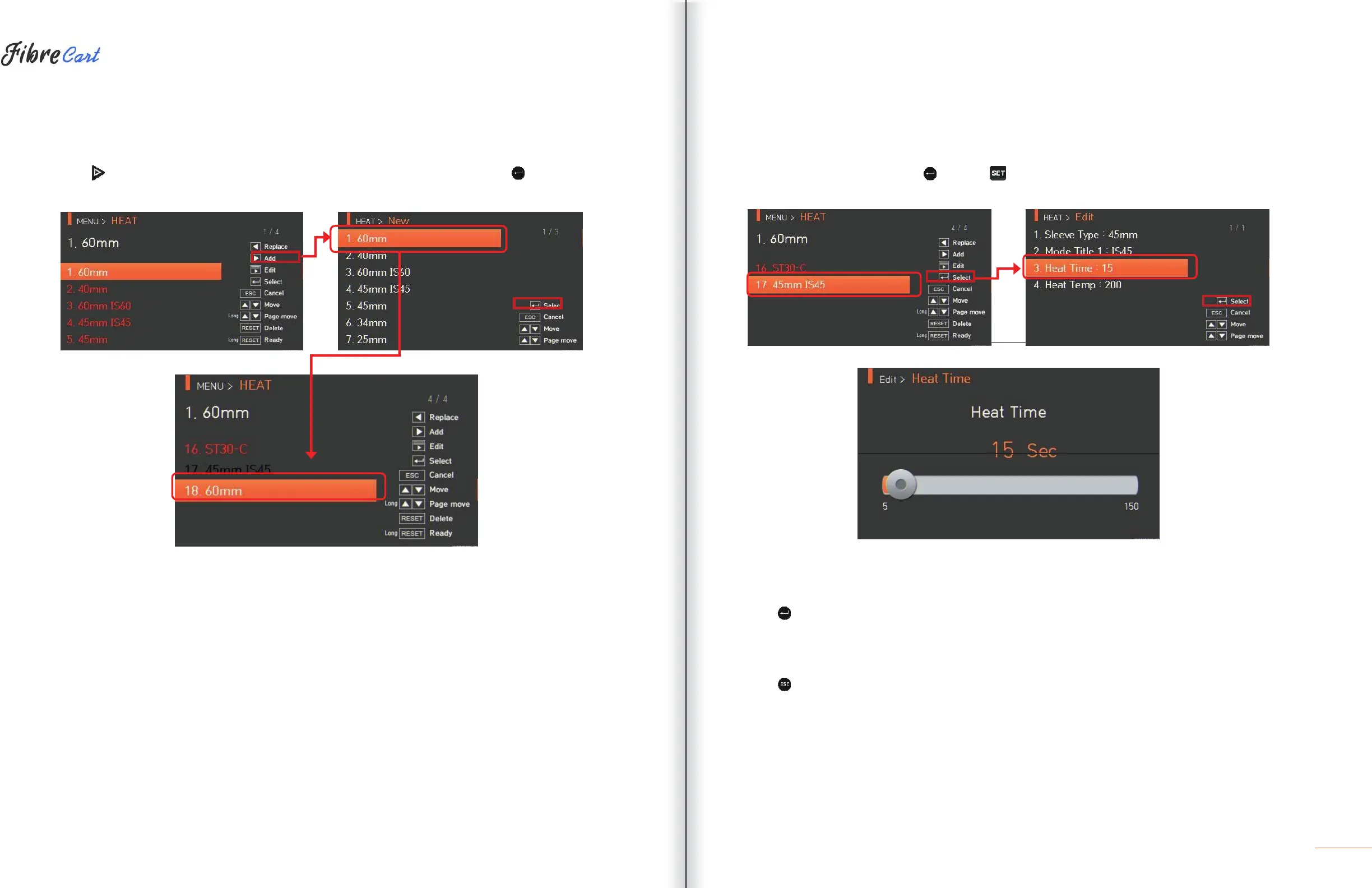
6.2.3 ADDITION
Press
to display heater modes on the screen. Select a heater mode to add and press to add. The newly
added mode is located on the last number.
Additions cannot be made on general modes Nos. 1—16.
6.2.4
EDITION
Select a heater mode to edit with and press . Values of the selected heater mode are displayed. Press a
set value to change.
6.2.5
SELECTION
Press
to save the selected heater mode to memory.
6.2.6
CLOSE
Press
to return to the previous stage.



 To Next Page