EasyManua.ls Logo

Ilsintech SWIFT KF4 - OPERATION OPTIONS CONFIGURATION; SPLICE OPERATION SETTINGS

Default Icon
56 pages
Print Icon
To Next Page IconTo Next Page
To Previous Page IconTo Previous Page
Loading...
6.4
| OPTION
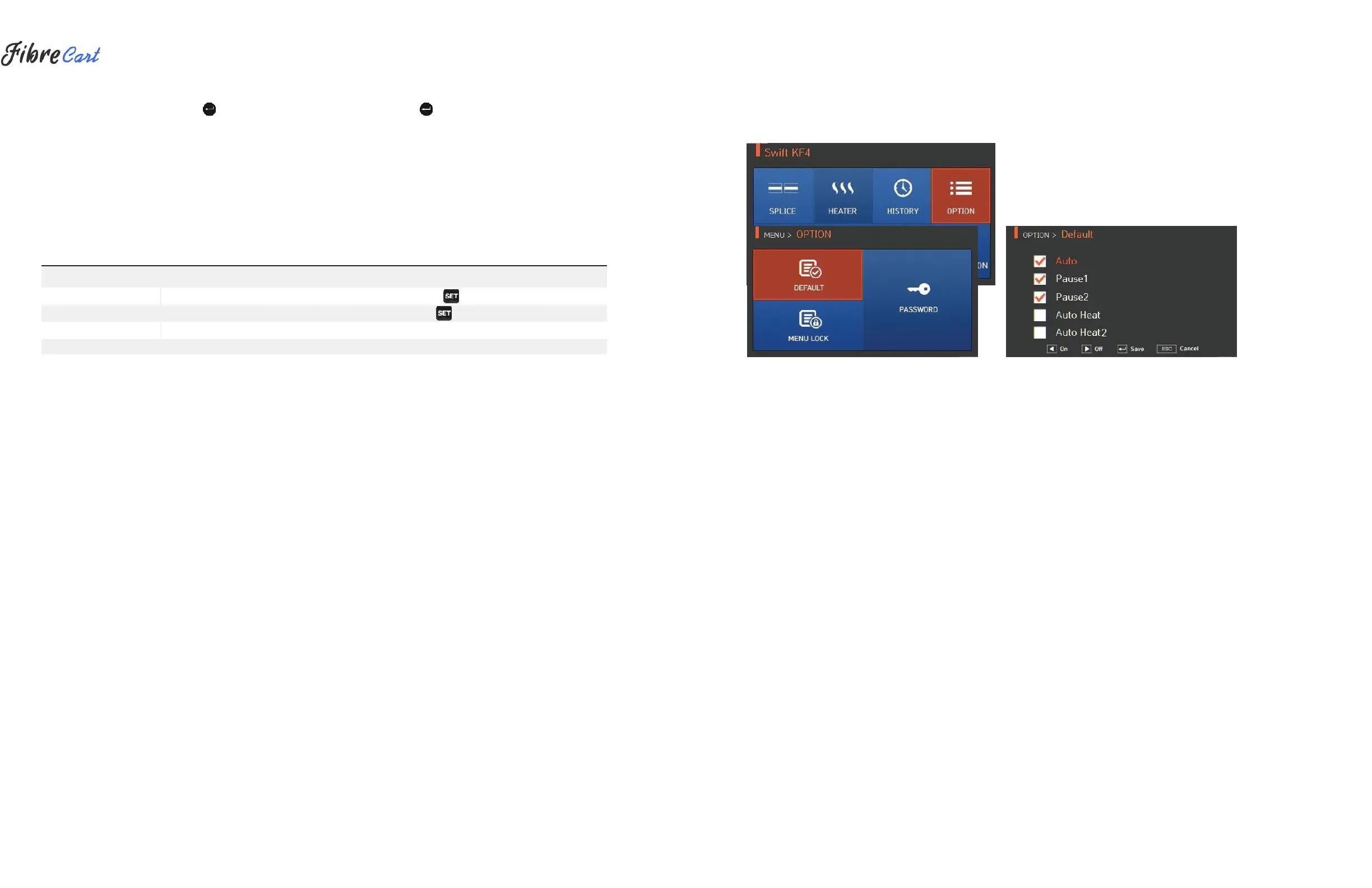
To display options menu, press and then selectOPTIONmenu with button. This displays
options menu as follows.
6.4.1
SPLICE OPERATION
Splice operation consists of ve sub-checkboxes. As the user marks a checkbox, each function is activated.
SET VALUE
DESCRIPTION
Auto
Splice automatically starts when closing the wind cover.
Pause 1
It temporarily stops after the rst alignment is nished. Press to advance to the next step.
Pause 2
It temporarily stops after clad alignment is nished. Press to advance to the next step.
Auto heat
Heater automatically operates after splice is nished.
Auto heat 2
After installing the sleeve, Heater automatically operates when the heater cover is closed.
32