EasyManua.ls Logo

Ilsintech SWIFT KF4 - HELP AND SUPPORT RESOURCES; ERROR MESSAGES AND SOLUTIONS; TOO DIRTY FIBER ERROR

Default Icon
56 pages
Print Icon
To Next Page IconTo Next Page
To Previous Page IconTo Previous Page
Loading...
6.8.3 6.8.4 HELP
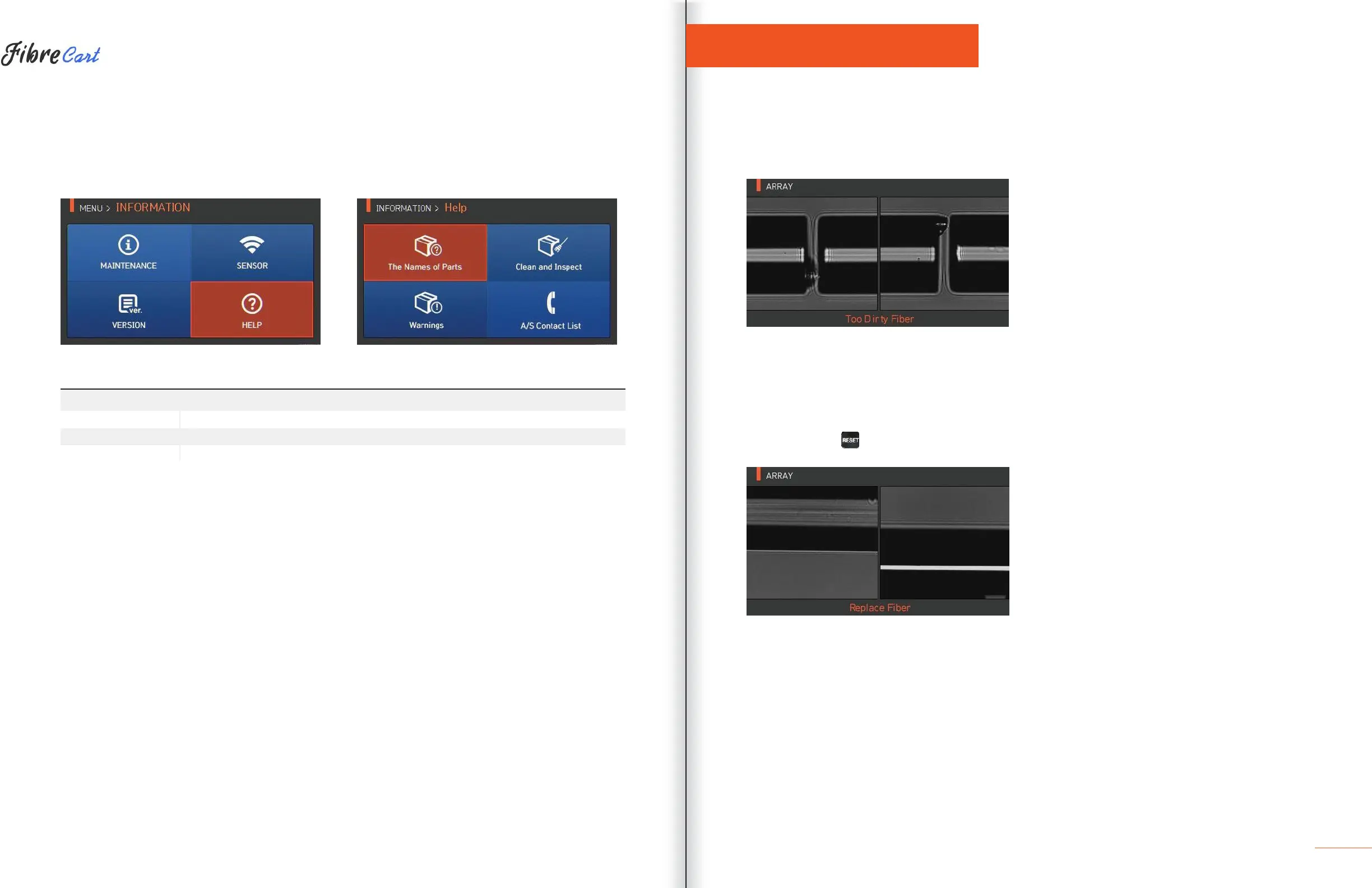
Press “HELP” to display the screen below.
ITEM DESCRIPTION
The names of parts
Names of each component on the KF4.
Clean and inspect
Cleaning and inspection method.
Warnings
Important warnings.
A/S contact list
Contact information for warranty.
ERROR MESSAGES
7.1
| TOO DIRTY FIBER
Error message generated when the ber prepared for splicing contains foreign substances that exceed a
normal level.
SOLUTION: Repeat splice after cleaning the ber.
7.2
| REPLACE FIBER
Error message generated when the ber is not located properly or there is a foreign substance on the object
lens or reector.
SOLUTION: Press and reposition ber again. Clean the object lens and reflector.