Stereo Audio System for Your iPod V10M10_IM_EN_12072007
www.i-Luv.com - 17 -
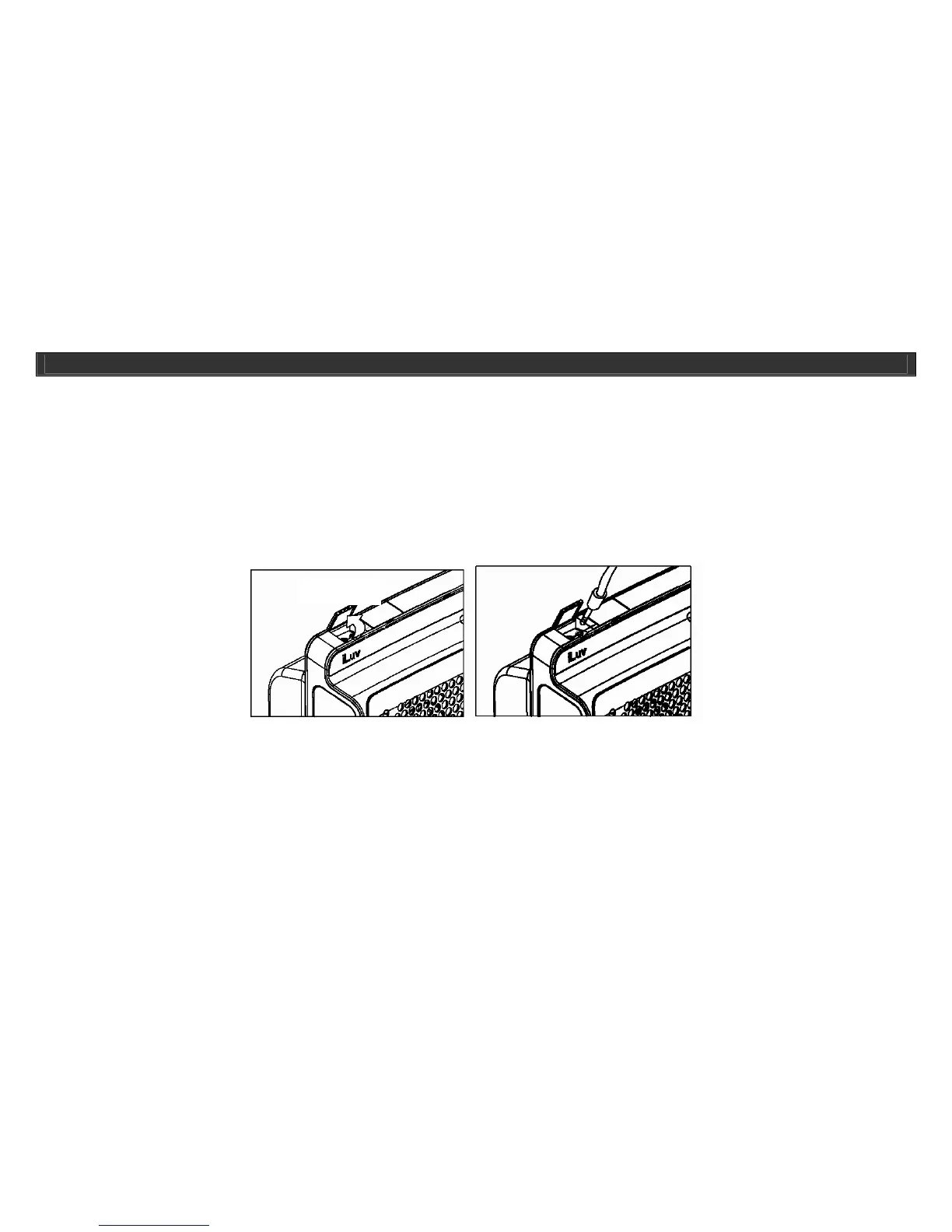
Listening to Other Audio Devices using line-in port
You can still listen to the first, second and third generations of iPod, or any other audio players other then iPod, with the i399/i398 by simply using the AUX-
IN port, located on the top of the i399/i398.
1. Insert the plug of the 3.5mm to 3.5mm audio patch cord (Not Included) into the HEADPHONE jack or LINE-OUT jack on your audio device, and then
insert the other end of the patch cord into the AUX-IN jack, located on the top of the i399/i398.
2. For AUX mode, press the MODE button on the i399, or the AUX on the Remote Control, until the AUX icon appears on the i399/i398s display.
3. It is now safe to turn ON your device and enjoy the music.
4. Use the VOLUME +/- buttons on the i399/i398 or Remote Control to adjust the decibel level. You may also need to adjust the audio device volume.
Charging Your iPod
Your iPod will always be in charge mode when left in the built-in Universal Dock until the unit is fully charged. Your iPod will also be in charge mode when
not in use if your iPod is left in the Built-in Universal Dock. Your iPod will not charge when the unit is NOT docked in the Built-in Universal Dock.
Note: Older generation (includes 3G) iPods are not supported, only newer 30pin connectors are supported by i399’s Universal Dock. Please see
compatibility list for i399/i398.
OPERATIONAL INSTRUCTIONS
Aux-In



 To Next Page