Stereo Audio System for Your iPod V10M10_IM_EN_12072007
www.i-Luv.com - 18 -
BluePin
TM
Setup and operating Instructions
Overview:
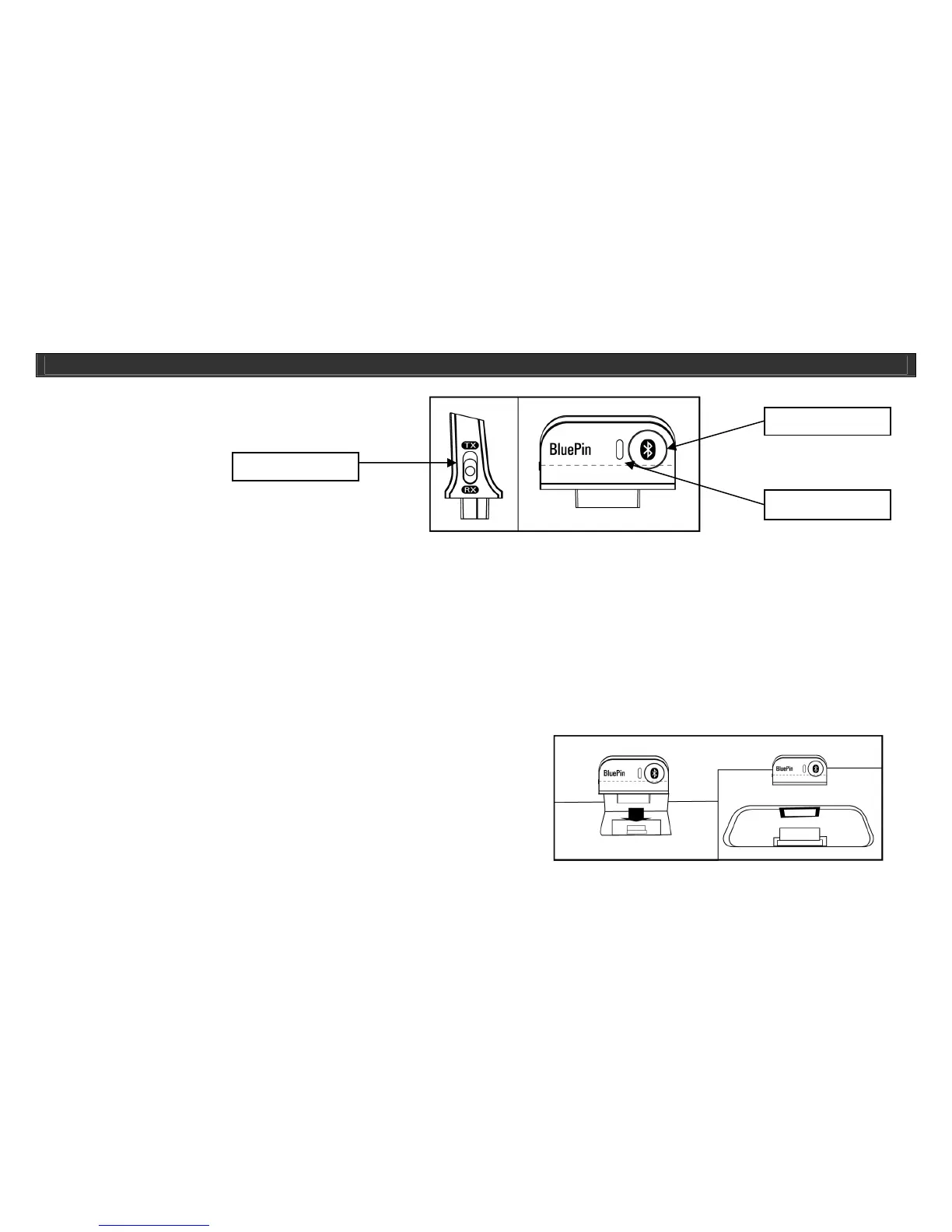
*Status Indicator mode
• No light: Not in operation and power off
• Blue Light slow flashing: Normal standby mode
• Blue Light fast flashing: Search Mode
• Blue & Red Light Flashing: Pairing Mode
• Solid Blue Light: Paired with a device
*BluePin
TM
Device Password: “0000”
*SEND: Transmitting sound to other devices such as Stereo Headset with Bluetooth technology with Bluetooth stereo Profile (A2DP)
*RCV: Receiving sound from other media players such as MP3 Cell Phones with Bluetooth Stereo Profile (A2DP) or Other Media Players with Bluetooth
Stereo Profile (A2DP). Also it can receive the phone call from a cell phone with Bluetooth hands-free profile (HSP and HFP).
NOTE: Certain devices with Bluetooth technology might not be compatible with the BluePin
TM
, please check with your dealer for compatibility. The best
product for this operation is iLUV Stereo Headsets with Bluetooth technology which are fully compatible with the BluePin
TM
.
1. Plug the BluePin
TM
unit securely into the i399/i398’s BluePin
TM
port with
below status on BluePin
TM
indicator
:
SEND: Blue indicator will slow flashing ( standby mode ) or RCV : Blue
indicator will fast flashing ( search mode )
Note: Illustrations on these pages depict the first version of the BluePin. This unit,
however, supports BluePin 2 (i120). This does not effect the operational
instructions listed here.
OPERATIONAL INSTRUCTIONS
Pairing Button
Status Indicator
TX/RX Switch



 To Next Page