Stereo Audio System for Your iPod V10M10_IM_EN_12072007
www.i-Luv.com - 19 -
BluePin
TM
Setup and operating Instructions-continued
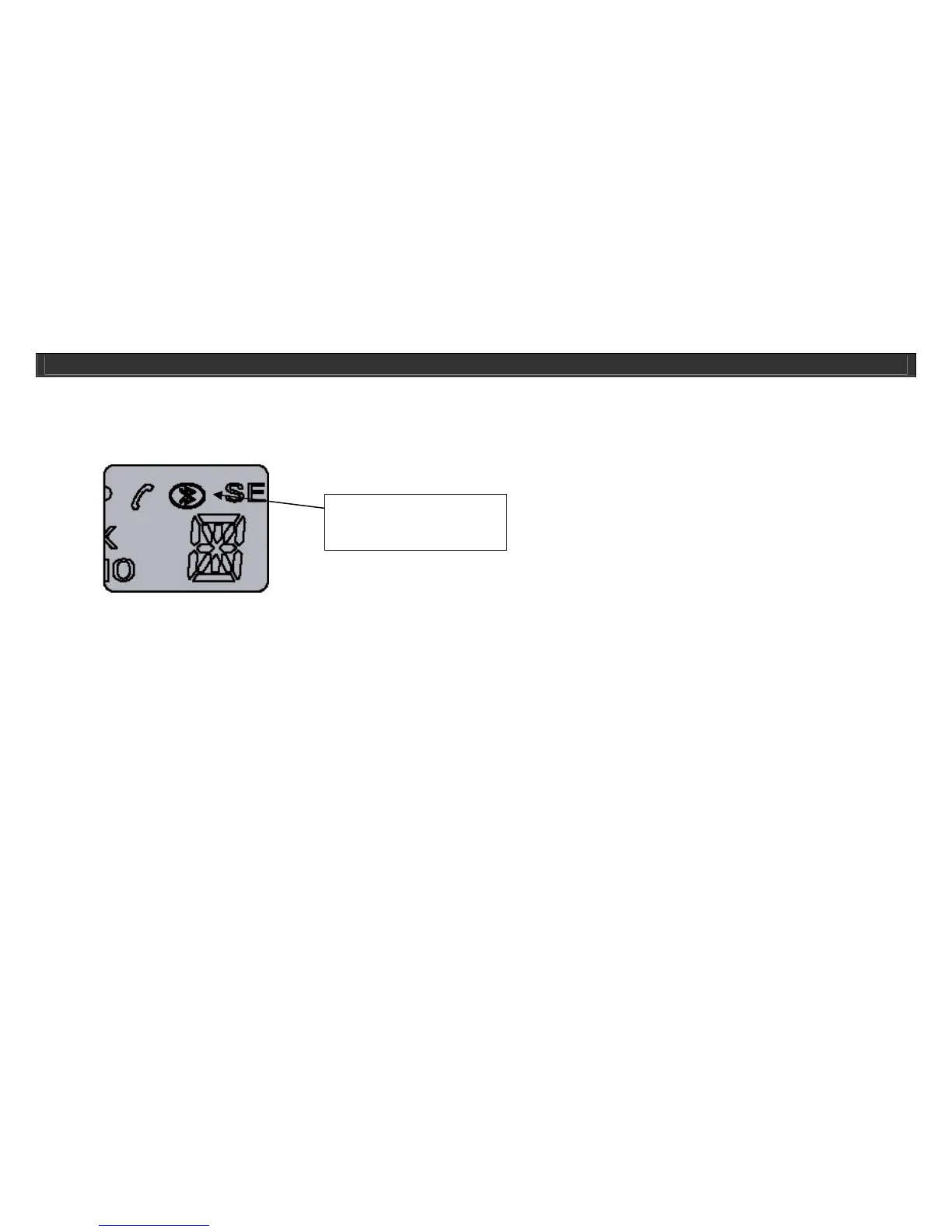
2. Notice that when the BluePin
TM
is connected, main display will show Bluetooth logo and the current status of the SEND/RCV mode. Example
shows the BluePin
TM
is set to Transmit(SEND).
3. Once the BluePin is securely plugged in to the i399/i398, press the BluePin on/off button on the i399/i398 and press the SEND/RCV button on the
right side of BluePin to select the working mode (Transmit or Receive).
4. Long press the PAIRING button of BluePin or i399/i398 unit for 3 seconds to start pairing with other devices. You will notice that blue and red light
flashing from the unit which indicates device is ready to be paired with other devices with Bluetooth technology.
5. Now, you are ready to pair with other devices with Bluetooth technology.
6. Before pairing make sure to set the BluePin
TM
as SEND or RCV depending on the purpose.
OPERATIONAL INSTRUCTIONS
Display indicating the
Bluetooth mode



 To Next Page