OPERATIONAL INSTRUCTIONS
Audio Source and Settings - continued
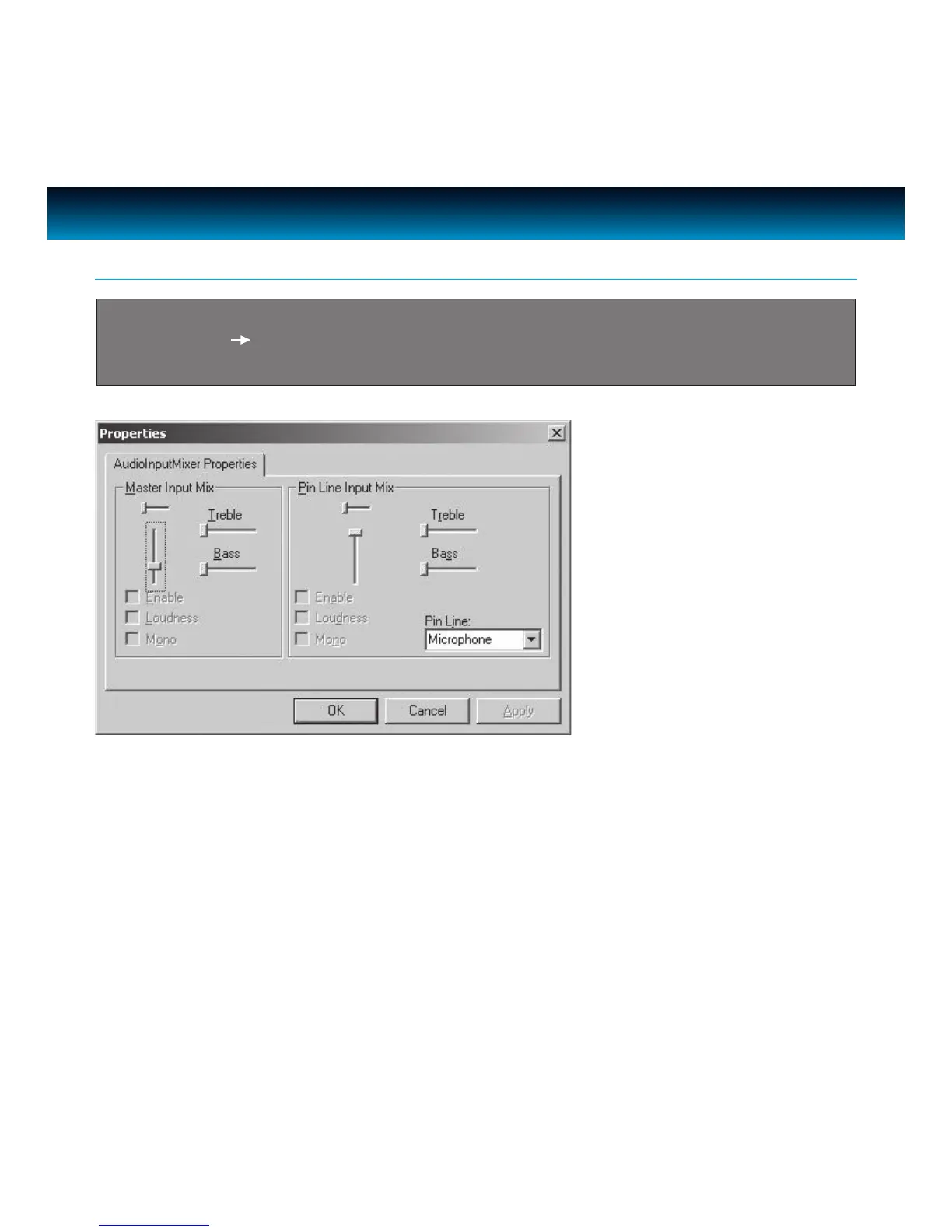
Important: When running with camera software application (Amcap) as the rst time,
go to Options Audio Capture Filter. To increase the audio volume, slide the bar in
‘AudioInputMixer Properties’ page as below. In the ‘Pin Line’ box, select ‘Microphone’.
iLuv | 11iCM10/15/20 | V10M10_IM_EN_08112010



 To Next Page