iLuv | 10iCM10/15/20 | V10M10_IM_EN_08112010
OPERATIONAL INSTRUCTIONS
Audio Source and Settings
Your camera comes with a built-in microphone
which allows you to talk without additional
microphone. To allow it work with you computer,
follow the settings below:
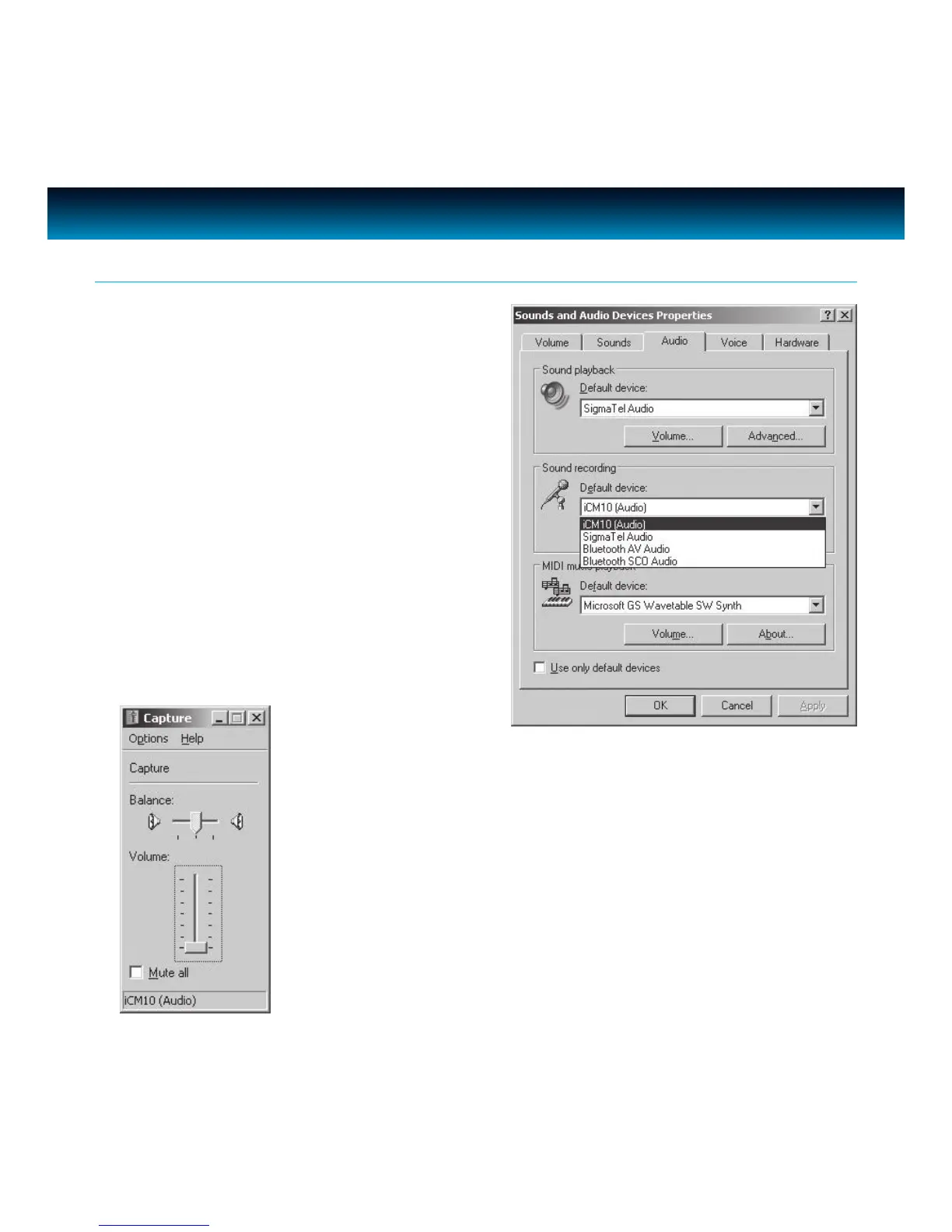
1. In the Windows ‘Control Panel’, select ‘Sounds
and Audio Devices’ or ‘Sounds and Multimedia’.
Under the ‘Audio’ tab, change the ‘Default
device’ of ‘Sound recording’ to ‘USB Audio
Device’ or display web-camera model number.
2. Choose ‘Volume’ under ‘Sound Recording’, adjust the ‘Volume’ until
the microphone reaches a comfortable sound level.



 To Next Page