iLuv | 8iCM10/15/20 | V10M10_IM_EN_08112010
OPERATIONAL INSTRUCTIONS
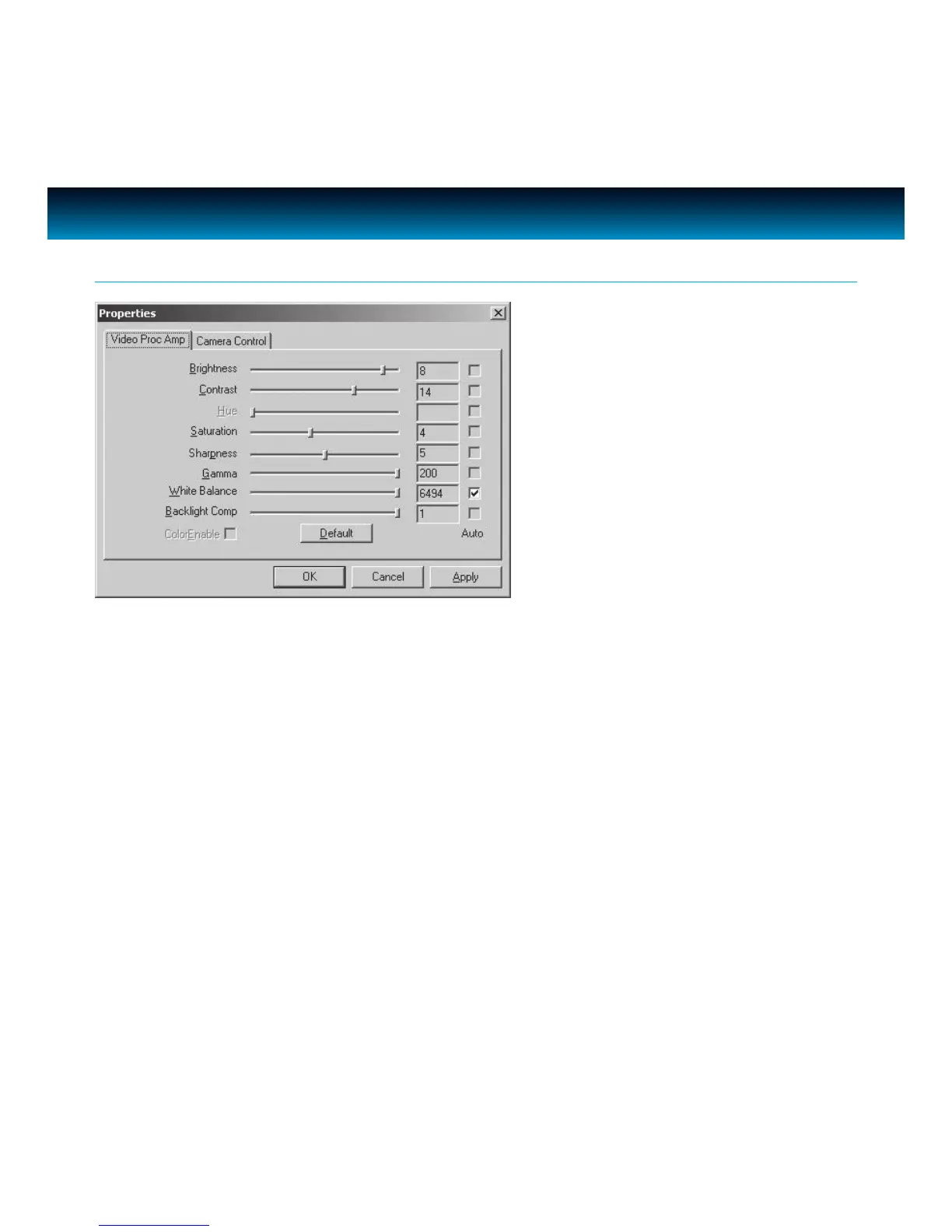
Items in the above Properties window are described as* :
· Brightness – this setting controls how bright an image or video will appear.
· Contrast – this setting adjusts the tonal range of an image by lowering mid-tone values and
increasing values for high and low tones. For example, use contrast to eliminate noise or shading
on black & white and grayscale videos or images or to clean-up color ones.
· Gamma – this setting lets you control the balance of dark and light in the image.
· Hue – this setting allows you to color variations in the image.
· Saturation – this setting controls the richness of colors shown by the camera.
· Sharpness – the higher the sharpness, the sharper the image. The lower the sharpness, the
more blurry an image will be.
· VGA SnapSize – this setting allows you to adjust the size of a snapshot or video.
· Zoom – this setting allows you to zoom in or zoom out the image capture.
Please note that many of the above settings operate the same as those on a normal color TV or
computer monitor.
* Properties may dier depending on computer setting.
Camera Settings - continued



 To Next Page