Need help?
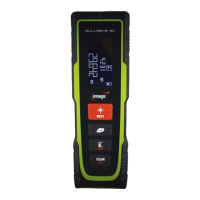
Do you have a question about the imex Bullseye 80 and is the answer not in the manual?
Explains symbols like WARNING and CAUTION used in safety instructions.
Lists acceptable applications for the instrument, such as measuring distances.
Details actions and conditions that are forbidden when operating the instrument.
Outlines duties for both the manufacturer and the instrument operator regarding safe usage.
Provides guidance on preventing measurement errors and protecting the device from damage.
Warns about potential interference with other devices and effects on humans/animals from radiation.
Details the laser class and compliance with relevant safety standards like IEC60825-1.
Instructions on how to install and replace the instrument's batteries correctly.
Explains how the positioning bracket adapts to different measuring scenarios.
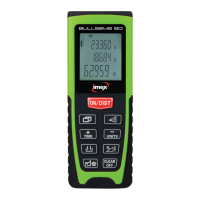
Describes the purpose of each button on the instrument's keypad.
Guides users on how to power the instrument on and off, including auto-off features.
Explains how to cancel actions and delete individual measurements during multi-step measurements.
Details how to set the measurement reference point (front or rear edge) of the instrument.
Instructions on how to control the display's backlight for better visibility.
How to switch between different measurement units for length, area, and volume.
Step-by-step guide to perform a basic single distance measurement.
How to measure continuous minimum or maximum distances from a fixed point.
Explains how to perform addition and subtraction using previous measurements.
Guides users on measuring and calculating areas using two length measurements.
Instructions for measuring and calculating volumes using three length measurements.
How to measure horizontal distance using tilt and distance measurements.
Describes how to set and mark specific distances for staking out tasks.
Explains how to calculate distances using Pythagoras' theorem for inaccessible measurements.
Step-by-step process for calculating height or width using a single Pythagorean measurement.
Instructions for saving and retrieving frequently used measurement values.
How to access and navigate through the last 30 stored measurements or results.
How to set and use a timed delay for measurements, including countdown display.
Procedure for calibrating the instrument's tilt sensor for accurate angle measurements.
Lists and explains various info and error codes displayed by the instrument.
Provides key technical specifications like range, accuracy, battery life, and dimensions.
Factors affecting measurement range and potential errors due to surface types.
Guidelines for cleaning and maintaining the instrument to ensure its longevity.
Details the terms and conditions of the product's warranty coverage.
Lists all items included in the product packaging.
Information related to the product's certification and testing status.
 General
| Accuracy | ±1.5mm |
|---|---|
| IP Rating | IP54 |
| Operating Range | 0.05 m to 80 m |
| Measurement Range | 0.05 m to 80 m |
| Display | LCD |
| Laser Class | Class 2 |

 To Next Page