Installing the Device
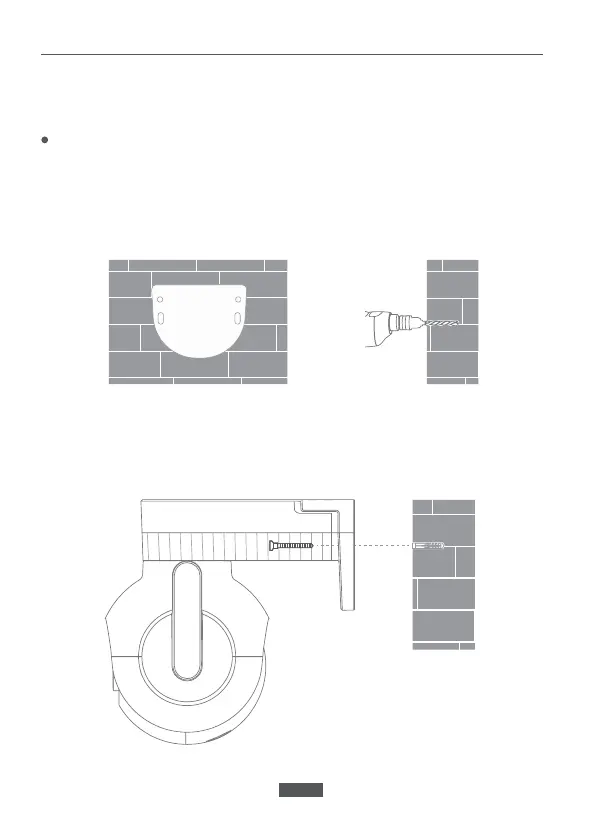
Wall mounting
The device can be wall mounted, ceiling mounted or tied around a
support.
1. Attach the wall mounting positioning sticker on the desired installation
location on a wall. Drill two holes at the positions indicated on the
sticker. Drilling diameter of around 6.0 mm; drilling depth of around
30mm.
2. Insert two plastic expansion nuts into the wall. Put the base plate on the
wall. Secure the base plate by inserting the screws into the expansion
nuts.
EN-02


 To Next Page