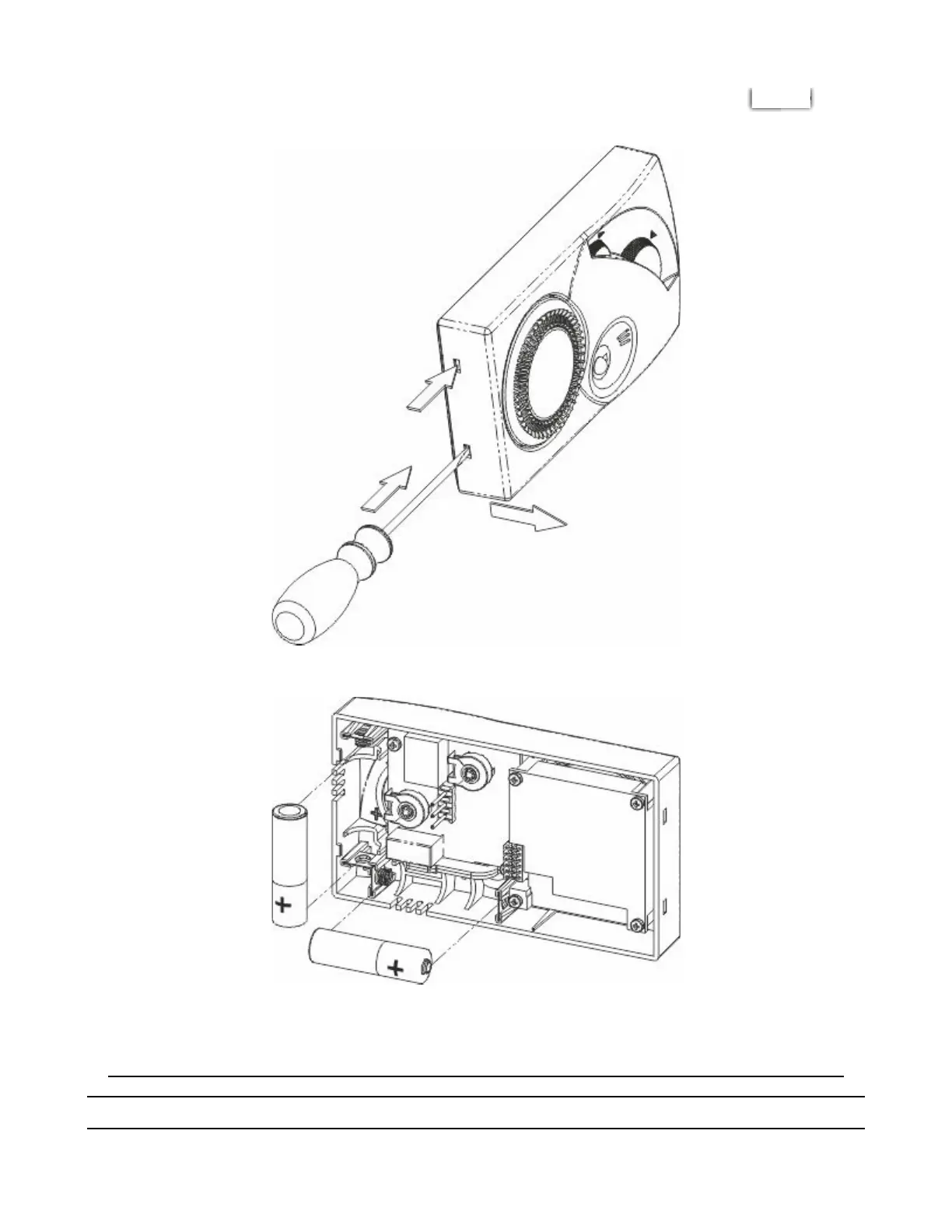
Using a screwdriver open the device via the side hooks on the left and then remove the front, separating it from
the base (Fig.2) and replace the batteries as indicated (Fig.5).
FIG. 2
FIG. 5
Close the device again as shown in the installation instructions.
DESCRIPTION OF CONTROLS AND OPERATION
Chronomix S - Imit Control System s.r.l. https://manimit.it/en/chronomix-s-2/
6 of 9 1/27/2022, 11:35 AM


 To Next Page