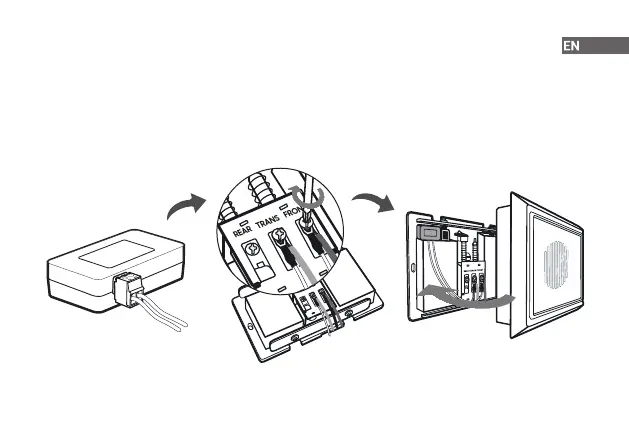
Step 3 Connect the wire harness to the chime kit.
Step 4 Connect either one of wires from the chime kit to the "FRONT" terminal and the other one to the "TRANS",
and then tighten the screws. Be sure the existing wires are attached.
Step 5 It is recommended that you attach the chime kit to the inside of your chime with the adhesive provided.
Make sure that the kit and its connected wires will not interfere with the chime's operation.
Step 6 Replace the chime cover.
8



 To Next Page