Need help?
Do you have a question about the Impecca Flex Series and is the answer not in the manual?
States the conformity of the air conditioner with American Directives UL1995.
Details critical safety warnings and precautions for operating the air conditioner.
Identifies the key components of the outdoor unit with a diagram.
Provides technical data, dimensions, and working temperature ranges for the outdoor unit.
Details the steps for connecting power cables and connection cables to the outdoor unit.
Guidelines for selecting a suitable location and connecting refrigerant pipes.
Specifies the use of suitable instruments and refrigerants for maintenance.
Illustrates the required space around the appliance for proper operation.
A list of items to check to ensure correct and safe installation.
Provides website, phone number, and social media links for customer assistance.
Defines the meaning of danger, warning, caution, and notice symbols used in the manual.
Details safety rules for children, electrical connections, and cleaning to prevent hazards.
Highlights warnings regarding professional maintenance, repairs, and operational issues.
Emphasizes qualified installation, circuit protection, grounding, and proper wiring.
Stresses proper grounding, use of designated wires, and professional wiring connections.
Covers plug accessibility, relocation by qualified personnel, and location selection.
Specifies the operating temperature ranges for cooling and heating modes.
Diagram and labels for the indoor unit's air inlet, panel, filter, and indicators.
Lists and describes the functions of remote buttons and display screen icons.
Details the operation of the ON/OFF and MODE buttons, including mode-specific settings.
Explains the use of +/- buttons for temperature and FAN button for fan speed adjustment.
Describes how to adjust the fan's swing angle using the dedicated button.
Guides on setting the clock time and programming timer ON/OFF functions.
Explains the X-FAN function and how to display different temperature modes.
Details how to activate and exit the Turbo cooling or heating mode.
Covers the operation of the Sleep and LIGHT buttons for comfort and display control.
Explains the Child Lock and Temperature Display Switchover functions.
Step-by-step instructions and battery replacement for the remote controller.
How to operate the unit using the auxiliary button when the remote is lost or damaged.
Instructions for cleaning the exterior surface of the indoor unit.
Step-by-step guide for removing, cleaning, and reinstalling the air filter.
Guidance on checking the unit's condition before and after the operating season.
Information on recycling packaging materials and proper disposal of the unit.
Troubleshooting steps for when the indoor unit fails to receive remote signals.
Diagnosing issues related to lack of airflow from the indoor unit.
Addresses issues like power failure, circuit trips, overheating, and temperature adjustment.
Troubleshooting poor cooling or heating effects due to voltage, filter, or open doors.
Addresses causes of odors and abnormal operation, including interference.
Explains normal operational noises like water flowing and cracking sounds.
Lists error codes displayed on the unit and their corresponding troubleshooting steps.
Visual representation of the minimum space required around the indoor unit for installation.
Lists the necessary tools for installing the air conditioner.
Provides basic requirements and specific recommendations for indoor unit placement.
Details safety measures and regulations for electrical connections and wiring.
Explains the importance of proper grounding and specific requirements.
Guidance on choosing a location and securely installing the wall-mounting frame.
Steps for creating a properly sized and angled hole for the unit's piping.
Details on how to route the outlet pipe from the indoor unit.
Instructions for connecting the pipe joints and tightening nuts with specified torque.
Guidance on connecting and securing the drain hose to the indoor unit's outlet pipe.
Steps for opening the panel, connecting power wires, and securing the wiring cover.
Instructions for routing the power wire and connecting it to the terminal block.
How to bind the connection pipes, power cord, and drain hose together neatly.
Steps for mounting the indoor unit onto the installed wall-mounting frame.
Items to verify after completing the installation to ensure proper function.
How to perform a test run of the air conditioner after installation.
Specifies standard, minimum, and maximum lengths and height differences for connection pipes.
Details on calculating and adding refrigerant oil and charge amount based on pipe length.
Step-by-step guide for expanding pipe ends to prevent refrigerant leakage.
How to inspect the expanded port quality and re-expand if necessary.
Illustrates the wired controller's outline and the LCD display layout.
Table detailing the meaning of symbols and functions shown on the wired controller's LCD.
Diagram of button layout and a table explaining the function of each button.
Instructions for turning the unit on/off and switching between operation modes.
How to adjust the desired temperature using the wired controller.
Guide on adjusting the fan speed (Auto, Low, Middle, High) via the wired controller.
Steps for setting timer ON and timer OFF functions on the wired controller.
Illustrates the process for setting timer ON and timer OFF using the wired controller.
Instructions for activating and deactivating the swing function using the wired controller.
How to turn the Sleep function on and off, and its effect on temperature.
Steps to activate and cancel the Turbo mode for quick cooling or heating.
How to turn on the auxiliary electric heating function for improved efficiency.
How to use the Blow function to evaporate moisture after unit shutdown.
Explanation of the lock function and memory settings for the wired controller.
Procedure for connecting the signal line between the wired controller and the indoor unit PCB.
Detailed steps for mounting the wired controller, including precautions against interference.
Instructions on how to safely remove the wired controller from the wall.
How error codes are displayed on the LCD and what to do when they appear.
A comprehensive table listing error codes and their meanings or troubleshooting steps.
Information on accessing support through the website and phone.
 General
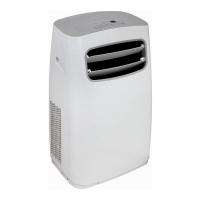
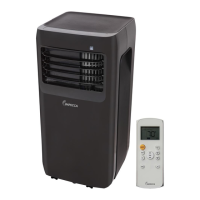
| Type | Portable Air Conditioner |
|---|---|
| Cooling Capacity | 10, 000 BTU |
| Power Supply | 115V / 60Hz |
| Refrigerant | R410A |
| Operating Modes | Cool, Fan, Dehumidifier |
| Installation Type | Window Kit |

 To Next Page