13
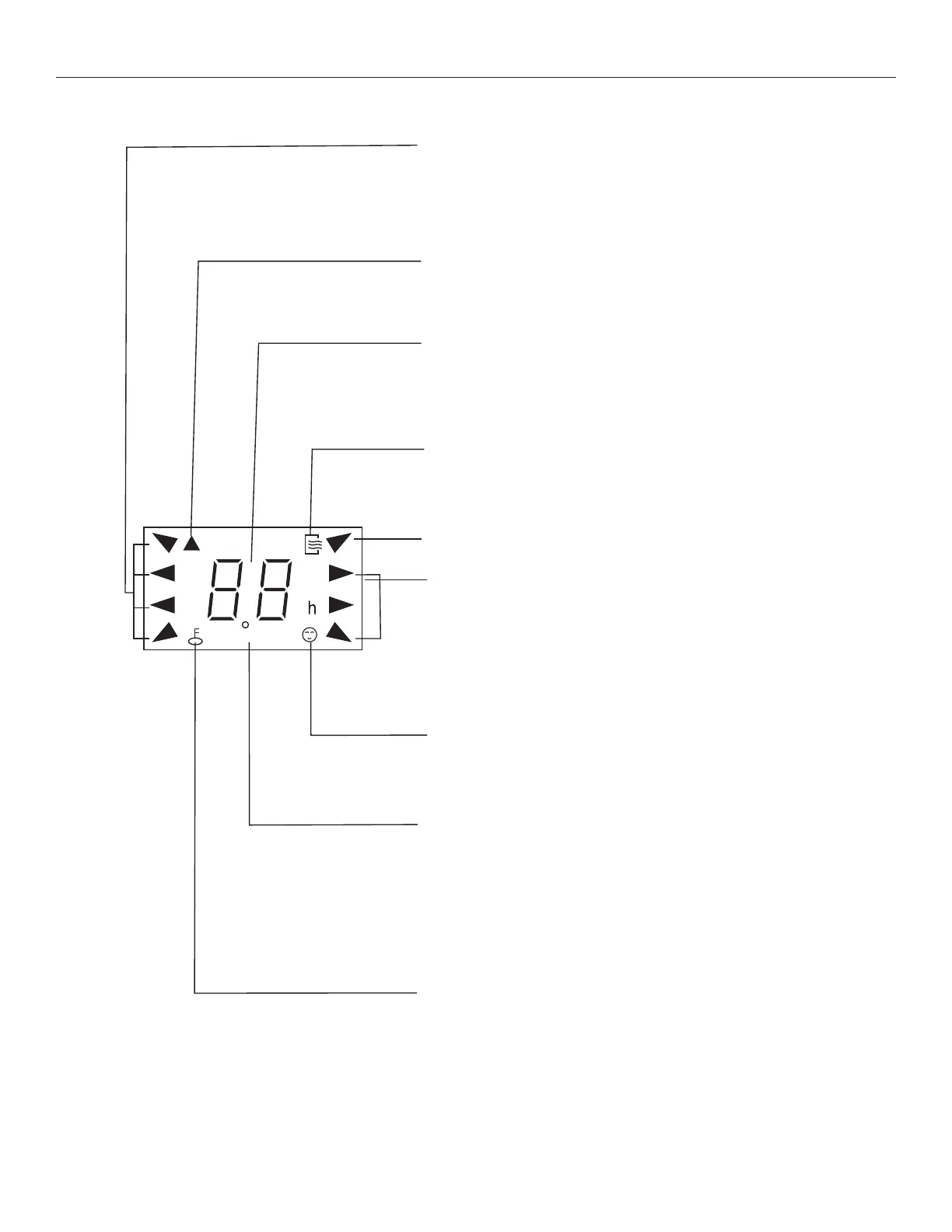
REMOTE CONTROLLER LCD:
TIMER ON OFF
SET TEMPERATURE
the unit is operating.
MODE display
Displays the current selected mode. Including AUTO,
COOL, DRY, HEAT* and FAN.
Transmission Indicator
This transmission indicator will show when remote
controller transmits signals to the indoor unit.
Temp./Timer display
The temperature setting from 62°F - 88°F (17°C - 30°C),
or timer setting (0-24h) will be displayed.
If FAN mode is selected, there will be no display.
ON/OFF display
This indicator will be displayed when
MODE display (FAN mode)
FAN SPEED display
Displays the selected fan speed: LOW, MED, HIGH.
None of these three arrows display when the fan speed
set to AUTO. The same is true when the unit mode is
set to DRY or AUTO
FOLLOW ME (PMTS) display
When pressing FOLLOW ME/PMTS button
in COOL or HEAT mode, the remote sensing function
is activated and this indicator displays.
TIMER display
This display area shows the settings of the TIMER.
That is, if only the Auto-on time function is set, it will
display TIMER ON. If only the Auto-off time function
is set, it will display TIMER OFF. If both functions are
set, it will display TIMER ON OFF which indicates you
have chosen both the Auto-on time and Auto-off time.
LOCK Indicator
LOCK display is displayed when pushing the LOCK
button. Push the LOCK button to clear display.
*This feature is not used on this model


 To Next Page