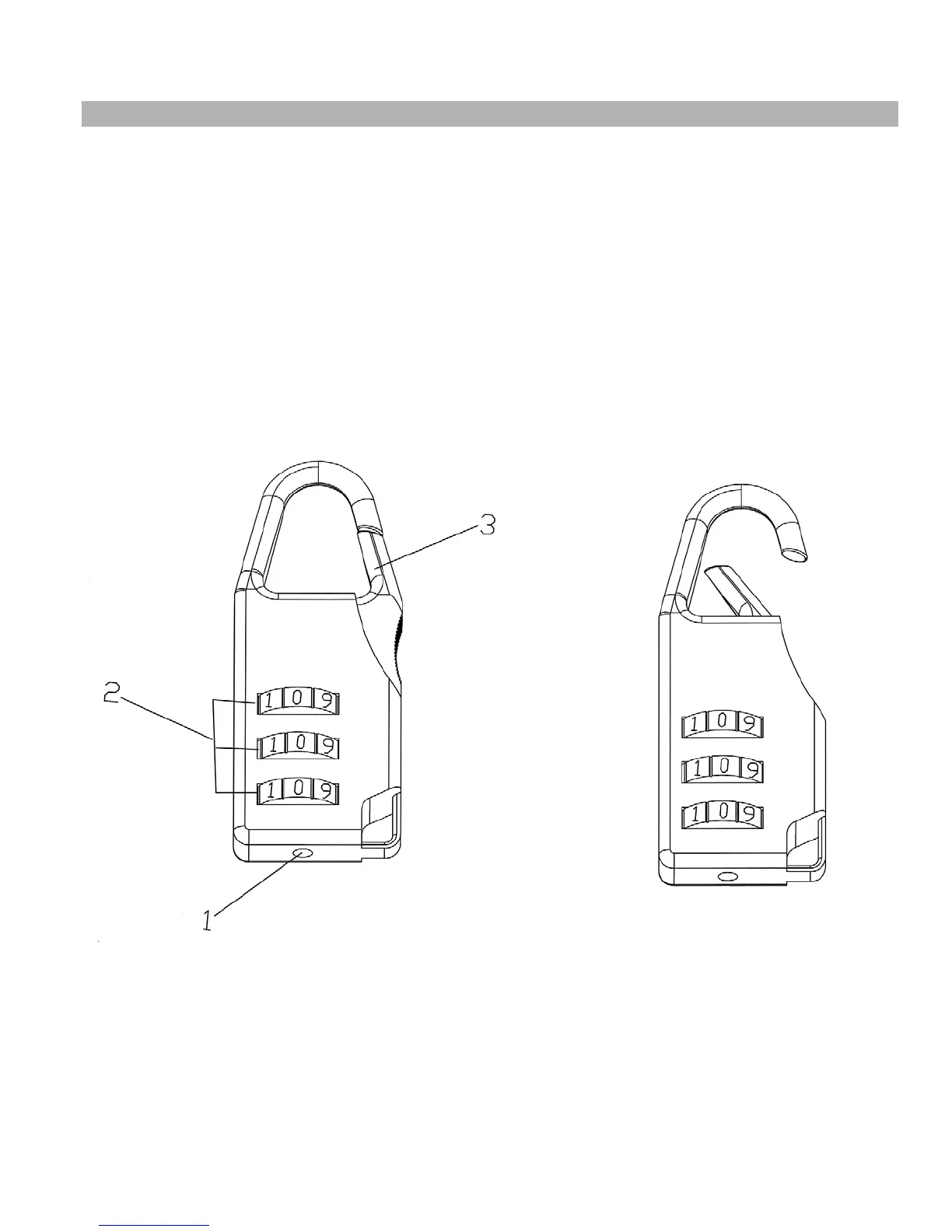
Combination Lock Set Up Instruction
The Lock is set at the manufacturer to the open at 0-0-0 (all zeros are positioned in the middle).
It is recommended to change the combination to ensure safety.
Please follow the below steps to change the combination:
1. Push and hold the combination adjustment button (#1) as indicated below, while holding
down the adjustment button, turn the numerical dial (#2) to set the desired combination in
the middle. Release the button (#1). Set the two other numerical dials the same way. This
only needs to be done once.
2. To lock, turn the dials so the Lock shows random numbers.
3. To unlock, turn the dials to the combination setup in step one, press the shackle (#3) to
open.
©IMPEX INC. www.impex-fitness.com
13




 To Next Page