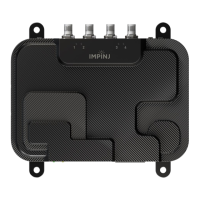
Impinj R705 Portal Gateway Reader Installation and Operations Guide
Version 0.1 10
shows the configured region and a list of selectable regions.
o config system region X
set the region to region number X. Note: region numbers are listed, in various tables, in
the LLRP Guide.
3 Upgrading the firmware
3.1 There are three methods for upgrading the firmware
• Using RShell, the command line interface.
• Copying the firmware to a USB memory drive and plugging it into the Impinj R705 gateway’s
host port.
• Using the Impinj Reader Management web page.
3.2 Upgrading the Firmware using RShell
Use this procedure to use RShell to upgrade the firmware.
1. Obtain the firmware upgrade file from the Impinj support web site,
http://support.impinj.com. The upgrade file extension is .upgx
2. Place the upgrade file on a server (http or sftp) that can be accessed by the Impinj R705
gateway you are upgrading.
3. Using the Putty application, connect the Gateway by using SSH or serial and that log in.
4. From the RShell command prompt, issue the following command:
> config image upgrade <URI>
where <URI> is the server location and name of the upgrade file.
5. After starting the upgrade, view the upgrade status at any time by issuing the following
command:
> **show image summary**
6. This command provides a display of the current upgrade status, the last operation, the status
of the last operation, and information about the primary and secondary images. Reissue the
show image summary command if you want to track the upgrade status.
7. Reboot the Gateway by issuing the following command:
> reboot



 To Next Page