Functional check before use
Before the treadmill is connected to the
power, you must check that the belt can
move unhindered and without noise on the
Connect the dead man’s switch to the
Plug the treadmill in so it goes into standby.
Press the Start button. The belt begins
to slowly turn. Press the Speed+/Speed-
Check that the belt speed changes
Press the Stop button to stop the treadmill.
Connect the dead man’s switch to the
computer and place the cord around your
wrist or use the clip to secure it to your
clothes. This ensures that the treadmill stops
automatically if you are moved back off the
You can connect an MP3 player to the MP3
socket on the computer so you can listen to
Press the Start button. The belt starts to run
Press the Speed+/- buttons to increase
or reduce the speed. The speed can be
adjusted from around 1 to around 16 km/h.
You can also select a speed of 4, 6, 8, 10,
12, 14 or 18 km/h directly by pressing the
Press the Incline +/- buttons to adjust the
incline of the treadmill.
If you want to use the computer’s
pulsometer function, you must position
your hands over the pulse sensors.
Reduce the speed, adjust the incline to
0 and press the Stop button to stop the
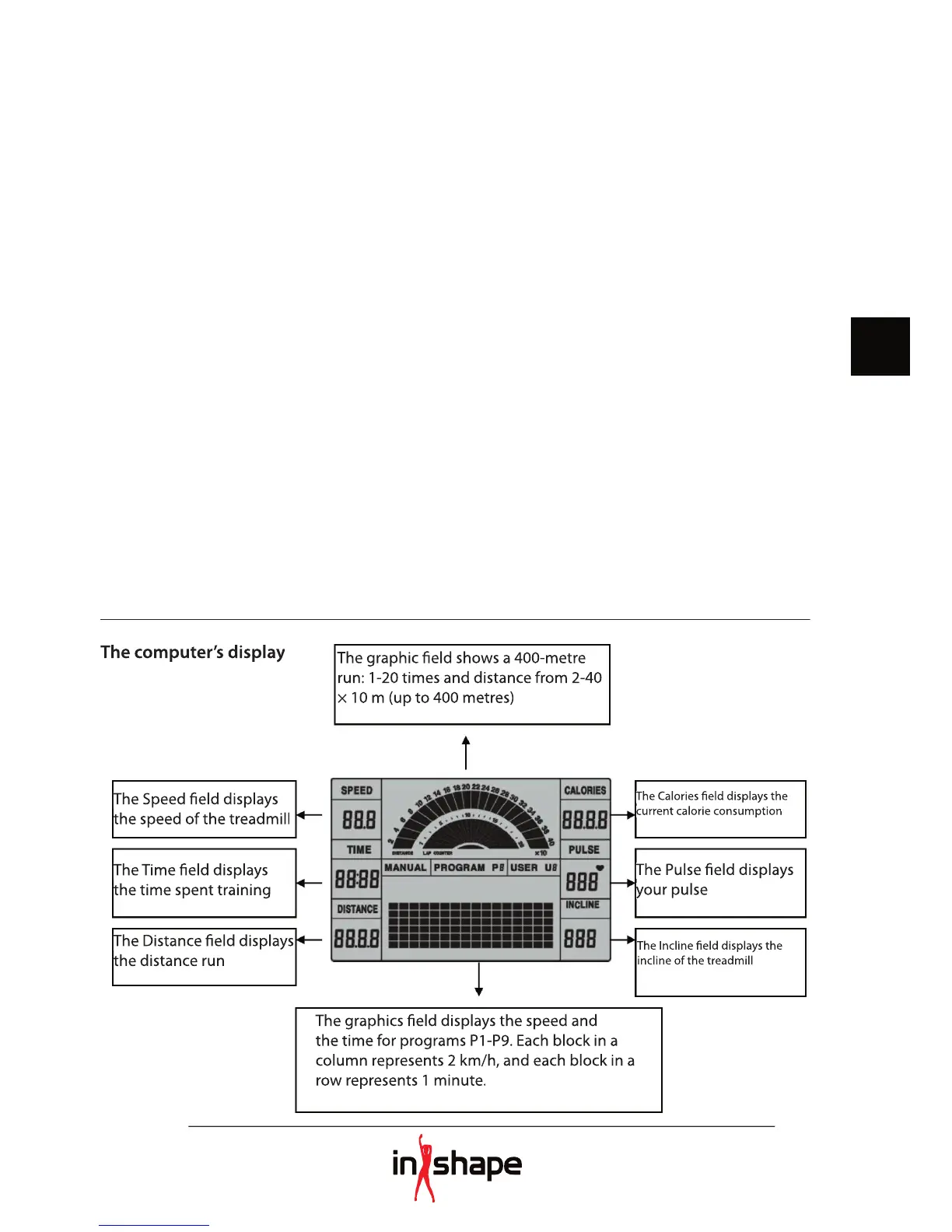
The graphic fi eld shows a 400-metre
run: 1-20 times and distance from 2-40
× 10 m (up to 400 metres)
the speed of the treadmill
The Distance fi eld displays
The Calories fi eld displays the
current calorie consumption
The Incline fi eld displays the
The graphics fi eld displays the speed and
the time for programs P1-P9. Each block in a
column represents 2 km/h, and each block in a


 To Next Page