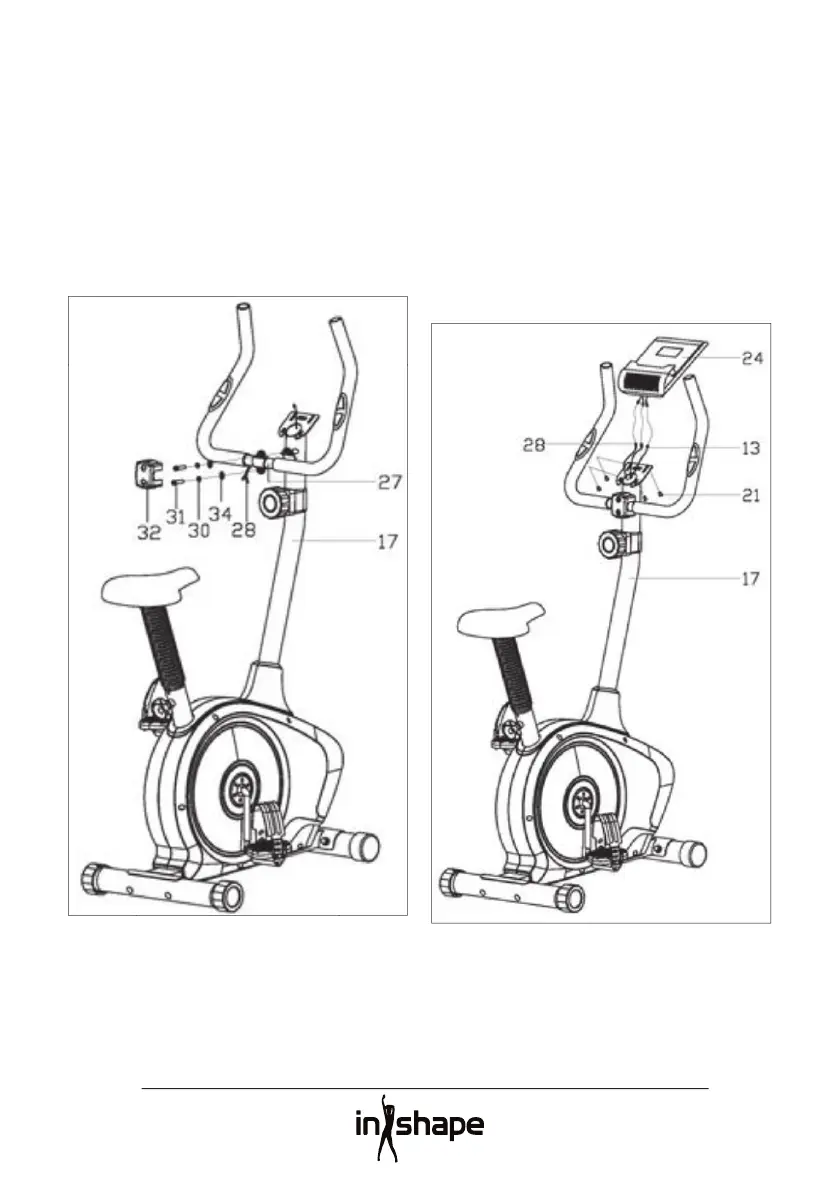
Pull the pulse cables (28) through the hole
into the handlebar post (17) and pull them
out through the top of the computer bracket.
Fit the handlebars (27) to the handlebar post
(17) using washers (34), spring washers (30)
Attach the cover plug (32) to the joint
between the handlebars (27) and handlebar
Insert two 1.5 V AAA batteries into the
battery compartment on the computer (24).
Check that the batteries are correctly fi tted.
Plug the pulse cables (28) and sensor cable
(13) into the cables from the computer (24).
Screw the computer (24) securely to the
computer bracket on the handlebar post (17)
The equipment is now assembled and ready


 To Next Page