
 Need help?
Do you have a question about the In Shape FB500 and is the answer not in the manual?
Instructions for optimal use and saving manual for future reference.
Specifications include flywheel weight, user weight limit, power supply, computer functions, and classification.
Advises consulting a doctor, warming up, listening to body, and safe equipment placement.
Alerts to potential pulse monitor inaccuracy and risks of over-exertion.
Requires two people, checking parts, and referring to illustrations.
Attaching front and rear stabilisers to the frame using bolts and washers.
Instructions for attaching left and right pedals to their respective cranks.
Fitting the saddle to the post and inserting the post into the frame.
Connecting sensor wire, tension cable, and attaching the handlebar post.
Pulling pulse cables and fitting handlebars and cover plug.
Inserting batteries, connecting cables, and securing the computer.
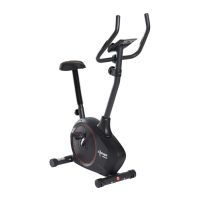
Identifies key parts of the exercise bike with labels.
Instructions for adjusting saddle, tension, and gripping handlebars.
Details on how the computer turns on, off, and its basic functions.
Explains displays for time, speed, distance, calories, ODO, pulse, and scan.
Guidance on regular cleaning, tightening parts, and battery removal for storage.
Information for inquiries regarding complaints, parts, returns, and guarantee.
Details on proper disposal of electrical and electronic equipment (EEE/WEEE).
 General
| Brand | In Shape |
|---|---|
| Model | FB500 |
| Category | Exercise Bike |
| Language | English |

 To Next Page