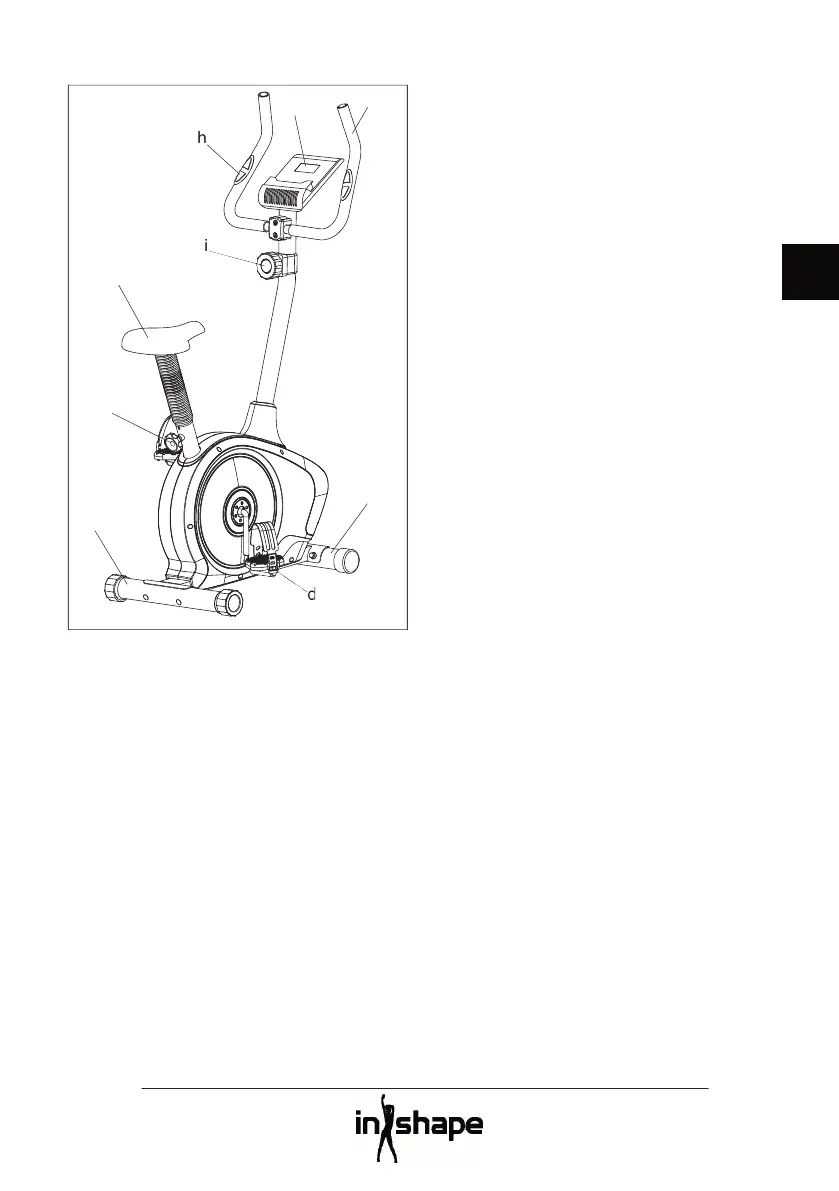
b. Knob for adjusting saddle height
Adjust the saddle (a) to a comfortable
position using the adjustment knob (b).
Adjust the tension as required using the
Adjust the straps on the pedals (d) to fi t your
Sit on the saddle, place your feet on the
pedals and grip the handlebars (f). If you
want to use the computer’s pulsometer
function, you must position your hands over
Pedal and do not remove your feet from the
pedals until they have stopped completely.
The computer comes on when you start
using the equipment or if you press the
The computer switches off automatically
when the equipment has been inactive for


 To Next Page