Setup - Program the Console
2
SETUP MENU (MORE)
EXIT SYSTEM SUMPS CLK/CAL
H U
MENU
Press the
MENU
key and follow
7
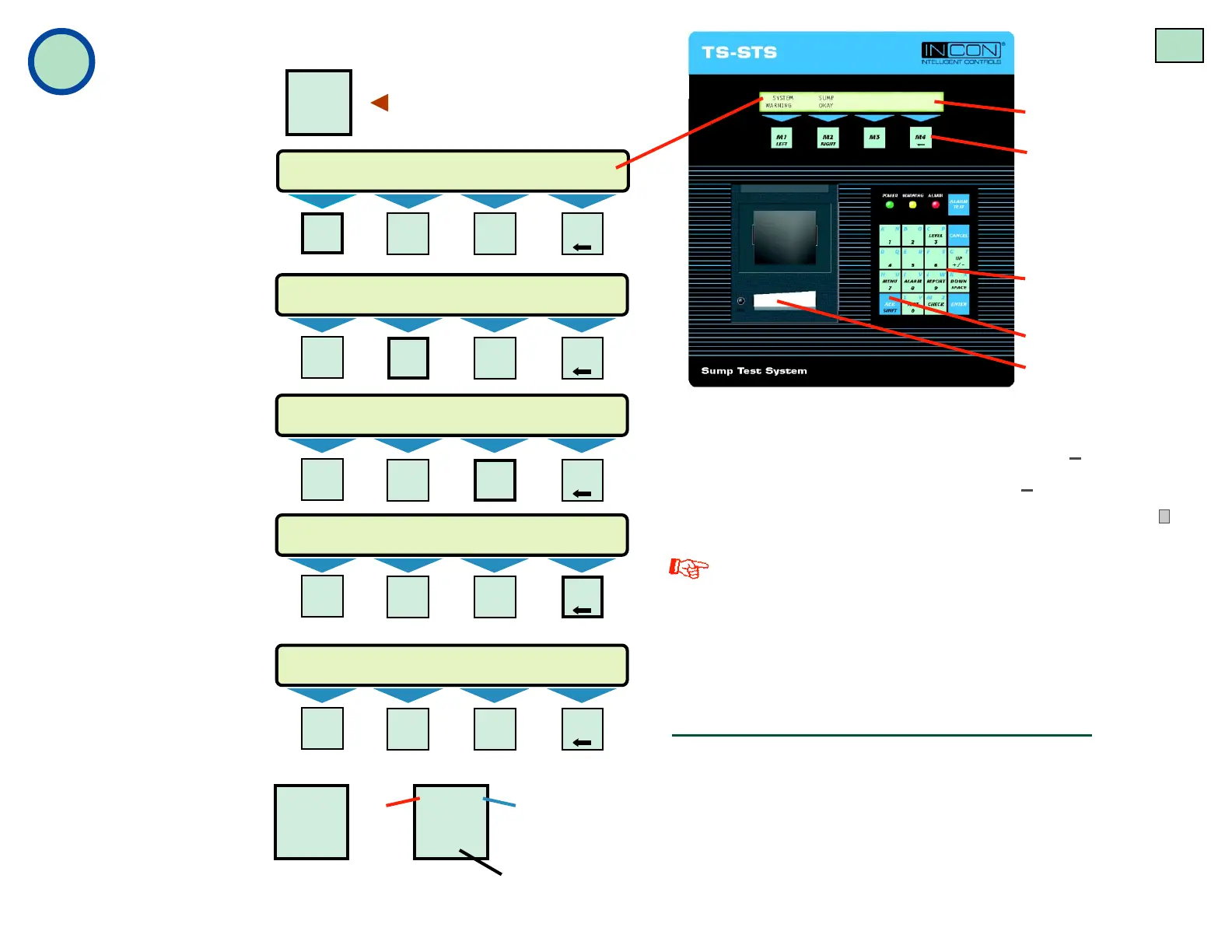
the highlighted sequence below
to view the Setup Menus
SETUP MENU (MORE)
EXIT SYSTEM SUMPS CLK/CAL
SETUP MENU (MORE)
EXIT SYSTEM SUMPS CLK/CAL
SETUP MENU (MORE)
COM PORTS
Press the Down key ▼ to see next display
Display
Menu Select Keys
(M1 – M4)
Keypad:
(Multi-Function,
Alphanumeric)
ACK SHIFT key
Report Printer
(thermal printer)
NaNa
NaNa
Na
vigatingvigating
vigatingvigating
vigating
Menus:Menus:
Menus:Menus:
Menus:
• Push the
UP/DOWN
keys ▲
▼ to show
other menus or other
choices
• Use menu keys
(M1
to
M4)
to access menus
or to help edit text
• Press the
ENTER
key
to make a setup choice
or to move down in the
menu
tree
• Press the
CANCEL
key to cancel before
entry or to move up
and out of the menu
tree
Editing Text:
• Press the
M1
key to move the cursor to the left
• Use
M2
to move the cursor to the right
• Use
M4
to backspace & delete text to the left of the cursor
Follow the highlighted sequence at left to program the
console.
Menus are in indented format (lower levels to the right).
The setup program factory default settings are shown
in ITALIC TEXT. The console will auto-exit the setup
mode if no key is pressed after 3 minutes.
Minimum Setup Requirements
1) From SETUP>SYSTEM (SYSTEM INFO), program the
System ID data and the No. (number of) Sumps
2) SETUP>SUMPS>DATA>SUMP N>NAME>Sump Name (code-
name for each containment sump that will be leak tested)
3) SETUP>CLK/CAL>Set Time (input the correct time), Set Date
(input the correct date), Set Day (choose the day of the week)
ACK
SHIFT
a b
KEY
#
1 2
3
Input
Alphanumeric
Text
(in setup mode):
Press the
ACK
SHIFT
key at the keypad
1, or 2, or 3 times to
cycle between the
unique key characters
(at positions 1, 2, and 3).
Select and press a key
to input the desired
alphanumeric character.
M1
LEFT
M2
RIGHT
M3 M4
M1
LEFT
M2
RIGHT
M3 M4
M1
LEFT
M2
RIGHT
M3 M4
M1
LEFT
M2
RIGHT
M3 M4
M1
LEFT
M2
RIGHT
M3 M4
NOTES
Pg 4



 To Next Page
 Loading...