9
GB
Clock and Minute Minder
CLOCK OPERATION
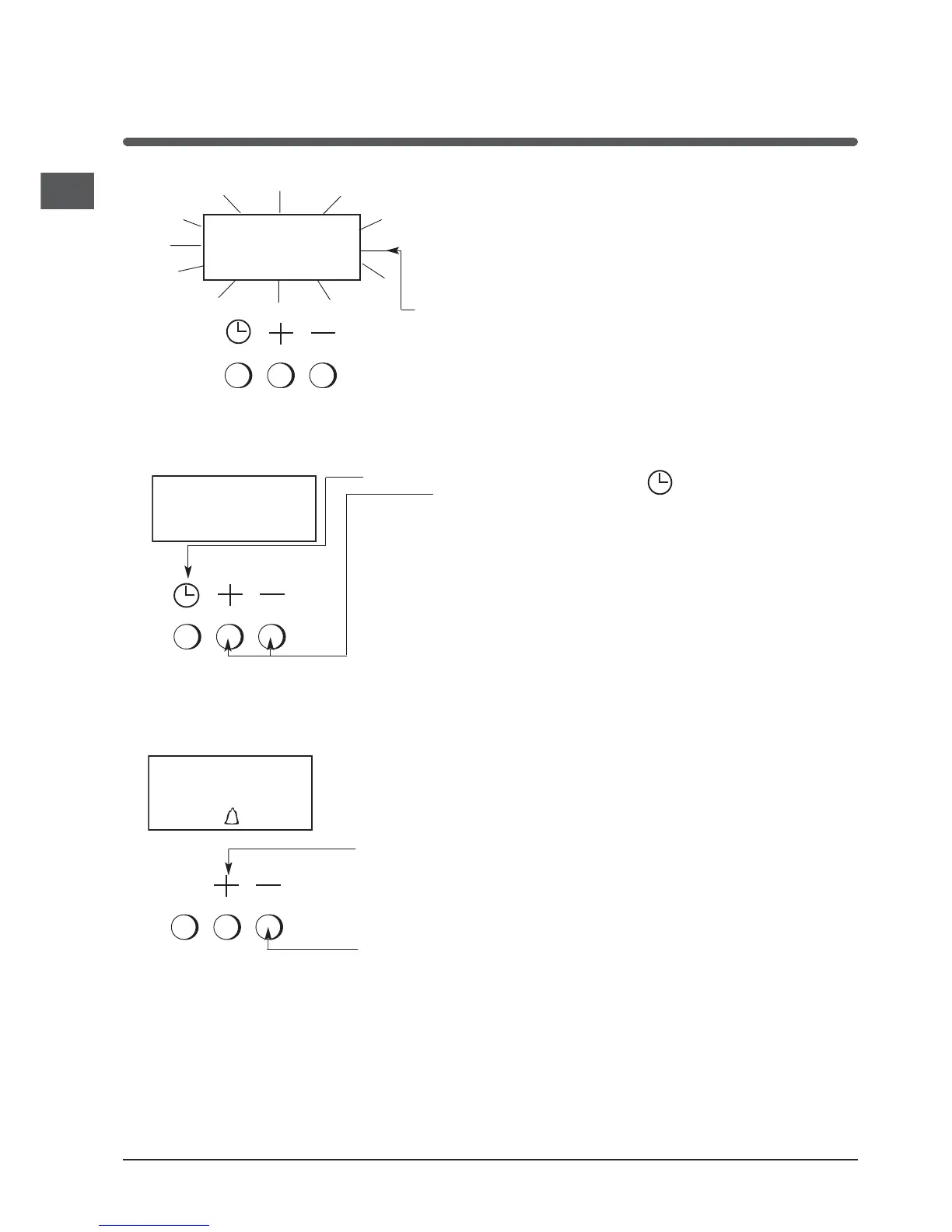
To Set Time of Day
Step 1 Check that the electricity supply to the
cooker is turned on.
Step 2 When switched on the display will show
0.00 flashing intermittently.
Step 3 Press the " " button and
then press either the "+" or "-" buttons to
set the correct time of day.
Note: If the electricity supply has been off, the "+"
button must be pressed once before the "-" button, if
it is required to reduce the time of day.
THE TIME OF DAY IS NOW SET.
00.00
12.00
*
* Only available in certain models
MINUTE MINDER OPERATION
To Set the Minute Minder
Step 1 Press the "+" button until the required time
is set. A "Bell" symbol will light up. During
setting the time adjusts in 10 second
intervals up to a maximum of 99mins
50secs.
It can also be adjusted by pressing the "-" button.
00 . 20


 To Next Page