C070 - Check outer wipers of linear guides
Carrying out the maintenance activities described below requires
special knowledge. For this reason, these maintenance activities
must only be carried out by staff that has received adequate training
by the machine manufacturer!
Orientation
Regularly checking wipers of the roller guides prevents accelerated wear of the
linear guides. This test is a visual inspection. But if the wiper is destroyed and no
longer snugly contacts the contour of the guide, it must be replaced. It is essential
to ensure absolute cleanliness when removing and installing the wiper.
Requirement
Move the tool carriers to a suitable position. For checking the outer wipers, parts of
the machine enclosure must be removed from the machine. In most cases, access
to the wipers is best in the end positions of the respective axes. To move to the
positions in which the wipers can be checked, it may be necessary to switch the
machine on/off several times.
Procedure
1. Move the tool carrier to the position required for checking.
2.
Caution
Moving tool carriers, spindles, or belt drives.
Risk of bruising and lacerations.
Switch off the machine via the main switch or shut down with the
emergency stop.
Remove relevant machine enclosure.
3.
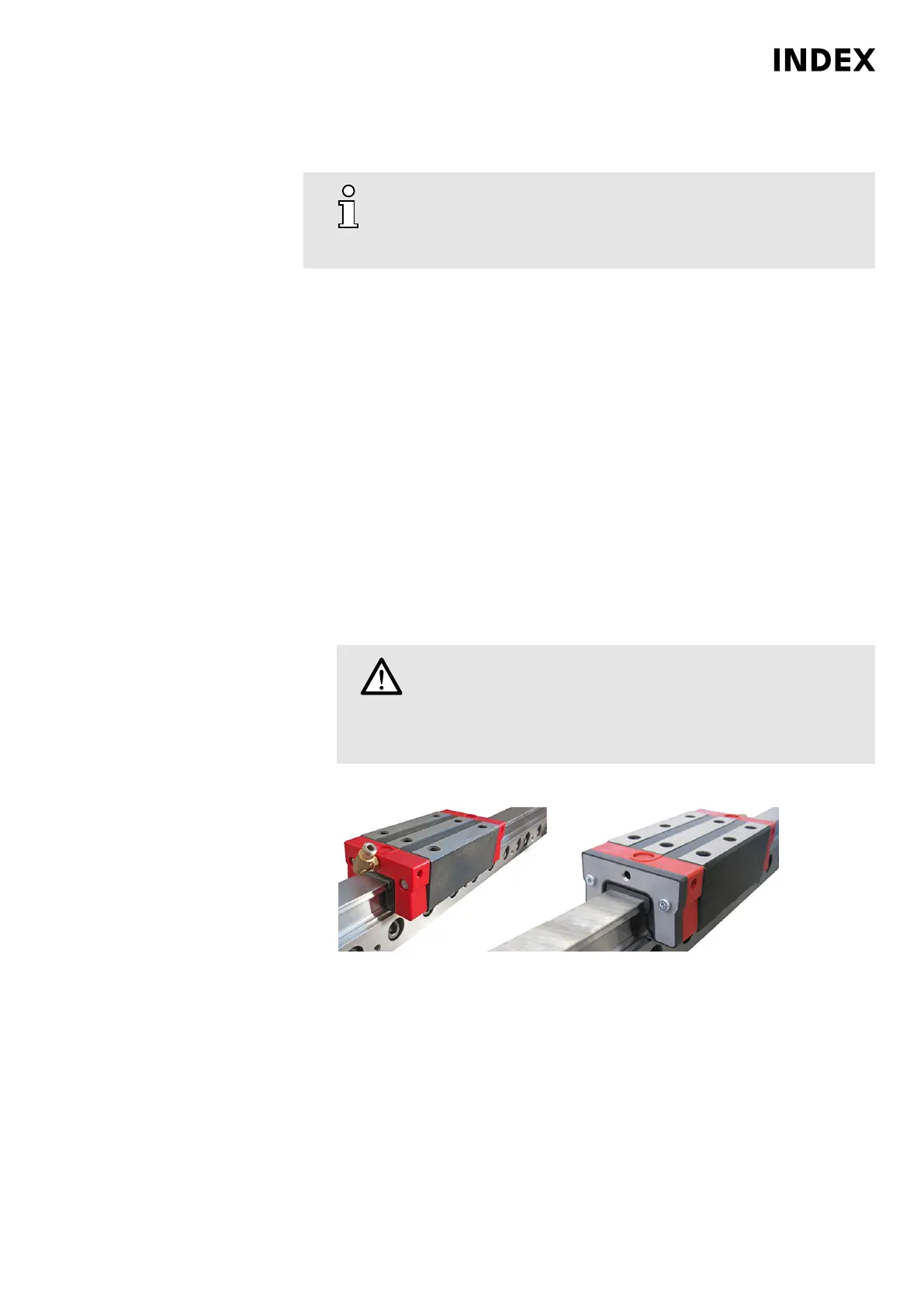
Example: Wiper on the trolley of the linear guide (view from the preassembly).
Check wipers.
4. Replace wipers. Loosen and remove the mounting screws of the wiper on the
trolley. Push the wiper from the guide bar. Clean the guide bar and push a new
wiper onto the guide bar. Finally lightly oil the guideway.
Maintenance Summary - 2.000 Operating hours
53
Maintenance Instructions
C100
LP1602.10091 - 05.06.2019



 To Next Page