52
Troubleshooting
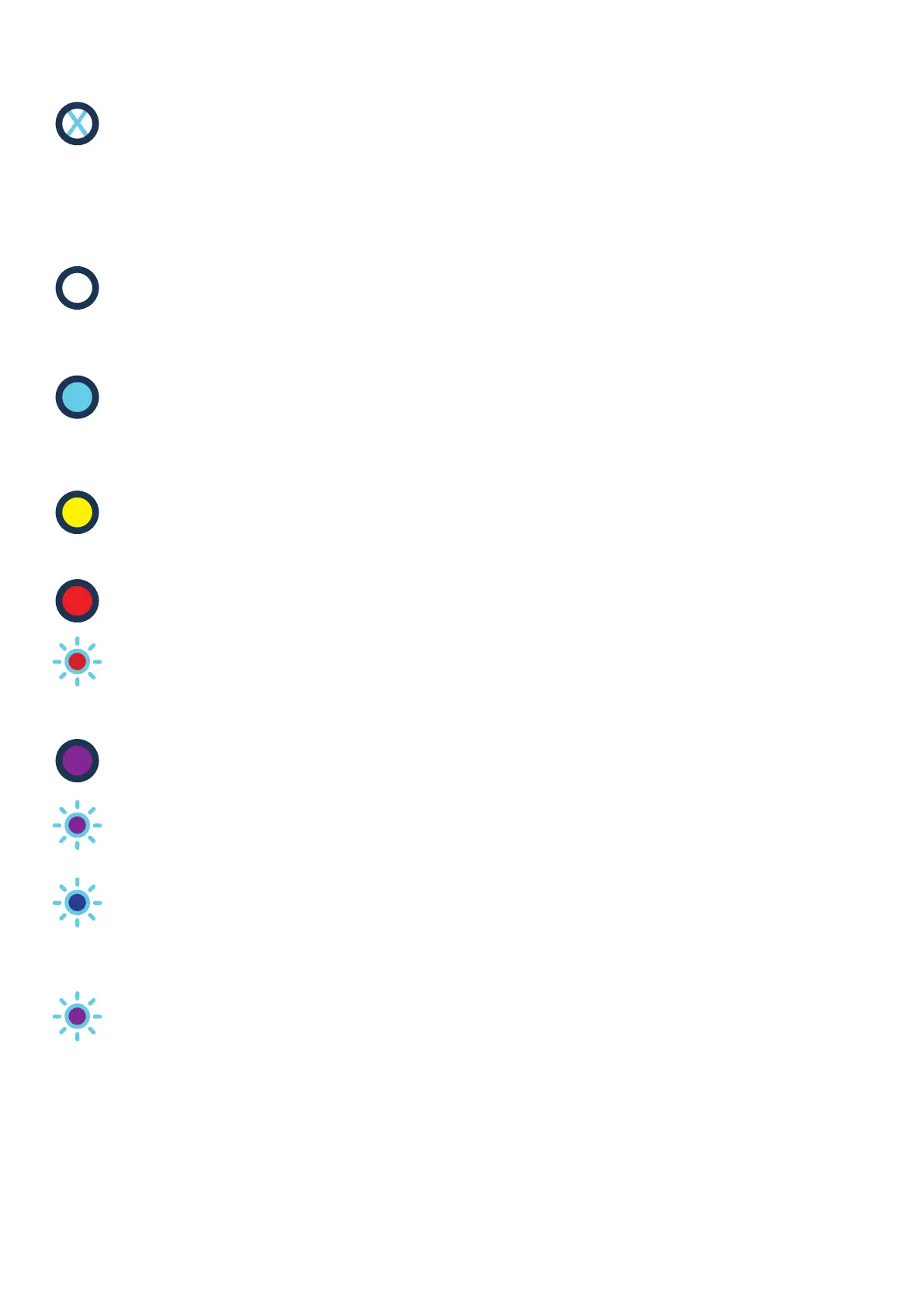
All LEDs are off
Unit is in a powered OFF state.
The unit has no power. Check the wiring and make sure that all connections
are correct. Ensure that all switches are in the correct state.
If the connections are correct and checked twice contact Customer Support.
Primary LED White, lit in Steady State
Smart mode
The unit is connected to the Control Platform. The unit will charge
based on driver requirements and smart schedules.
Primary LED Blue, lit in Steady State
Boost mode
The ‘Boost’ button has been pressed. The unit is now charging at full power.
Primary LED Yellow, lit in Steady State
Solar Match mode
The unit is using micro-generated, on-site electricity to charge the EV.
Primary LED Red, lit in Steady State OR Primary LED Red, Flashing**
Fault mode
The unit has encountered a major error.
Perform a hard restart on the unit by turning the rotary isolator
switch on and off or but flipping the RCD inside the house consumer unit.
If the steady red light persists, contact Customer Support.
Primary LED Blue, Flashing**
Software update in progress.
The unit is now downloading a software update from the cloud. Ensure that
the unit is not disconnected from the internet during this period/ procedure
Primary LED Purple, Flashing** (continuing after Start-up sequence)
The charger cannot communicate with the Control Platform.
The repeating flashing pattern gives an indication of the fault:
1 flash, repeating - Connected to the internet but unable to connect to INDRA.
Contact Customer Support. 2 flashes, repeating - There is a problem with
the connection to your router. Check all cables are plugged in, that the ethernet
cable functions and that other devices in the home are connected to the internet
or try restarting the router. 3 or more flashes, repeating - There is likely a
problem with the router. Check that other devices in the home are connected
to the internet and try restarting the router.
Primary LED Purple, Flashing on Start-up/ immediately after a Power Cycle
Booting
The unit is now powering up and running its start-up sequence,
this will last for a period of approximately 60 seconds.


 To Next Page