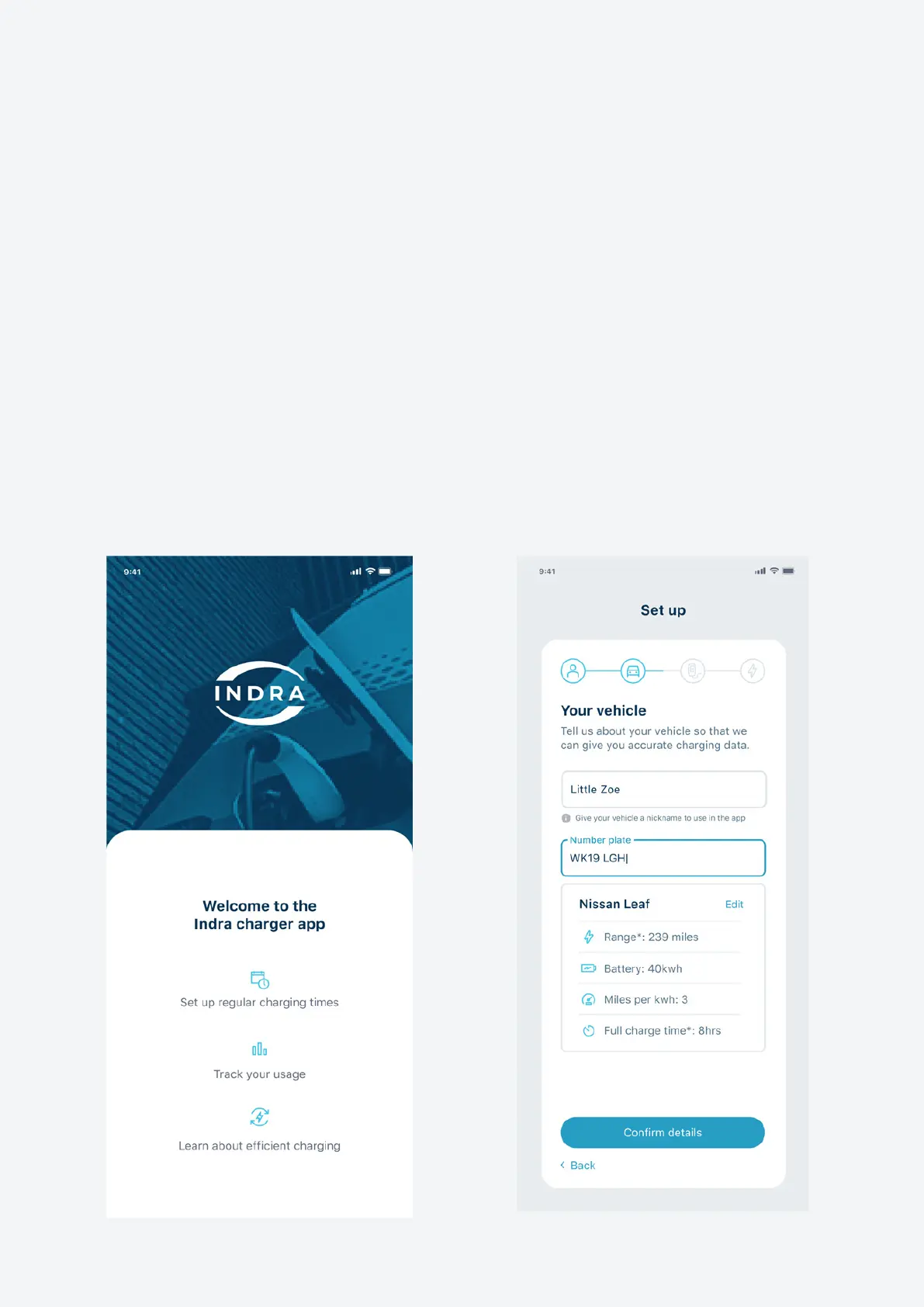
Getting set up
The rst time you open the Indra App, you’ll be asked to set up your charger. This
should only take a few minutes to complete.
We’ll ask you information about yourself, your EV and your electricity supplier and
tari. Having this information means we can calculate your charging times, electricity
usage and spend correctly, which will enable you to optimise your smart charging. If
you skip any steps in the set-up stage, you can do them later via the settings section.
You can still charge your EV without going through the set-up process, but you won’t
be making the most of your charger’s advanced features.
Info we’ll need about your EV:
• Vehicle name (the nickname you want to call it in the app)
• Numberplate (we’ll use this to nd out more about your vehicle, such as its make
and model)
8 Indra Smart PRO
User Guide


 To Next Page