Contact Infiltrator Water Technologies 1-800-221-4436 for additional technical and product information.
5
AQUAWORX IPC PANEL INSTALLATION INSTRUCTIONS
IV. Panel Alarm Codes
A) Visual Status Indicator
The indicator light on the front of the panel displays cur-
rent system status by flashing in unique 8 second pat-
terns. If the light does not flash for 8 seconds there is a
problem with the pump controller.
Patterns:
On solid The system is experiencing
a high-level alarm condition
1 short flash The system is idle
1 long flash The system is pumping
2 short flashes The system is waiting for the off
time to expire
B) Audible Status Indicator
The sounds convey event conditions that require atten-
tion. To silence the panel press the push to silence button
on the front of the IPC Panel. The following Morse Code
characters communicate specific system conditions:
Morse Code P ._ _. Controller was just powered up
On Continuous The water level is above the
high-level set point
Morse Code “S” . . . The level sensor is not
communicating with the controller
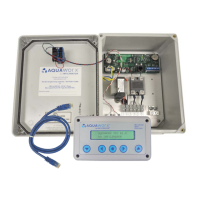
FIGURE 4: IPC PANEL WITH VISUAL ALARM
NOTE: SCB02 Panel uses a toggle switch on the side for
the same function.
C) Manual Pump/HOA Feature
Push to silence button may be used to manually operate
the pump in case a MARC is not available.
Steps:
1) Hold the alarm button down (continuously)
2) Turn off the power to the panel by throwing
the breaker or disconnecting the wires from the
transformer (Blue and Yellow).
3) Turn the power back on and release the alarm
button. The alarm should now only have a
single flash.
4) The pump will power on by holding the alarm
button down, and will turn off when released.
5) To return to automatic operation, the panel should
go through another power cycle without holding
down the alarm button.


 To Next Page
 Loading...