14 15
Adjusting Gains
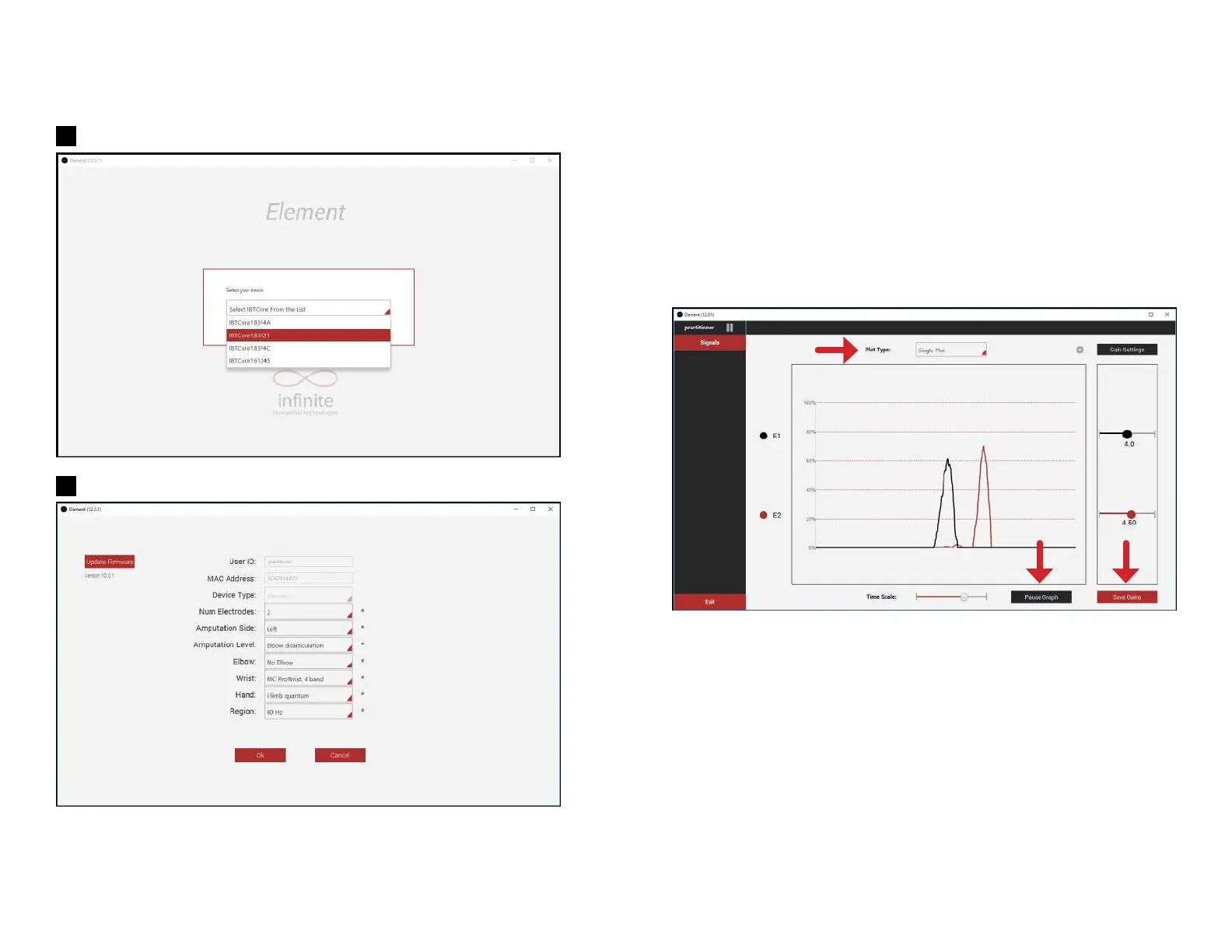
Click the “Gain Settings” button to hide or show the gain sliders. To change the
gains, drag the slider button left or right to adjust the gain for each electrode.
If the gain is modified, the new gain is sent automatically to the signal processing
box and the changes are immediately reflected in the signal viewer. However,
to save these gains permanently, you must press the “Save Gains” button,
which becomes red after any gain is adjusted. If you try to close the application
without saving the gains, a popup window will ask if you want to save the gains
or discard the changes.
The figure above shows signals in single plot mode. The gains were changed but
not saved, therefore the Save Gains button is active. The signals are currently
active and scrolling.
5
6


 To Next Page