14
Set your Environment
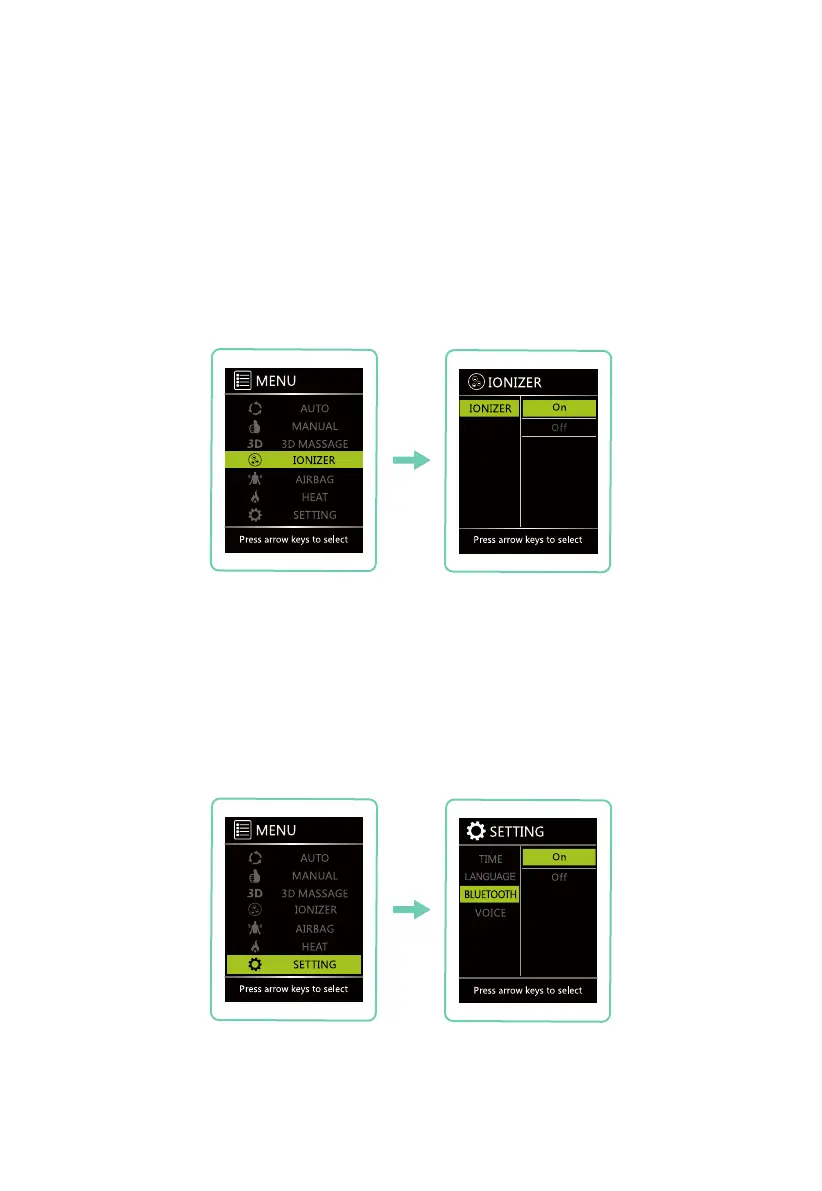
Your massage chair includes Bluetooth compatibility so you can play and enjoy your favorite
music. To turn on your chair’s Bluetooth, select SETTING from Home display, then press
up or down button to navigate to BLUETOOTH. Press right button, then press up or down
button to select your desired Bluetooth setting: On or Off. Press OK to select setting.
Open Bluetooth from audio device and pair with Evolution to play music.
Select AIR IONIZER from Home display, press right button, then press up or down button to
select your desired Air Ionizer setting: On, or Off. Press OK button to select the setting.
Note: the Air Ionizer is only active on the right side of the chair and not the left. This is how
this feature functions.
Bluetooth Audio
Air Ionizer










 To Next Page