Disc Operation
@.g~~
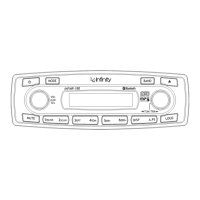
4. Repeat play button
(1
0)
Short push RPT button to play the current track repeatedly. Press and hold RPT for 2
seconds to play all the tracks in current directory repeatedly. Simply push RPT button
again to return to normal play mode.
Note: The press and hold function is only available for MP3/WMA playing mode.
5. Random play button (11)
Short push RDM button to play all the tracks in the disc in a random sequence. Press
and hold RDM for 2 seconds to play all the tracks in current directory randomly. Simply
push RDM button again to return to normal play mode.
Note: The press and hold function is only available for MP3/WMA playing mode.
6. Directory UP or Down button (12, 13)
Simply push the Directory UP or Down button to select the next
or
previous directory.
If
it does not contain directories, it would play the track at 10- file when you push DIR-
button (12), and play the track at 10+ file when you push DIR+ button (13).
7. ID3 Display button (14)
While a MP3 or WMA track is playing, pushing DISP button (14) repeatedly to display
the ID3 information in a sequence of:
TITLE --> FILE
-->ARTIST-->
ALBUM -->
CLOCK-->
ELAPSE TIME.
8. Track Up or Down button (5)
Tum TRK knob ( 5) clockwise or counter-clockwise to select the next or previous track.
Push TRK knob (5), it would display SEARCH ON, then tum TRK knob (5) clockwise
to go fast forward and
tum
TRK knob ( 5) counter-clockwise to rewind the track. At the
desired location, push TRK knob ( 5) once again, it would display SEARCH OFF and
begin to play the track.
9. Directory Search button (15)
Press A.PS button ( 15) to enter Directory search mode, then
tum
TRK knob ( 5) to search
the directory upward or downward in one directory step. At your desired directory, press
A.PS button ( 15) to confirm your selection. Then search sub-directory and track by turning
TRK knob ( 5) and confirm
by
pushing A.PS button ( 15) until you select the track you
desired, push A.PS button ( 15) to play the track.
12


 To Next Page