EasyManua.ls Logo

Infinity INFMR-180 - Bluetooth Operation; Pairing and Connecting Devices; Listening to Bluetooth Music

Infinity INFMR-180
22 pages
Print Icon
To Next Page IconTo Next Page
To Previous Page IconTo Previous Page
Loading...
Bluetooth Operation
0
Your
media
device
must
incorporate
the
Bluetooth
option
in
order
to
stream
music.
1.
Pairing
your
Stereo
and
Bluetooth
Device
(must
be in
Bluetooth
mode)
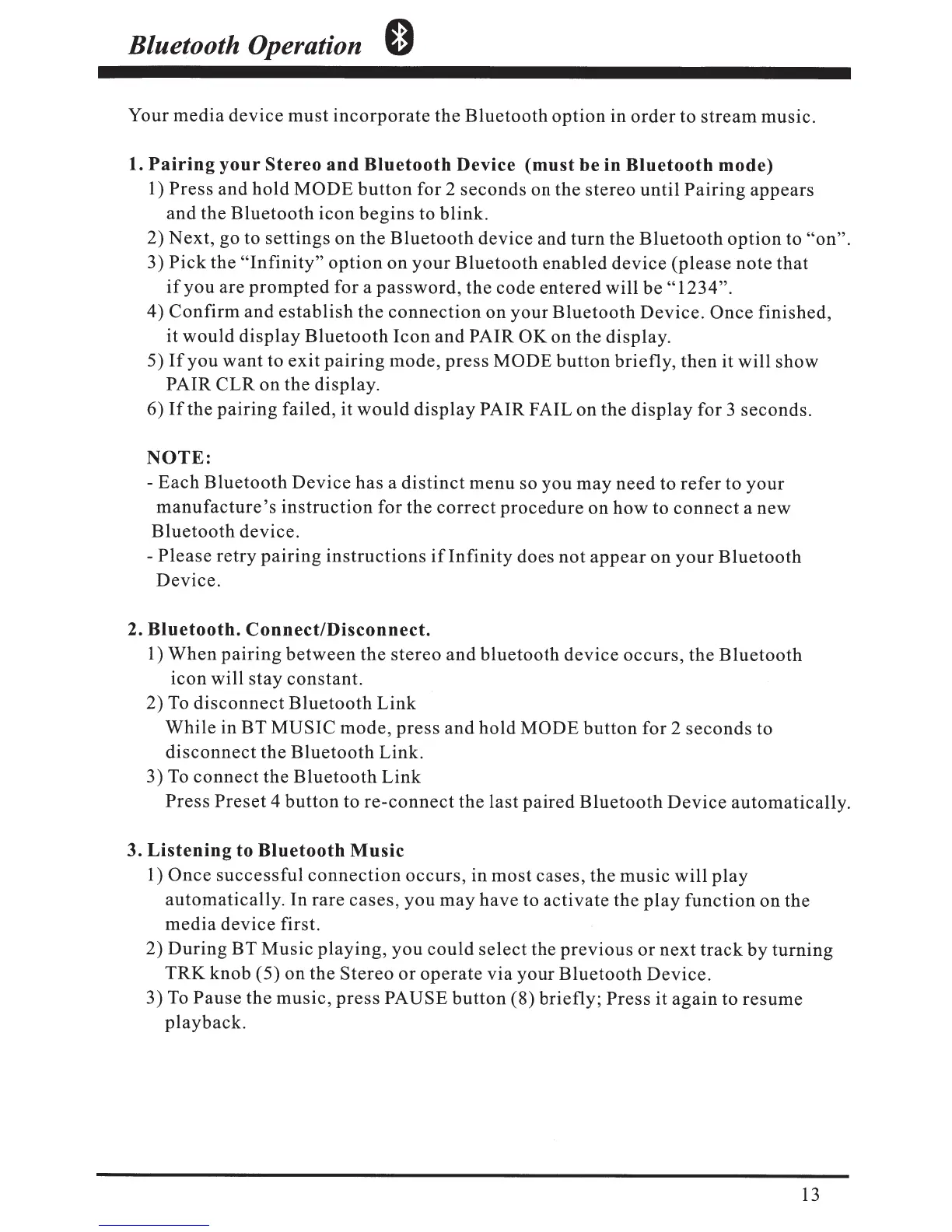
1) Press and
hold
MODE
button
for 2
seconds
on the stereo
until
Pairing
appears
and
the
Bluetooth
icon
begins
to blink.
2)
Next,
go to settings
on
the
Bluetooth
device and
turn
the
Bluetooth
option
to
"on".
3)
Pick
the
"Infinity"
option
on
your
Bluetooth
enabled
device
(please
note
that
if
you
are
prompted
for a
password,
the code
entered
will
be
"1234".
4)
Confirm
and
establish
the
connection
on
your
Bluetooth
Device
.
Once
finished,
it
would
display
Bluetooth
Icon
and
PAIR OK on the display.
5)
If
you
want
to
exit
pairing
mode,
press
MODE
button
briefly,
then
it
will
show
PAIR
CLR
on
the display.
6)
If
the
pairing
failed, it
would
display
PAIR FAIL
on
the
display
for 3 seconds.
NOTE:
-Each
Bluetooth
Device
has
a
distinct
menu
so
you
may
need
to
refer
to
your
manufacture's
instruction
for the
correct
procedure
on
how
to
connect
a
new
Bluetooth
device.
-Please
retry
pairing
instructions
if
Infinity
does
not
appear
on
your
Bluetooth
Device.
2.
Bluetooth.
Connect/Disconnect.
1)
When
pairing
between
the
stereo
and
bluetooth
device
occurs,
the
Bluetooth
icon
will stay constant.
2)
To
disconnect
Bluetooth
Link
While
in BT
MUSIC
mode,
press
and
hold
MODE
button
for 2
seconds
to
disconnect
the
Bluetooth
Link.
3)
To
connect
the
Bluetooth
Link
Press
Preset
4
button
to
re-connect
the last
paired
Bluetooth
Device
automatically.
3.
Listening
to
Bluetooth
Music
1)
Once
successful
connection
occurs,
in
most
cases, the
music
will
play
automatically. In rare
cases,
you
may
have to
activate
the
play
function
on
the
media
device first.
2)
During
BT
Music
playing,
you
could
select
the
previous
or
next
track
by
turning
TRK
knob (5)
on
the
Stereo
or
operate
via
your
Bluetooth
Device.
3)
To
Pause
the music,
press
PAUSE
button
(8)
briefly;
Press
it
again
to
resume
playback.
13

Related product manuals