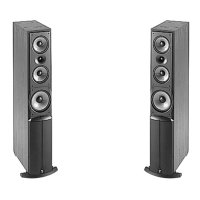
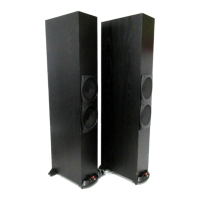
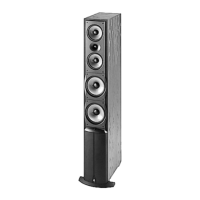
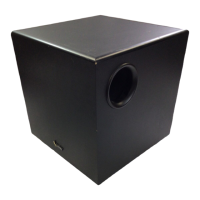
EasyManua.ls Logo

Infinity Overture 1 - Detailed Technical Specifications

Infinity Overture 1
25 pages
Print Icon
To Next Page IconTo Next Page
To Previous Page IconTo Previous Page
Loading...
IMPORTANT!
POWER
ON...
CHECKING
PLAYBACK...
Figure
8.
Located
on
each
OVTR
I’s
rear
panel
are
a
BASS
level
control
and
a
dual-color
“Power
On”
LED.
.
Compositions
Overture
OVTR
1
-
OPERATING
THE
SYSTEM
Each
Compositions
Overture
OVTR
1
speaker
system
contains
a
built-in
powered
subwoofer.
For
your
convenience,
the
system
is
not
fitted
with
a
power
on/off
switch.
Instead,
an
auto-sense
circuit
will
instantly
switch
the
system
on
when
an
audio
signal
is
present,
and
will
automatically
revert
to
standby
(drawing
only
7
watts)
when
audio
is
absent
for
a
minimum
of
10
minutes.
A
dual-color
“Power
On”
LED
(see
Figure
8
below)
glows
red
when
the
amplifier
is
the
stand-by
mode
and
green
when
the
amplifier
is
on.
If
on/off
switching
is
desired,
connect
the
OVTR
1’s
ac
power
cord
to
an
ac
switched
outlet.
If
you
plan
to
leave
for
an
extended
period
of
time
(e.g.,
vacation),
switch
the
system
off
(or
unplug
the
ac
power
cord).
This
product
is
designed
for
(USA)
120
Vac
use
only.
Do
not
connect
it
to
any
other
line
voltages.
1.
After
speaker
wiring
has
been
completed,
connect
each
speaker’s
ac
power
cord
to
the
nearest
ac
receptacle.
You
should
see
an
LED
illuminate,
indicating
the
amplifier
is
on
(see
Figure
8
below).
If
not,
verify
the
ac
outlet
is
delivering
power
or
refer
to
Troubleshooting
2.
Check
the
speakers
for
playback
by
first
setting
the
audio
system
volume
control
for
a
minimum
level,
and
then
applying
power
to
your
system.
Play
a
favorite
music
or
video
segment
and
increase
the
volume
control
to
a
comfortable
level.
NOTE:
You
should
hear
balanced
audio
reproduction
across
the
entire
frequency
spectrum.
If
not,
check
all
wiring
ConmechOls
and
refer
to
the
“Troubleshooting”
section
et
ee
ee
oO
|
ce)
MAX
MIN
Oo
o
More
C)
Less
Bass
>
Bass
e
o
BASS
CONTROL
ON
/
STANDBY
Power
On
CS
Stand-By
is
green
is
red
“POWER
ON”
LED
OVTR
1
OVTR
1
°
(rear
view)
°

Other manuals for Infinity Overture 1

Related product manuals