_______________________________________________________Operation and Care
AUTO OPERATION (Auto-Fill™ Models):
Auto-Fill™ Models:
Panel Functional Switches & Operating Instructions:
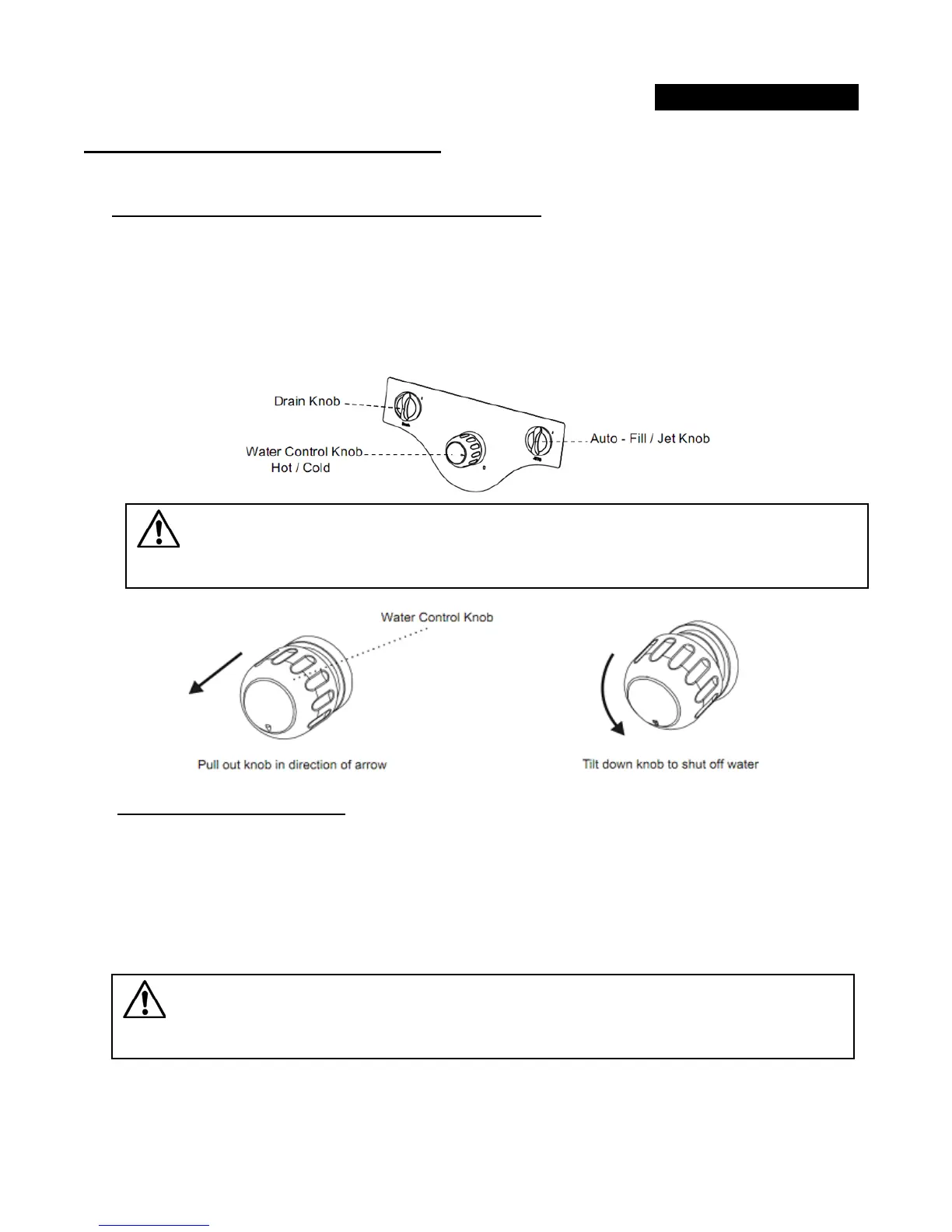
Hot/Cold water faucet located at the center of the front panel.
1.
1 Use faucet knob to adjust optimal water temperature at “H” (Left) or “C” (Right) directory.
1.
2 Pull out and tilt down faucet knob to shut off water any time during the automatic or manual
operational cycle.
Automatic Auto-Fill™ cycle:
Water will automatically turn-off when optimal water level is detected by 2 sensors. The Auto-Fill™ cycle
is safely protected by 2 sensors and can be extended with a manually operative shut-off valve located at
the front panel.
I
f you notice the water stops before reaching water sensors. This might cause by the power unstabl
e
at
that moment. To continue filling, turn the Auto-Fill knob clockwise again.
Important!
Must scrub and clean water sensors frequently to ensure that water stops right
at sensor level. If necessary, clean using sponge buffer.
Warning
Water control knob must be used to shut off water supply to basin when spa
chair is left unattended and overnight


 To Next Page