_______________________________________________________Operation and Care
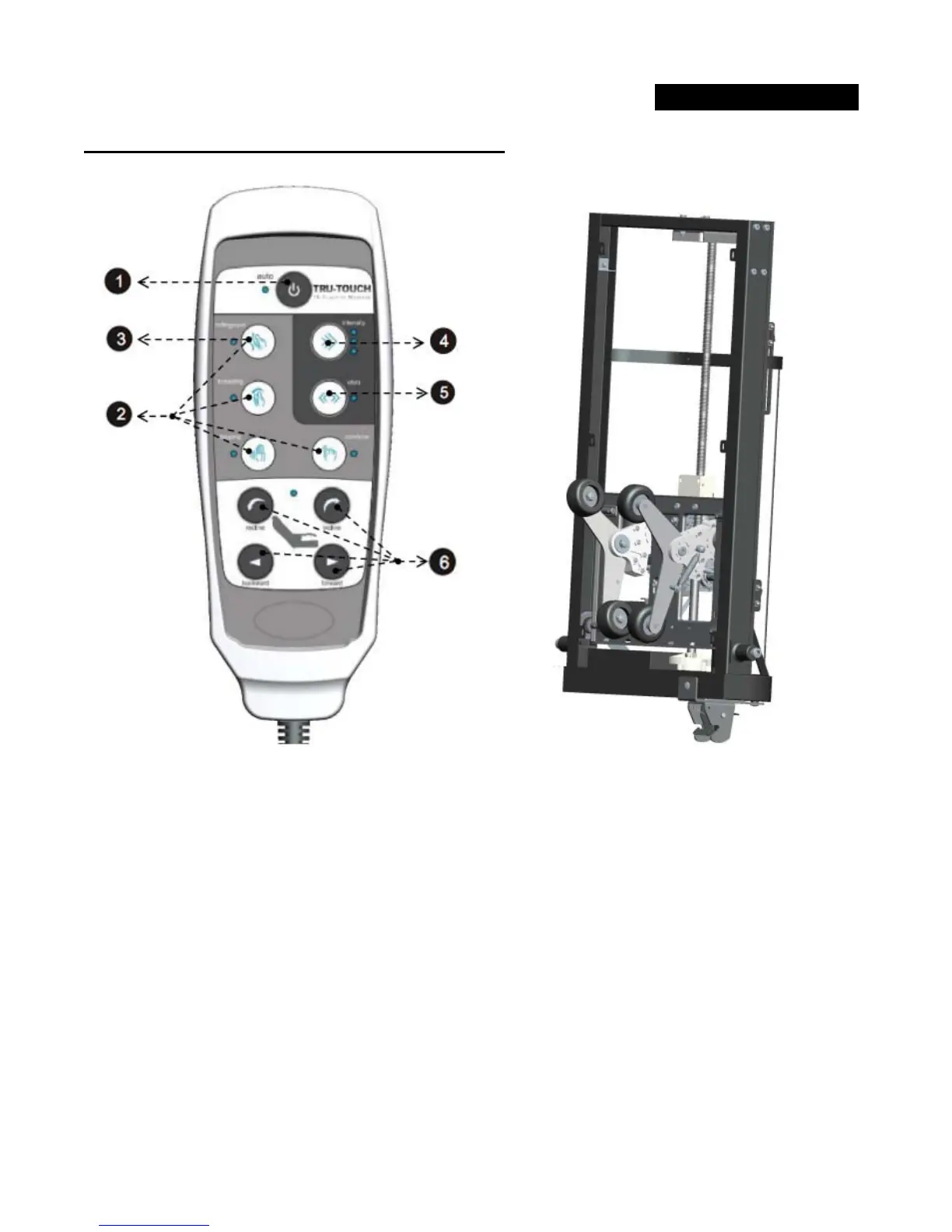
MASSAGE SYSTEM & REMOTE CONTROLLER:
Fig 14
1. Press Auto Button to start Auto mode. Press again to turn off massage.
Auto and Manual mode will run for duration of 20min.
2. P
ress any button (Rolling/Spot, Kneading, Tapping, Combine) to enter Manual mode.
3. P
ress Rolling/Spot to start rolling up/down and stop at desired spot.
4. P
ress Intensity button to select tapping intensity.
5. V
ibro Button & LED are optional. Pressing this button will resume with Tapping action.
6. P
ress any chair button (Recline, Incline, Backward, Forward) to move the chair to desired positions.


 To Next Page