General Operations
3.
SOUR
CE
button
Repeat press
to
change source
in
following sequence:
FM
-->AM-->
WB
-->USB-->
BT
MUSIC--
> AUX --> FM.
(Note: Without USB
or
BT
device connected, the corresponding source will not display
while pushing Source button.)
4.
SETT
I
NG
button
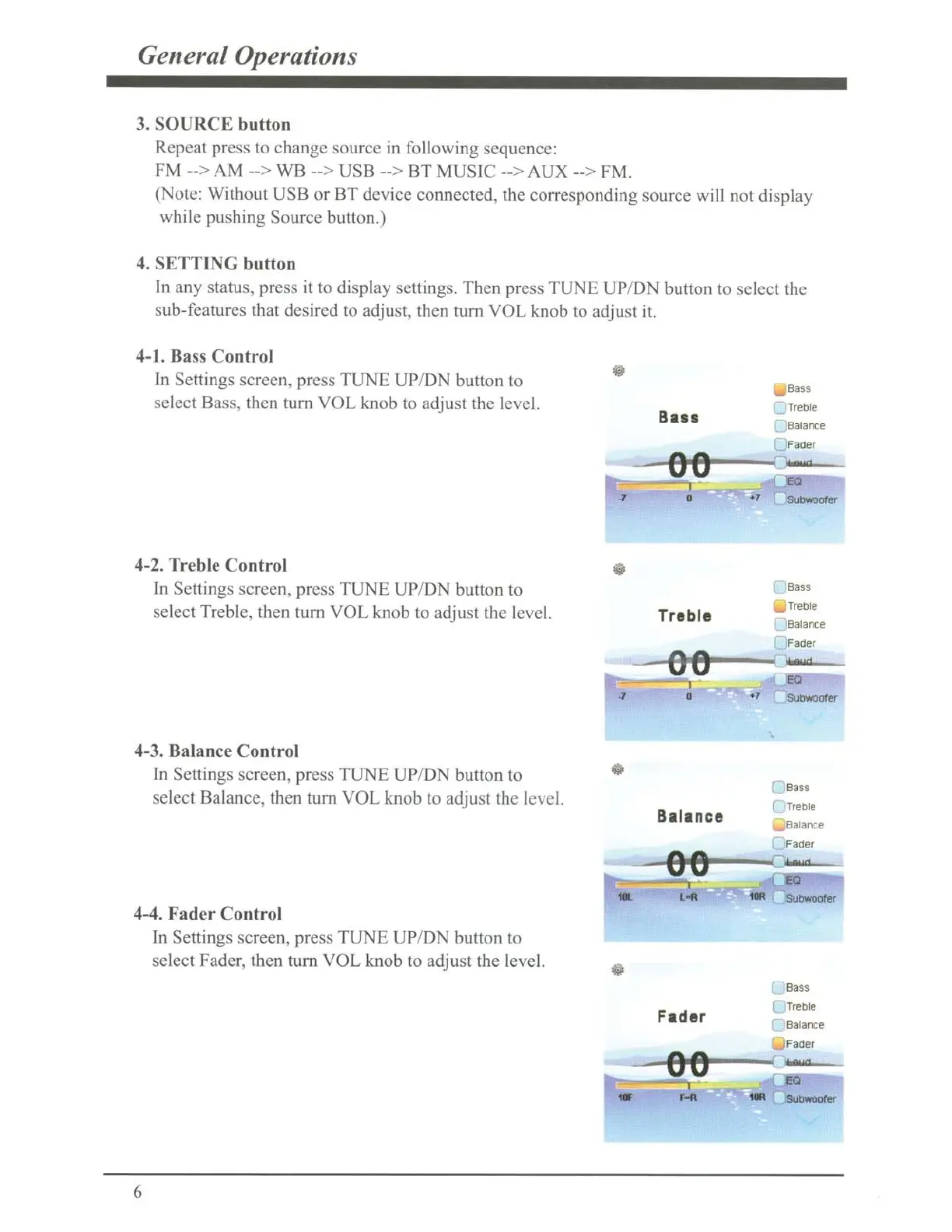
In any status, press it to display settings. Then press
TUNE
UP/ON
button to select the
sub-features that desired to adjust, then
tum
VOL knob to adjust it.
4-l.
Ba
ss
Control
In
Se
ttings screen, press
TUNE
UP/
DN
button to
select Bass,
th
en
tum
VOL
knob to adjust the level.
4-2. Treble Control
In
Sett
in
gs
screen, press
TUNE
UP/ON button to
select Treble, then
tum
VOL
knob to adjust the level.
4-3. Balance Control
In
Settings screen, press
TUNE
UP/DN
button to
se
lect Balance, then
tum
VOL
knob to adjust the level.
4-4
. Fader Control
6
In Settings screen, press
TUNE
UP/DN
button to
select Fader, then
tum
VOL
knob to adjust the level.
Ba11
Treble
Balance
Fader
Bass
)Treble
Balance
FaCier
Bass
TreDie
Balance
FaCier
Bass
Treble
,
Balance
FaCier
Bass
Treble
~
Balance
Fader



 To Next Page