General Settings
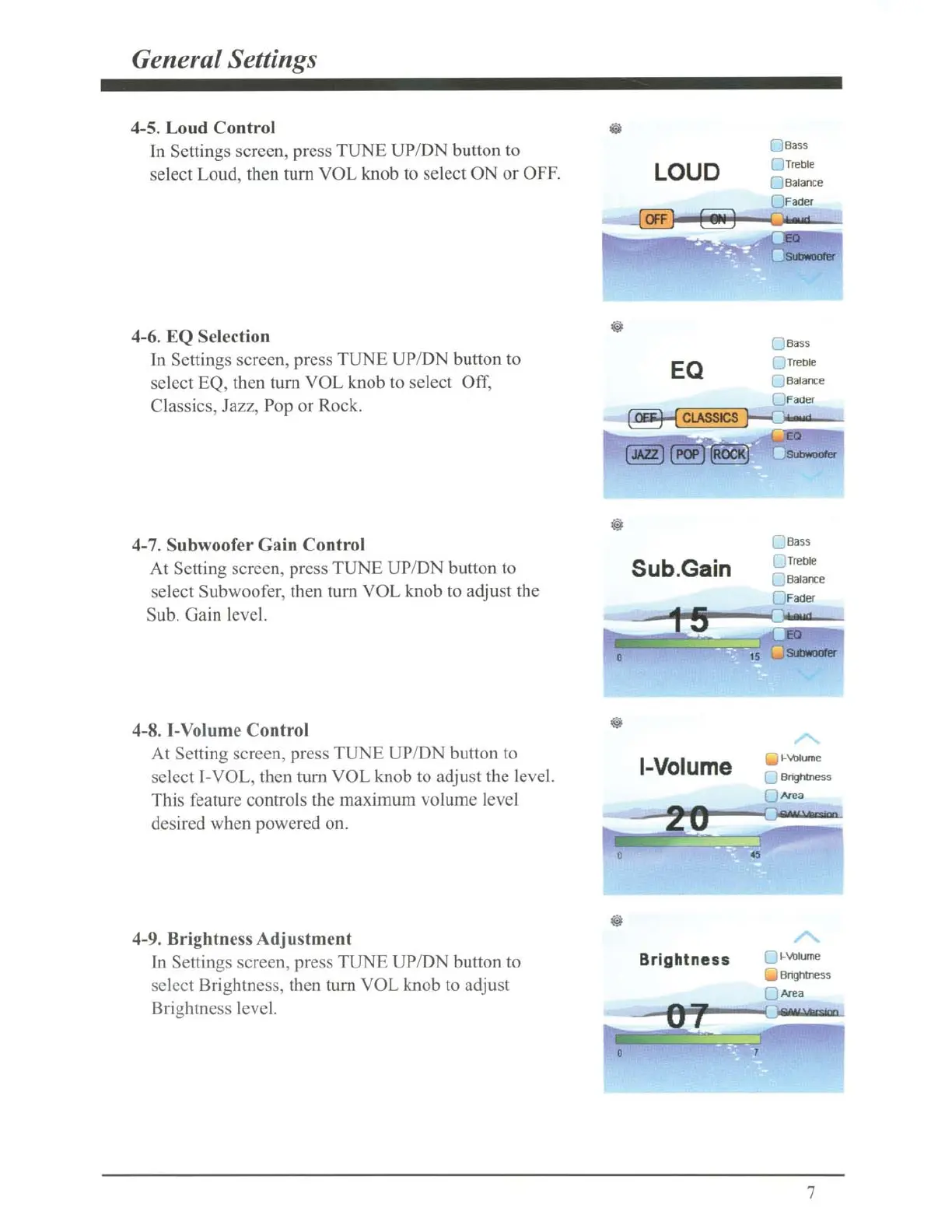
4-5. Loud Control
In
Sett
ings screen, press
TUNE
UP
/DN button to
se
lect Loud, then turn
VOL
knob to select ON or OFF.
4-6.
EQ
Se
lection
Ln
Sett
jngs screen, press
TUNE
UP/DN button to
se
lect EQ, then turn
VO
L knob to select
Off
,
Classics, Jazz,
Pop
or Rock.
4-7. Subwoofer Gain Control
At Setting screen, press T
UNE
UP/DN
button to
se
lect Subwoofer, then tum
VOL
knob to adjust the
Sub.
Gain
level.
4-8. I-Volume Control
At
Setting
sc
reen, press
TUNE
UP/ON button to
se
lect I-VOL, then
tum
VOL
knob to adjust the level.
This feature
co
ntrols the maximum volume level
desired when powered on.
4-9. Brightness Adjustment
In Settings
sc
reen, press
TUNE
UP/
DN
button to
select Brightness, then
tum
VOL
knob to adjust
Brightness level.
LOUD
EQ
Sub.Gain
I-
Volume
Brightness
Q Bass
Q
Trellle
Q
Balance
n Fader
...JBass
Q
Treble
0
SUIMoofer
[.
Bass
(;
Treble
C
Balance
0 Fader
1-\mlume
C
&1ghlness
r-
Area
C
t-'vl:llume
Bnghtness
~
Area
7



 To Next Page