INFINITY REFERENCE
8
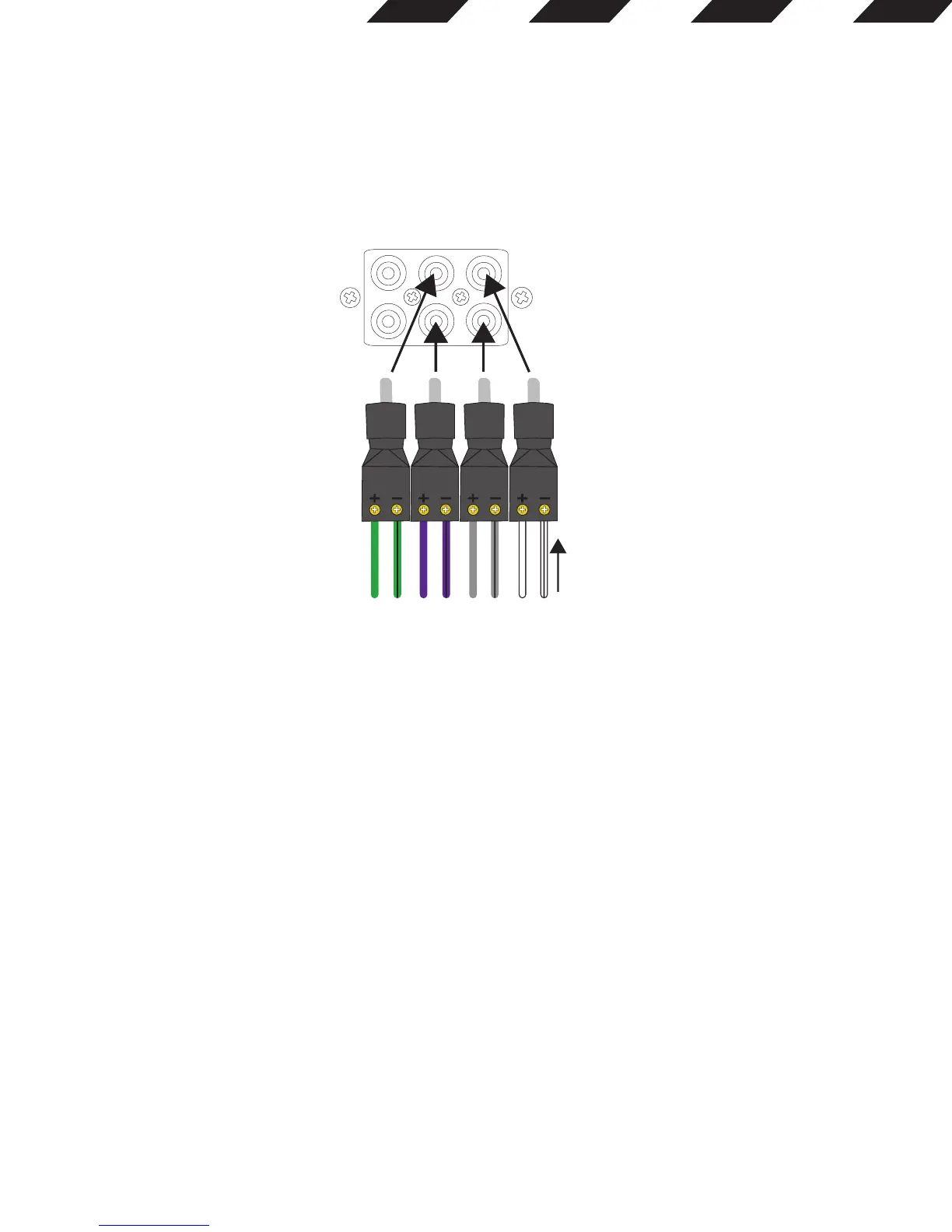
Always connect the (+) speaker wire to the adapter’s (+) terminal and the (–) speaker wire to the adapter’s (–) terminal. When all wires are
connected, plug the adapters into the REF amplifier’s FRONT (and REAR, if using the 4-channel amplifier) preamp inputs.
7. Input level:
Use this switch along with the gain control to set the REF amplifier’s input level. If using an aftermarket radio’s RCA-level outputs, set the Input
Level switch to the “LO” position. If using high-level outputs, start the control-setting process with the Input Level switch set in the “HI1” position.
Note: If you have connected your REF amplifier to a factory audio system’s speaker outputs, the audio signal may fail to play. If this happens,
change the Input Level switch to the “HI2” position. The “HI2” position includes a circuit designed to fool this type of factory audio system into
“seeing” a speaker connected to its input.
Important: The “HI2” setting should never be used when the REF amplifier is connected to an aftermarket head unit’s line-level (RCA-type)
outputs.
8. Crossover filter selectors (X-OVER):
Crossover-filter selectors (REF-704a and REF-4555a only; REF-551a filter is low pass only).
• LP: Low pass. Choose this setting if you’re connecting a subwoofer(s), or want to provide a low-pass filter for separate mid-bass speakers.
• FULL: Full range. Choose this setting if you’re connecting full-range speakers, and not using a subwoofer in your system.
• HP: High pass. Choose this setting to prevent low bass from reaching midrange or full-range speakers when you’re using a subwoofer in
your system.
(See Setting the crossovers in Chapter 4.)
9. Input level selectors (GAIN):
Input level controls. Use these to match the amp’s input sensitivity to the output level of your source unit. See 17 for a recommended adjustment
procedure.
(See Setting the input levels in Chapter 4 for a recommended adjustment procedure.)
PRE OUT REAR FRONT
From high-level
source





 To Next Page