95
Presentation tools
• Files with a resolution larger than the following are not supported.
IN5132, IN5142: 1024 x 768 (Still), 768 x 576 (Movie)
IN5134, IN5134a, IN5144, IN5144a: 1280 x 800 (Still), 768 x 576 (Movie)
IN5135, IN5145: 1920 x 1200 (Still), 768 x 576 (Movie)
(* Some computers may not support these resolutions.)
• Files with a resolution smaller than 36 x 36 are not supported.
• Files with a resolution smaller than 100 x 100 may not be displayed.
• Movie images with a frame rate higher than 15 fps cannot be displayed.
• Movie images with a bit rate higher than 20 Mbps cannot be displayed.
• Some supported les may not be displayed.
• Only a frame appears when the image data content cannot be displayed in
the Thumbnail mode.
• Even with the le format and audio format combinations described above,
playback of some les may fail.
NOTE
Thumbnail Mode
PC-LESS Presentation (continued)
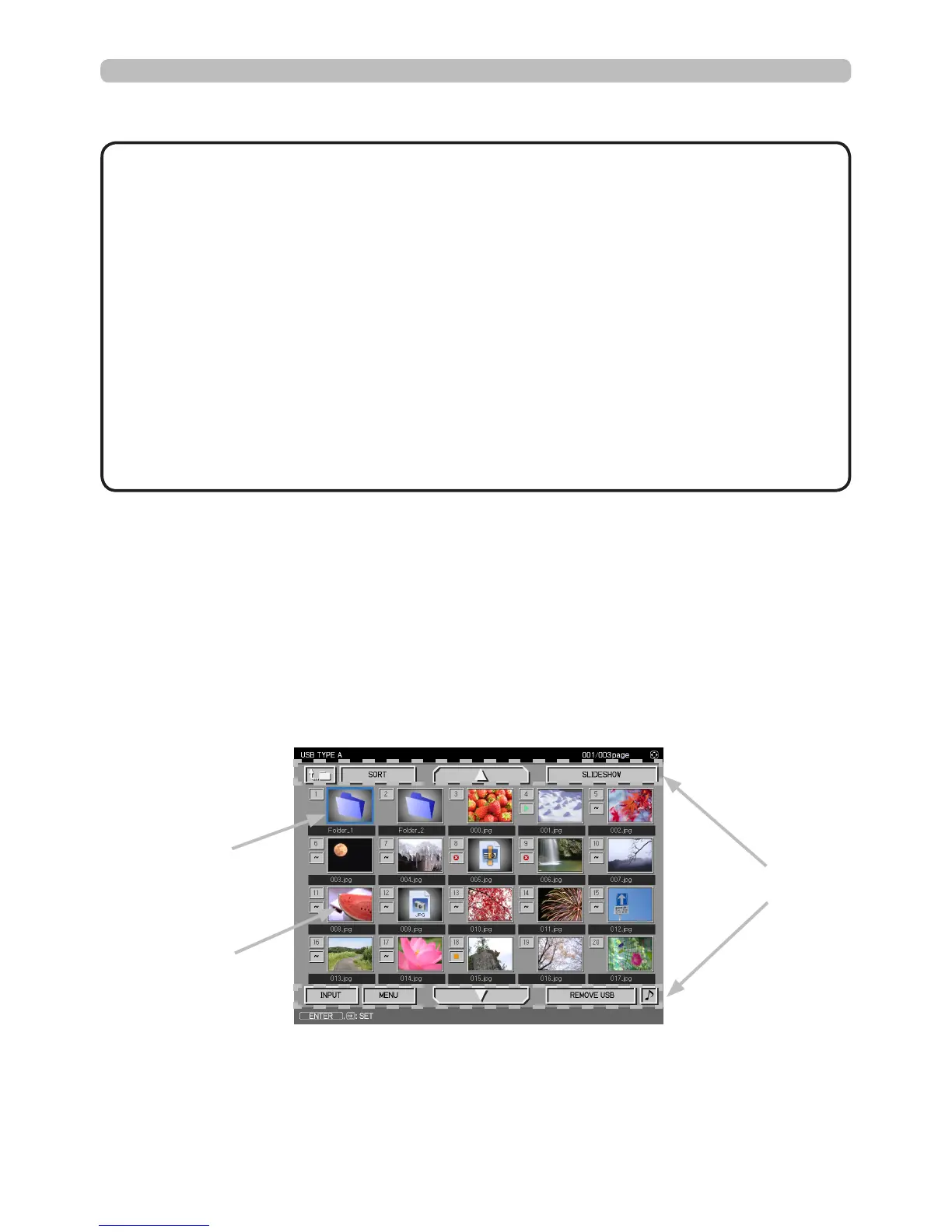
The Thumbnail mode displays the images saved in a USB storage device on the
Thumbnail screen. A maximum of 20 images can be displayed on a screen.
After you select some images in the Thumbnail mode, you can jump into Full
Screen mode or Slideshow mode if desired.
Thumbnail mode will start automatically when the USB TYPE A source is
selected.
Thumbnail menu
Selected image
Thumbnail images





 To Next Page