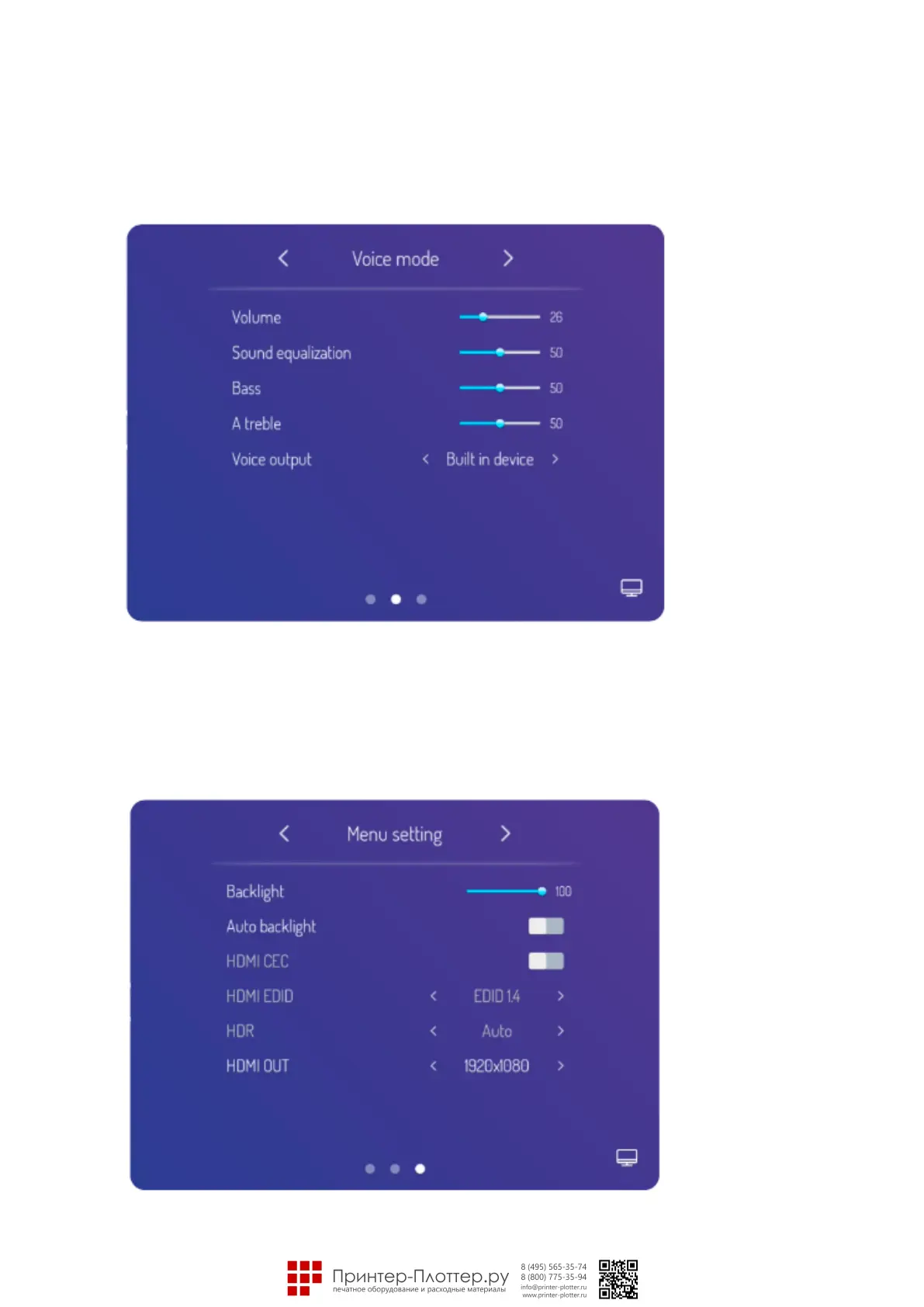
Voice Mode
Select sidebar menu, press setting icon to enter signal source setting menu, then press the menu icon on the
bottom right corner of signal source setting page to enter menu page, it can adjust the volume, equilibrium, bass
and treble setting, sound output device setting and so on when move to voice mode sub option.
Menu Setting
Select sidebar menu, press setting icon to enter signal source setting menu, then press the menu icon on the
bottom right corner of signal source setting page to enter menu page, it can adjust the back light, auto-backlight,
EDID version, HDR, HDMI output resolution setting etc, when move to menu setting sub option.



 To Next Page