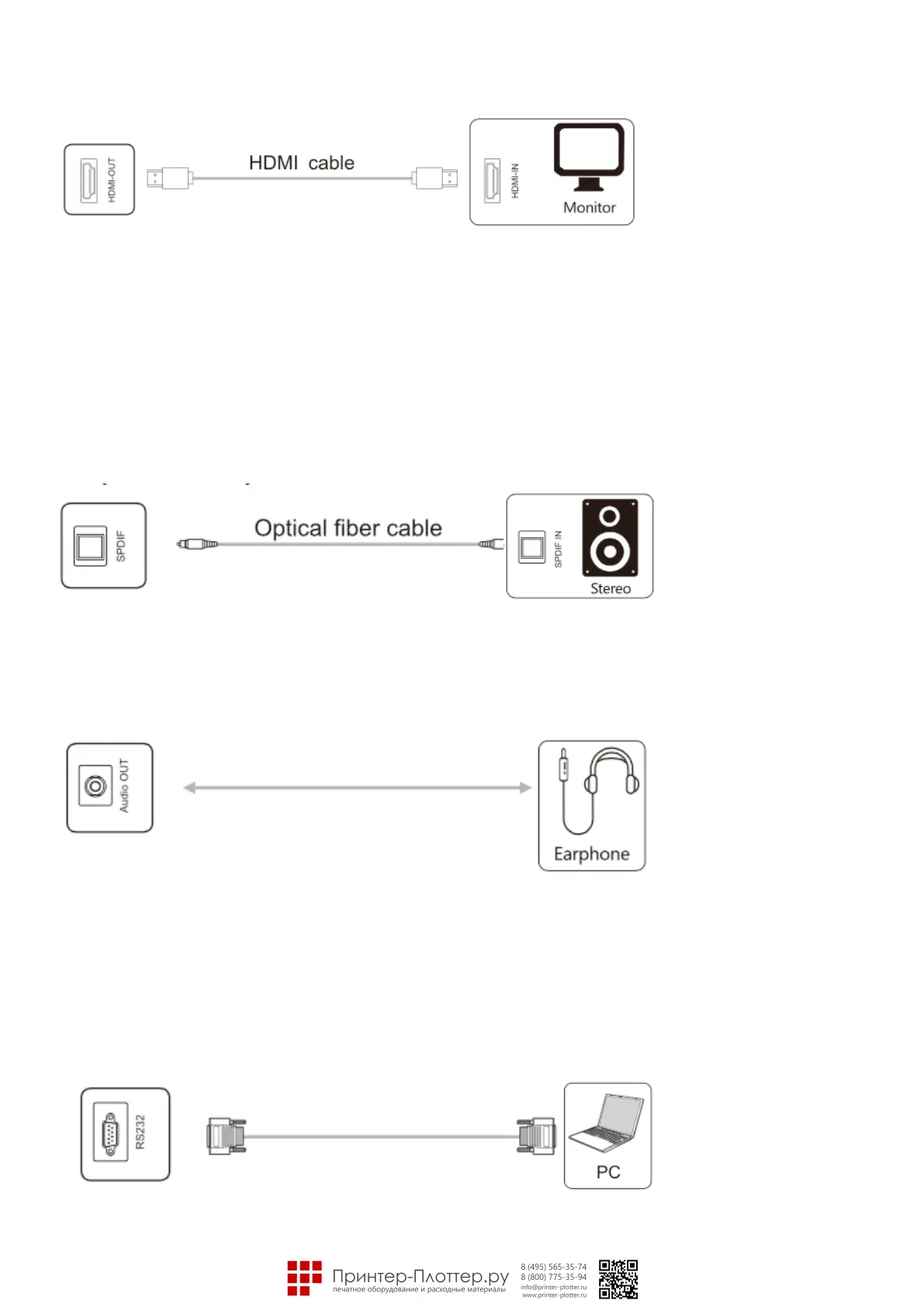
• HDMI-OUT port
Note:The HDMI-OUT port can output Audio & Video signals to the HDMI-IN port of the second product, the
second product can replay the Audio & Video signals to the third product. The maximum relaying amount
depends on quality and length of the HDMI cable.
Audio ports
• Optical fiber port
Note: This port can output audio signals of this product ta speakers with a SPDIF-IN port.
• Audio-Out port
Note: Audio-OUT port can be connected with a headset or an external speaker.
Control ports
• RS232 port
Note: RS232-IN port is connected ta the PC; the product is operated via the PC.



 To Next Page