Using LP Utilities
LitePro 580 User’s Guide 35
LP-Link Utility
The LP-Link utility allows you to control your projector from your
computer. Having this control on the computer monitor avoids
displaying menus and making adjustments on the projection screen
during a presentation.
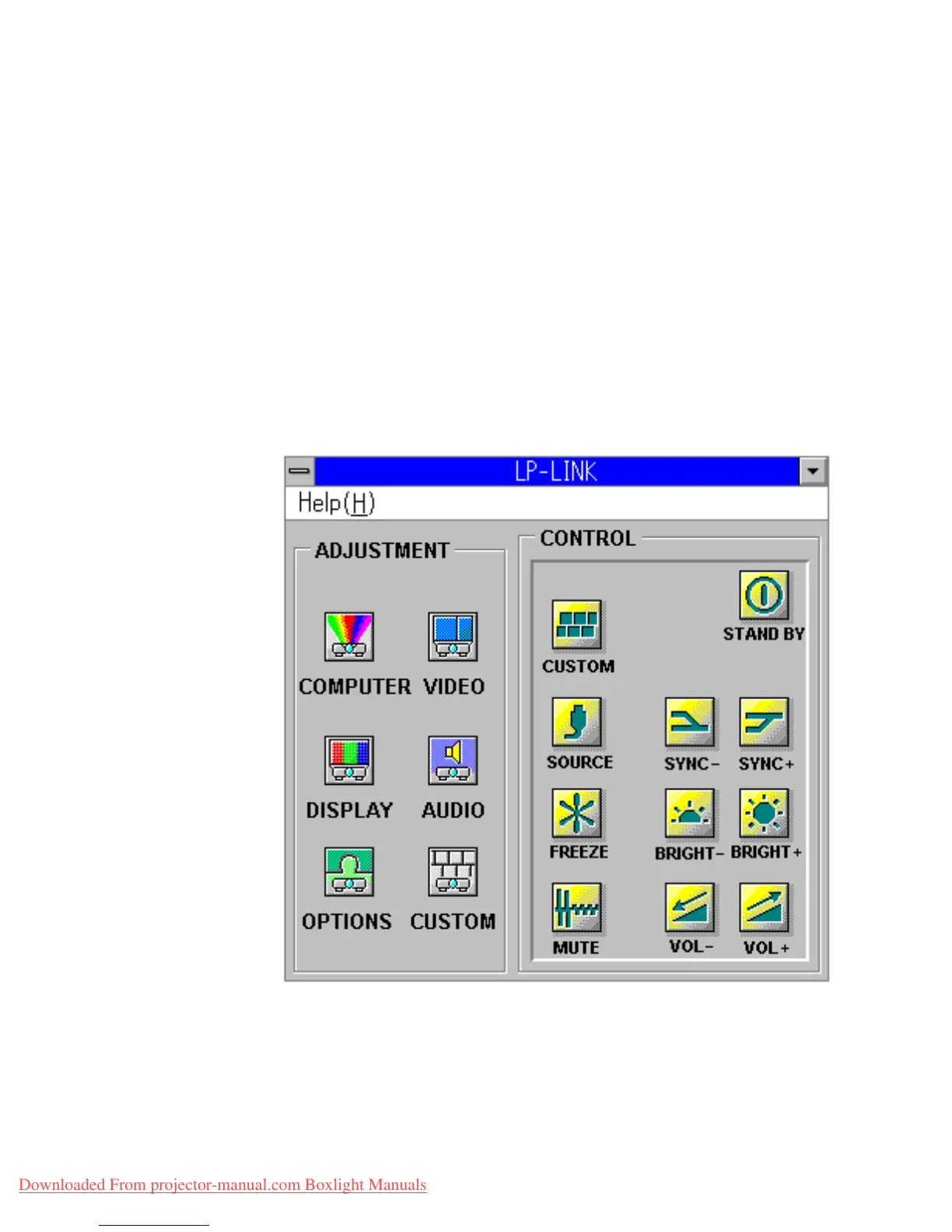
Launch the LP-Link program and a window opens displaying two
areas:
• a control panel on the right, marked “Control,” to control basic
functions, and
• individual control panels on the left, marked “Adjustment,” to
adjust settings.
Downloaded From projector-manual.com Boxlight Manuals


 To Next Page
 Loading...






