6
Setting up the Projector
NOTE: Before you continue,
make sure the projector is
unplugged and your equipment is
turned off. If you’re connecting a
computer, make sure the distance
between it and the projector is 6
feet or less.
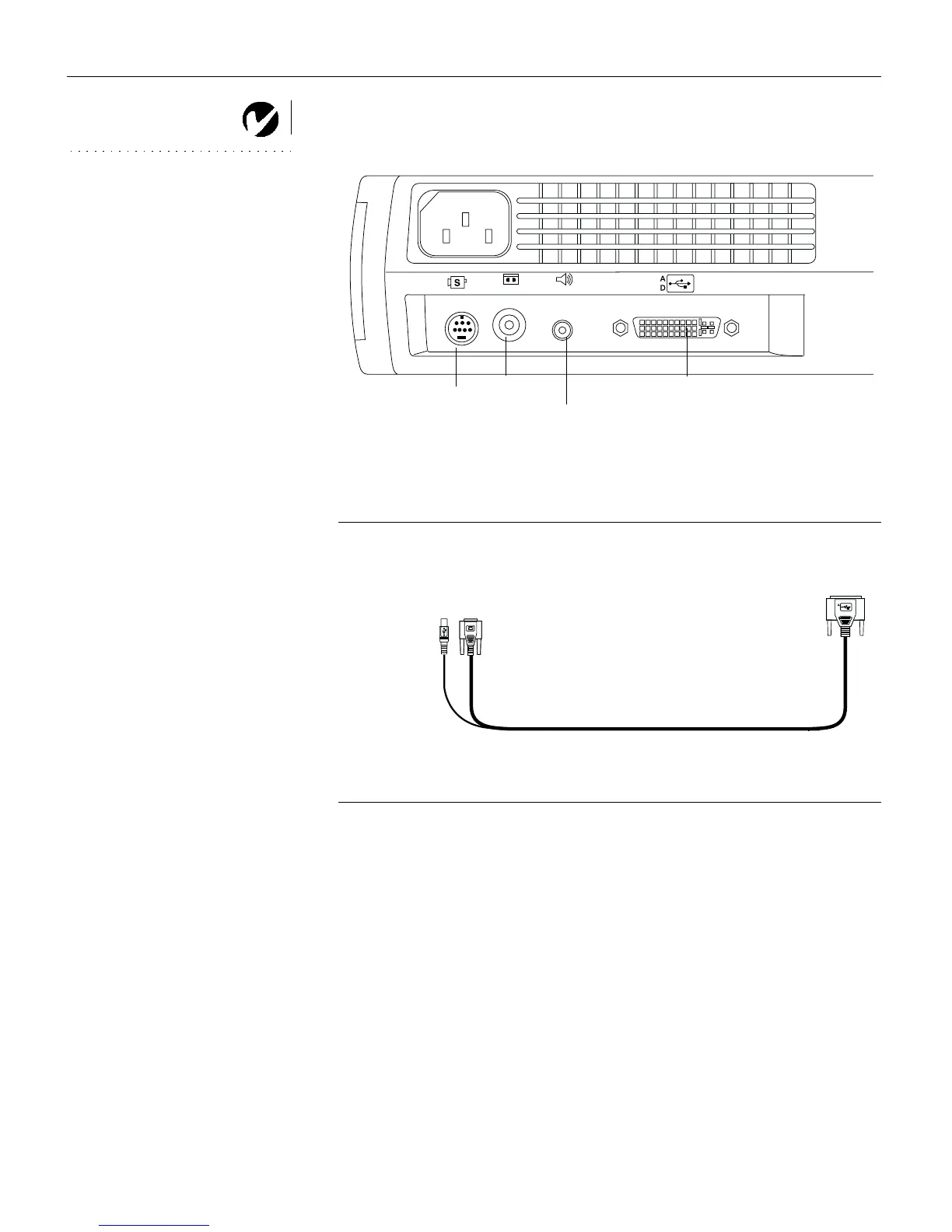
F
IGURE 4
Connector panel
F
IGURE 5
M1-DA analog computer cable
S-video
composite
video
Audio in
data interface
M1-DA
to computer video
to projector
to computer
to USB mouse



 To Next Page