23
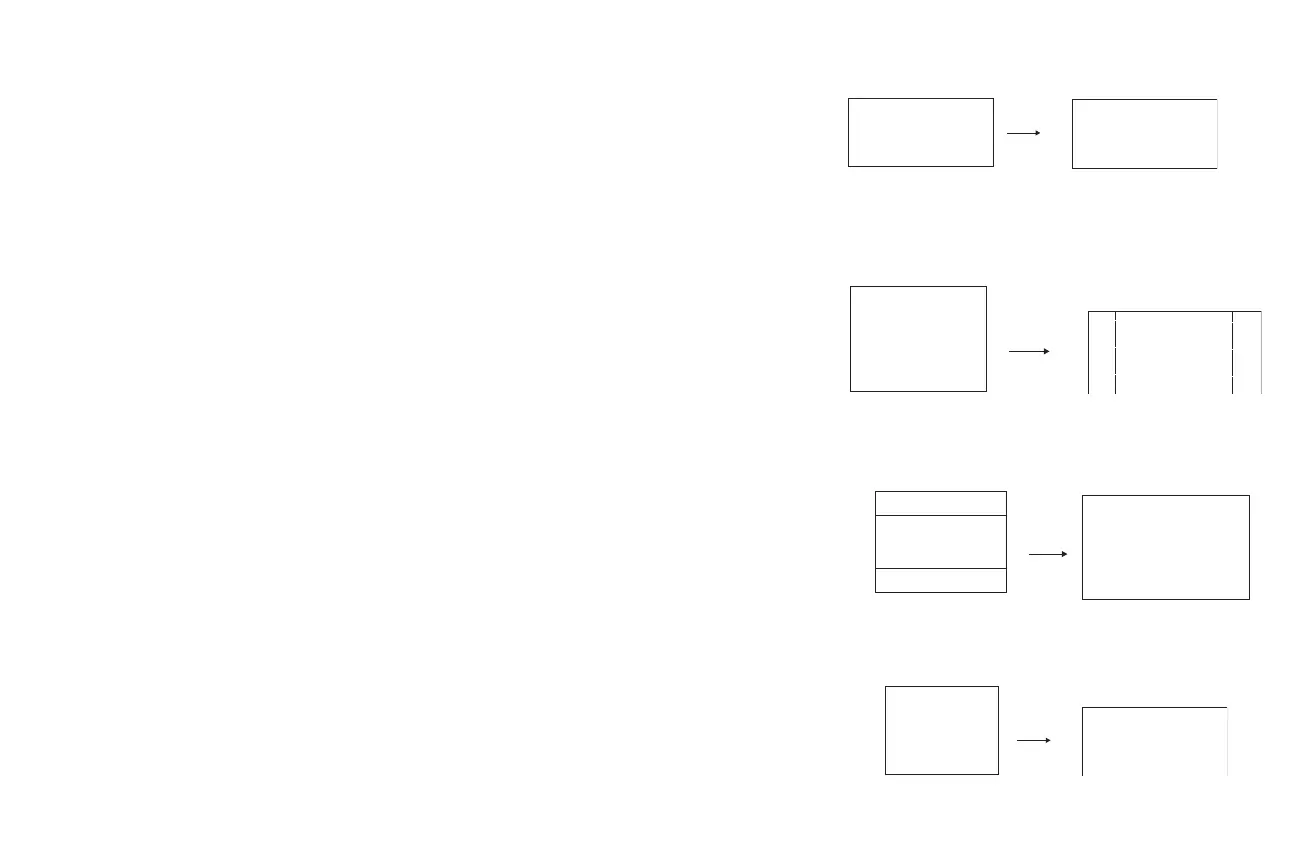
16:9: the default is 16:9, which preserves the 16:9 aspect ratio and is
designed to be used with content that is Enhanced for Widescreen TVs.
4:3: resizes the image from its original version to fit a standard 4:3
aspect ratio screen. If you have a 4:3 source on a 16:9 screen, the image
is placed in a 16:9 space, so black bars appear at the sides of the image.
Letterbox: preserves the 16:9 aspect ratio. If you have a 16:9 source and
screen, the image fills the screen. If your source is letterboxed, the
image expanded to fill the screen.
Natural Wide: this mode stretches a 4:3 image to fill the entire 16:9
screen. The center two-thirds of the image is unchanged; the edges of
the image are stretched.
16
16
9
9
16:9 image input
16:9 image
16:9
aspect ratio
16
9
4
3
4:3 image input 4:3 image on 16:9 screen
black bars
black bars
4:3 aspect ratio
16
9
letterbox image input
16:9 image fills 16:9 screen
black bars
black bars
4
3
letterbox
aspect ratio
4:3 image fills 16:9 screen
natural wide
aspect ratio
4:3 image input
4
3
16
9








 To Next Page