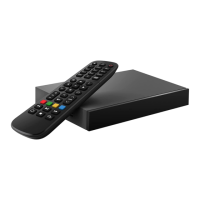
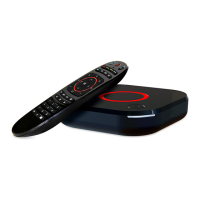
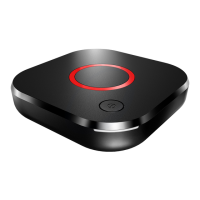
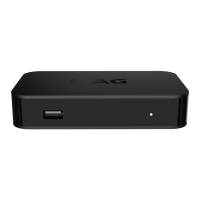
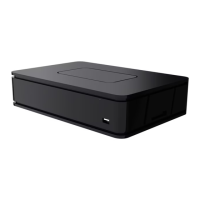
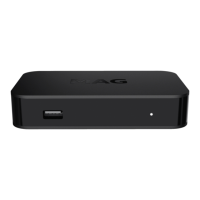
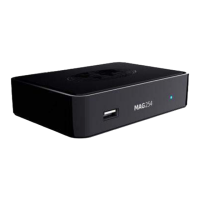
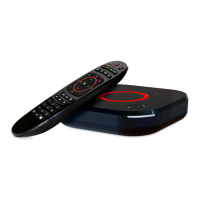
This document describes the Infomir MAG544 and MAG544w3 Linux-based Set-top boxes, providing an instruction manual for their use, technical specifications, and regulatory information.
Function Description
The MAG544 and MAG544w3 are Linux-based set-top boxes designed to select digital audio and video channels from transport streams, decode them, and display them on a TV. Any other use is prohibited, and Infomir emphasizes adherence to copyright law. The device supports automatic software updating to improve functional capability, and users should not interrupt this process.
Important Technical Specifications
Physical Parameters:
- Models: MAG544, MAG544w3
- Weight: 170 g (5.99 oz)
- Dimensions (approximately): 115 mm (4.53") depth, 115 mm (4.53") width, 28 mm (1.10") height
Operation Temperature and Humidity:
- Temperature: 1°C – 40°C (33.8°F – 104°F)
- Humidity: 5% ~ 93% RH
Ethernet Interface:
- Connector: RJ-45
- Cable: UTP and STP 5 categories
- Speed: Auto-choice, 10/100 Mbit/s
- Indicators: Green – Activity, Yellow – Connection
Wi-Fi Interface (only MAG544w3):
- Module: Built-in Wi-Fi 2T2R ac
- Operating Frequency Bands:
- 802.11 b/g/n 2400–2497 MHz
- 802.11 a/n/ac 4900–5845 MHz
- Output Power (E.I.R.P.): IEEE 802.11 a/b/g/n/ac <20 dBm (100mW)
- Internal Antenna Gain (max): 3.11 dBi (5 GHz), 2.69 dBi (2.4 GHz)
HDMI Interface:
USB Interface:
- Video Codecs: MPEG1/2 MP@HL, MPEG4 part 2 (ASP), AV1, MJPEG streams, H.265 Main/Main 10@L5.1 High 2160p@60 fps (optional), H.264 AVC High@L5.1 2160p@30 fps, XviD, 3D video support
- Video Containers: TS, AVI, MPEG, MP4, MOV, MKV, M2TS, VOB
- Audio Codecs: MPEG L1/L2/L3, AAC-LC, HE AAC V1/V2, APE, FLAC
- Dolby Support: This product supports Dolby Digital Plus™
- Video Modes: PAL, NTSC, 576p, 720p, 1080p, 1080i, 4K
- Subtitles: DVB, PGS, SRT, SSA/ASS, SUB, teletext subs, WebVtt, closed captions
Power Supply Interface:
- Connector: DC cylindrical 1.35 mm × 3.5 mm
- Type: Center plus
- Input: 5 V
External Power Supply Unit:
- Type: Pulse with universal inlet
- Input: 90-264 V AC, 50–60 Hz, 0.4 A max
- Output: 5 V DC, 2 A
- Power Consumption: max 5 W in typical conditions
Package:
- Type: Cardboard box
- Dimensions (approx.): 214 mm (8.43") width, 119 mm (4.69") depth, 57 mm (2.24") height
- Shipping Weight: 524 g (18.48 oz)
Usage Features
Unpacking and Installation:
- Handle with care; do not drop or shake.
- Designed for horizontal allocation on a flat surface.
- Intended for indoor use only.
- Avoid slippery surfaces, areas with vibration, direct sunlight, open fires, convectors, or surfaces that get warm during operation (e.g., video record players, amplifiers).
- Do not place on soft surfaces (rugs, beds) to ensure proper air gap for ventilation.
- Ensure sufficient clearance if placed in furniture.
- Do not cover the product or place liquid-containing objects (vases, plant pots) near it.
- Do not touch or move the product during operation; switch it off if relocation is needed.
- Ensure the power supply cord is not deformed, jammed, or laid under carpets.
Power Supply Unit:
- Use only the power supply unit provided by the manufacturer.
- The socket outlet must be near the equipment and easily accessible.
- If the external power supply unit gets hot, switch off and contact the supplier for replacement.
Protection from Atmospheric Electricity/Long-term Non-use:
- During thunderstorms or extended periods of non-use, disconnect the power supply cord, Ethernet, video, and audio cables to protect against thunder discharges and power surges.
Connecting the Device:
- Step 1: Connect HDMI Cable to the TV.
- Step 2: Connect Power Supply Unit (90-264 V AC).
- Step 3: Connect to the Internet via Ethernet or Wi-Fi (for MAG544w3 only).
- WARNING: Switch off all devices (TV, amplifier, etc.) and disconnect the power supply unit from the socket before connecting or disconnecting any cable.
Remote Control (MiniFusion Remote Control):
- Requires two AAA batteries.
- Includes five programmable buttons (marked with blue print color) for controlling other devices (e.g., TV, amplifier).
- Programming Buttons:
- Place STB RC and TV RC infrared LEDs opposite each other (max 5 cm distance).
- On STB RC, press "Red" and "Blue" buttons simultaneously for 3 seconds until "TV power" (Green) and "STB power" (Red) LEDs turn ON.
- Press the desired programmable button on the STB RC; the "STB power" LED will blink once and remain ON.
- On the TV RC, press the button whose function you want to copy. Hold until the "TV Power" LED on STB RC blinks twice. Both LEDs remain ON.
- The STB RC stays in copying mode for other buttons.
- Press "OK" on the STB RC to finish; both LEDs will double blink and turn OFF.
- Resetting Remote Control:
- Ensure RC is in idle mode.
- Press "SETUP" and "OK" buttons simultaneously for about 2 seconds until "TV Power" (Green) and "STB Power" (Red) LEDs turn ON. Release; LEDs turn OFF in 1 second.
- Battery Information:
- Do not mix battery types or old/new batteries.
- Do not use rechargeable batteries.
- Remove batteries if not used for several weeks to prevent leakage.
- Dispose of old batteries responsibly.
- CAUTION: Do not attempt to recharge batteries. Immediately remove leaking batteries; handle with care as they may cause burns.
Front Panel:
- Fn: Reset to factory settings/select boot mode
- USB 2.0
- USB 2.0
- LED
- Power On/Standby
Back Panel:
- Power Supply 5 V
- HDMI 2.1
- Ethernet LAN port
Maintenance Features
Product Care:
- Maintenance: Do not disassemble the product. Disassembly is dangerous and voids the warranty. Maintenance should only be performed by qualified specialists at warranty processing centers. Breaking or changing protective sealing invalidates the guarantee.
- Cleaning: Rub the product and accessories with a dry cloth or tissue only. Before cleaning, switch off the power supply. Persistent spots can be cleaned with a slightly wet cloth. Do not use cleaner, polish, benzyl, solvents, abrasive items, liquid, or aerosol detergents.
Warranty Conditions:
- The warranty is valid only with a properly filled Warranty Service Coupon. If the sale date is missing, the warranty term starts from the manufacturing date (serial number).
- The warranty processing center may refuse free service if documents are incomplete or unreadable.
- The warranty does not cover compensation for losses due to product rearrangement.
- The warranty is invalid if the model/serial number is altered, erased, removed, unreadable, or if the warranty seal is broken.
- The warranty does not cover:
- Adaptations/alterations to perfect or widen the product's application scope.
- Devices/accessories not specified in the "Product Information" section.
- Batteries for the remote control.
- Damage from improper maintenance (e.g., not using the product as intended, incorrect mounting/maintenance, incorrect software installation by service operator).
- Repairs by unauthorized centers/dealers.
- Accidents, lightning, flood, fire, incorrect ventilation.
- Transporting (unless by warranty processing centers).
- Faults in the system where the product was used.
- Warranty conditions do not restrict statutory customer rights or rights from third-party agreements.
- The manufacturer is not responsible for personal data safety (logins, passwords, subscriptions, settings, media files, content, software) during warranty liabilities.
Warranty Term:
- Europe, MEASA, Oceania: 2 years from date of sale (max 2.5 years from manufacture date).
- USA, Americas, Ukraine, and other regions: 1 year from date of sale (max 1.5 years from manufacture date).
- The warranty covers manufacturing defects for the specified term. Defective parts will be repaired or replaced free of charge.
- UK: Complies with The Radio Equipment Regulations 2017, The Electrical Equipment (Safety) Regulations 2016, Electromagnetic Compatibility Regulations 2016, and The Waste Electrical and Electronic Equipment Regulations 2013. MAG544w3 (802.11a/b/g/n/ac) complies with Radio Equipment Regulations 2017. Certified for indoor deployment only in 5150-5350 MHz band; not for outdoor use in this frequency in the UK.
- EU: Complies with Directives 2014/30/EU, 2014/35/EU, 2014/53/EU, 2009/125/EC, 2011/65/EU, and WEEE 2012/19/EU. MAG544w3 (802.11a/b/g/n/ac) complies with 2014/53/EU Directive. Certified for indoor deployment only in 5150-5350 MHz band; not for outdoor use in this frequency in the European Union.
- FCC: Complies with Part 15 of FCC Rules for Class B digital devices. Designed to provide reasonable protection against harmful interference. If interference occurs, reorient/relocate antenna, increase separation, connect to a different circuit, or consult a technician.
- FCC Caution: Device complies with Part 15 of FCC Rules. Operation is subject to two conditions: (1) no harmful interference, and (2) must accept any interference received.
- FCC Radiation Exposure Compliance (MAG544w3 only): Complies with RF exposure limits for an uncontrolled environment. Transmitter must not be co-located or operating with any other antenna/transmitter. Certified for indoor deployment only in 5150-5250 MHz band; not for outdoor use in this frequency in the United States.
- CAUTION: Unauthorized modifications could damage the device and violate FCC regulations, voiding user authority. MAG544w3 should be installed and operated with a minimum distance of 20 cm between the radiator and your body.
Copyrights and Trademarks:
- All rights reserved by Telecommunication Technologies LLC. No part of the manual may be copied, reprinted, transferred, or modified without prior written consent.
- Software Notes: Usage implies agreement with the Privacy Policy. If not agreed, stop using the device.
- License Provision: Grants a non-exclusive, non-transferable license for software and documents with the product only. Users agree not to change, extend, decompile, disassemble, redesign, or access software source code, or delete/upload product software.
- Ownership: Manufacturer retains all intellectual property rights for the software. The license grants restricted use rights, not ownership.
- Warranty for the Software: To the maximum extent, the Company disclaims all warranties (express or implied) regarding the software, including merchantability, fitness for a particular purpose, non-infringement. The Company does not guarantee defect-free software, error correction, or that functions will meet requirements.
- Trademarks: Infomir, MAG are trademarks of Infomir. HDMI and HDMI Logo are trademarks of HDMI Licensing Administrator, Inc. Dolby, Dolby Audio, and the double-D symbol are trademarks of Dolby Laboratories. Linux® is a registered trademark of Linus Torvalds.

 Need help?
 General

 To Next Page