Need help?
Do you have a question about the Infomir MAG520 and is the answer not in the manual?
Regulations and usage restrictions for the United Kingdom.
Regulations and usage restrictions for the European Union.
FCC rules, interference limits, and corrective measures.
RF exposure limits and installation guidelines for MAG520w3.
Specifies warranty periods for different geographical regions.
Form for recording warranty service details.
Contact information for warranty service locations globally.
Details terms and exclusions for product warranty coverage.
Legal notice regarding ownership of manual content.
Terms for using the device's software.
List of registered trademarks associated with the product.
Guidelines for safe operation and avoiding hazards.
Warnings against exposure to liquids and high humidity.
Proper placement and handling for safe installation indoors.
Information on the required power supply unit.
Guidance on operation, heat, and electrical surge protection.
Instructions on product maintenance and warranty voiding.
Methods for cleaning the device and accessories safely.
Device dimensions, weight, and interface details.
Audio/video formats, power supply, and package contents.
Identification of ports and connectors on the device.
Step-by-step guide for connecting HDMI, power, and internet.
Overview and initial setup of the SRC-4015 remote control.
How to change remote control code pages for device compatibility.
Important guidelines for battery usage and disposal.
Description of buttons and their functions on the SRC-4015 remote.
Steps to program the remote to control other devices.
Procedure to reset the programmable remote control.
Explanation of buttons on the SRC-4513 programmable remote.
Fields for product, serial number, and MAC address.
Lists items included in the set and optional accessories.
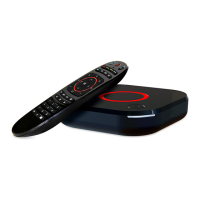
This document serves as an instruction manual for the Infomir MAG520 and MAG520w3 Linux-based Set-Top Boxes, providing essential information on their function, usage, and maintenance.
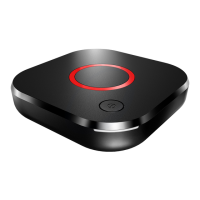
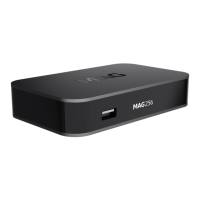
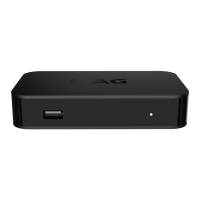
The MAG520 and MAG520w3 are designed to select digital audio and video channels from transport streams, decode them, and display them on a television. This core functionality enables users to access and enjoy digital television services. The device supports various audio and video formats, ensuring compatibility with a wide range of media content. The MAG520w3 model includes a built-in Wi-Fi module, offering wireless connectivity in addition to the standard Ethernet port found on both models. This allows for flexible internet access, whether through a wired connection or Wi-Fi. The set-top box is equipped with HDMI for high-definition audio and video output, as well as USB ports (one USB 2.0 and one USB 3.0) for connecting external devices.
The set-top box is designed for indoor use and should be placed horizontally on a flat surface. Proper placement is crucial to ensure adequate ventilation and prevent overheating, which could void the product warranty. Users should avoid placing the device on soft surfaces like rugs or beds, or in enclosed furniture without sufficient air circulation. It should also be kept away from direct sunlight, open flames, and heat sources. Objects containing liquids, such as vases or plant pots, should not be placed near or on the product. During operation, the device should not be touched or moved; if relocation is necessary, it should be switched off first. The power supply cord must be positioned to prevent deformation, jamming, or being stepped on, and should not be hidden under carpets or blocked by other objects where damage might go unnoticed.
The device is powered by an external power supply unit provided by the manufacturer. If the external power supply unit becomes hot during operation, it should be promptly switched off, and the equipment supplier contacted for a replacement. In the event of a thunderstorm or if the product will not be used for an extended period, it is recommended to disconnect the power supply cord from the socket, and switch off Ethernet, video, and audio cables to protect against thunder discharges and power surges. When using the product with plasma screens, users should avoid pausing the picture for more than 5 minutes to prevent "burn-out" pixels on the screen. This is a characteristic of plasma screens and not considered a product defect.
The set-top box supports automatic software updating, which improves its functional capabilities. During a software update, the device should not be used for watching and must not be switched off until the update is complete. This process typically takes several minutes, after which users can resume enjoying digital television services.
The remote control, SRC-4015, requires two AAA batteries. It features programmable buttons that can be configured to control other devices like a TV or amplifier. The code page of the remote control can be altered to prevent interference with other devices. This involves a specific sequence of button presses on the remote to change its code page, followed by a sequence on the set-top box to synchronize it. Users are cautioned against mixing different types of batteries, or old and new batteries, and rechargeable batteries should not be used. If the remote control will not be used for several weeks, batteries should be removed to prevent leakage. Leaking batteries should be handled with care as they can cause burns to the skin or eyes.
The set-top box should never be disassembled by the user. Attempts to disassemble the product are dangerous and will invalidate the product warranty. Maintenance should only be performed by qualified specialists at authorized warranty processing centers. The product has protective sealing, and any breakage or alteration of this sealing will void the warranty.
For cleaning, the product and its accessories should be gently rubbed with a dry cloth or tissue. Before cleaning the shell, the power supply must be disconnected from the electrical socket. Persistent spots on the shell can be cleaned with a slightly wet cloth or cleaning tissue. However, abrasive items, liquid or aerosol detergents, polishes, benzyl, or solvents should not be used for cleaning the product or its accessories.
The manual also includes a warranty service coupon to be filled out by a shop assistant at the time of purchase, detailing the date of sale, seller information, and customer acknowledgment of the warranty conditions. This coupon is essential for claiming warranty services. The warranty terms vary by region, with Europe, MEASA, and Oceania typically having a 2-year warranty from the date of sale (or 2.5 years from manufacture date), while the USA, Americas, Russia, Ukraine, and other regions have a 1-year warranty (or 1.5 years from manufacture date). The warranty covers manufacturing defects and ensures free repair or replacement of defective parts at a warranty processing center. However, the warranty is invalid if the product's model or serial number is altered, erased, removed, or unreadable, or if the warranty seal is broken. It does not cover adaptations or alterations, devices not specified in the "Product Information" section, remote control batteries, or damage resulting from improper maintenance, unauthorized repairs, accidents, environmental factors (lightning, flood, fire), incorrect ventilation, or faults in the system where the product was used. The manufacturer disclaims responsibility for personal data safety during warranty service.
 General
| RAM | 2 GB |
|---|---|
| Video Output | HDMI 2.1 |
| USB Ports | 2 x USB 2.0 |
| Operating system | Android TV |
| Audio Output | HDMI |
| Ethernet | 100 Mbps |
| Wi-Fi | 802.11 b/g/n |
| Power Supply | 5V/2A |
| Video codecs | H.265, H.264, VP9 |
| Audio codecs | AAC, MP3 |
| Video modes | 480i/p, 576i/p, 720p, 1080i/p, 4K |
| DRM options | Widevine L1 |

 To Next Page